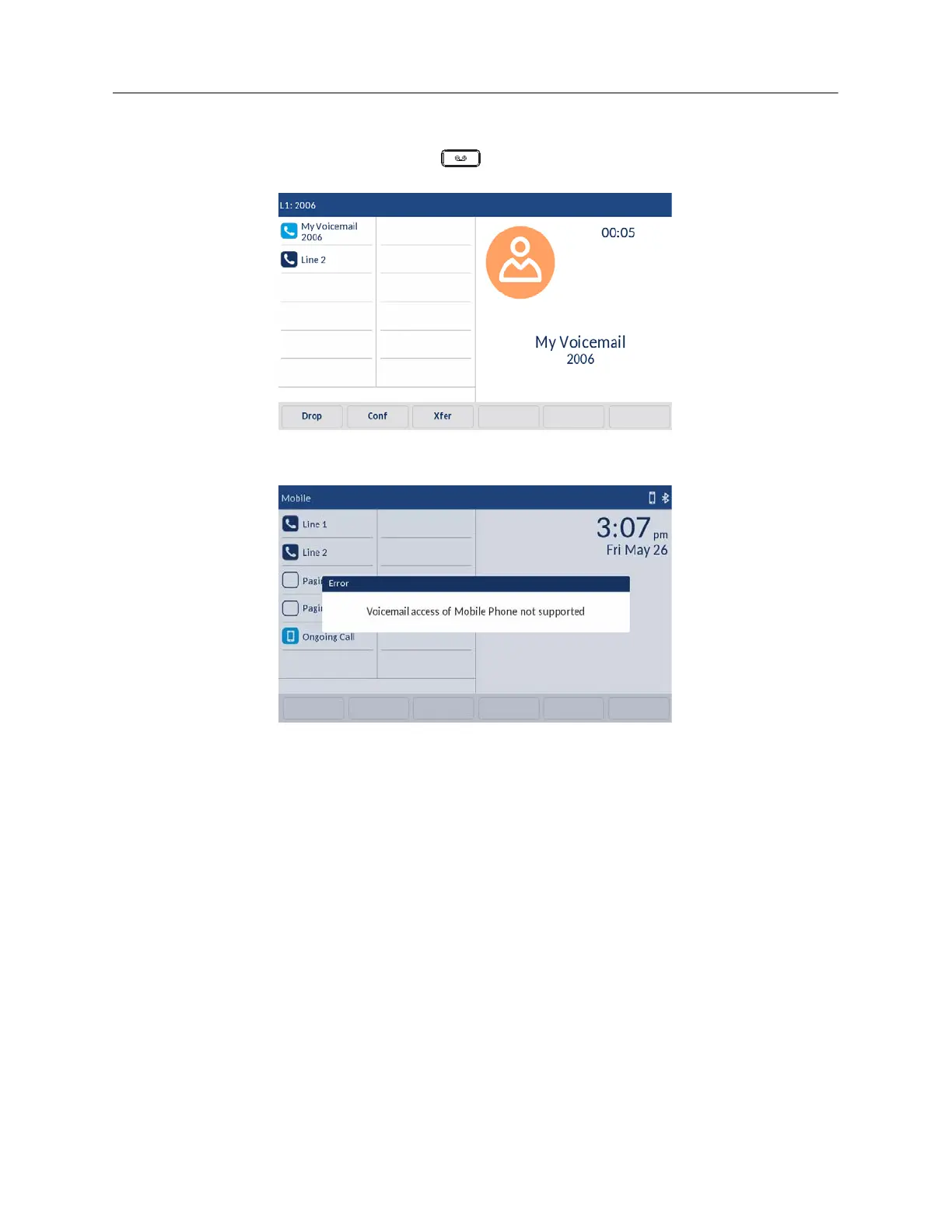
The following Voicemail functions are configured on the hardkey:
• On the SIP phone, pressing the
Voicemail hardkey and dialing the Voicemail number
(configured by your System Administrator) connects the call to Line 1 Voicemail box.
• In the mobile line, pressing the Voicemail hardkey displays an error message on the SIP
phone screen -
Voicemail access of Mobile Phone not supported
.
• In the mobile line, when the call is received from the mobile phone, pressing the Voicemail
hardkey results in no action since the mobile line is in connected state and displays an error
message on the SIP phone screen -
Voicemail access of Mobile Phone not supported
.
• In the mobile line, when the call is received from the SIP phone, pressing the Voicemai
hardkey results in no action since the mobile line is in connected state but no error message
is displayed.
DND and Call Forward
The 6940 has a feature that allows you to configure DND and Call Forward for multiple accounts on
the phone. You can set specific modes for the way you want the phone to handle DND and Call
Forward. The three modes you can set on the phone for these features are:
• Account
• Phone
•Custom
The following paragraphs describe account-based DND and Call Forward:



 To Next Page