Mitel 6940 SIP Phone User Guide
4.
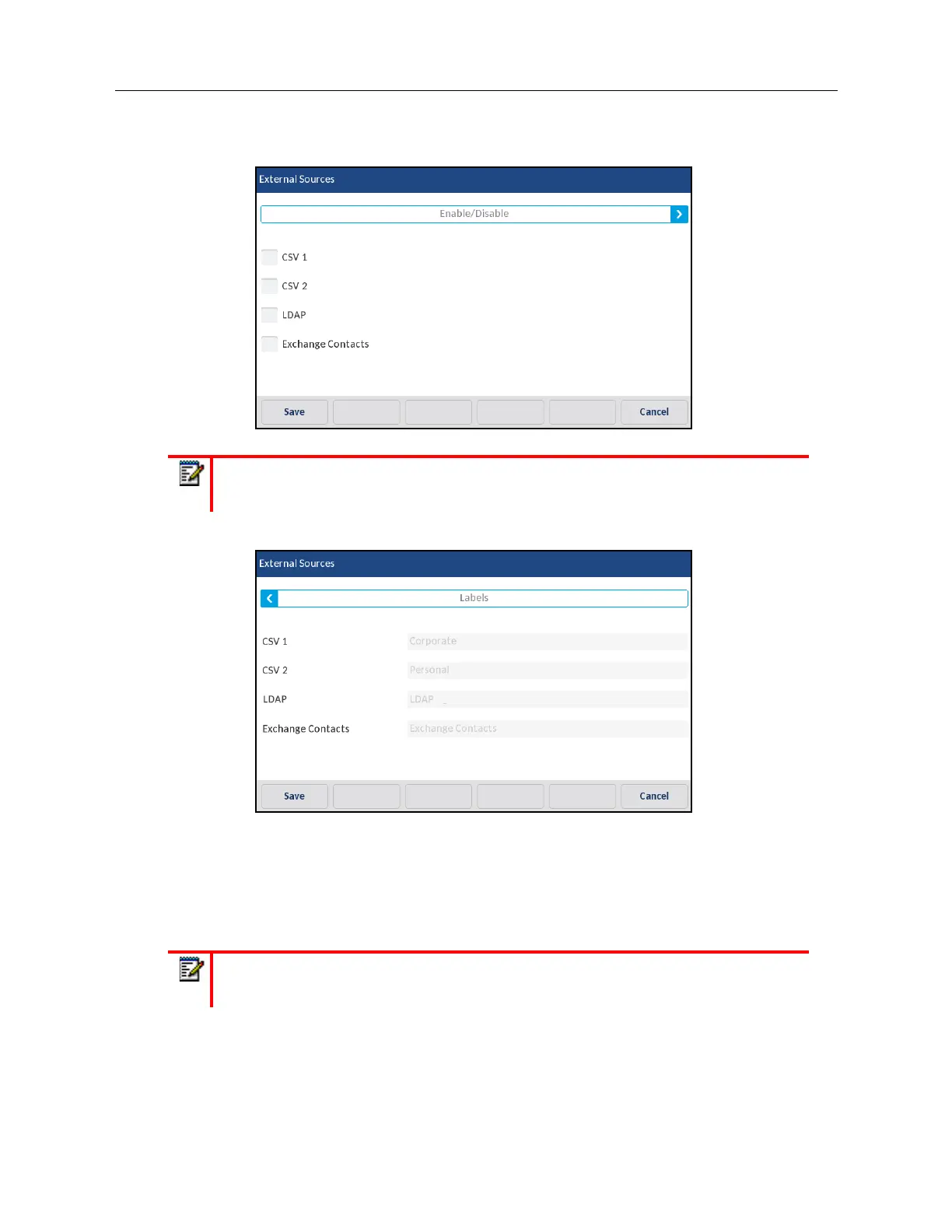
Press the corresponding checkbox to enable or disable each external directory source as per
your preference.
5.
Press right arrow on the
Enable/Disable
tab to switch to the
Labels
tab.
6.
Press the Directory source label field that you want to edit and using the on-screen keyboard
enter in a name for the respective directory folder.
7.
Press the
Save
softkey to save your changes.
Credentials
Some features (e.g. LDAP Directory, Microsoft Exchange Directory, etc...) require authentication to
external servers before they can be used. The
Credentials
options menu allows you to enter in your
user credentials for these respective features. This menu also allows users to test their authentication
settings and connection to the respective server/source.
Note:
CSV 1 and 2 are enabled by default. All other Directory sources are disabled by
default.
Note:
Menu available only if certain features requiring authentication to a server have
been configured by your Administrator.



 To Next Page