Mitel 6940 SIP Phone User Guide
Using Handsfree Speakerphone
The handsfree feature allows you to speak to someone without using the handset or headset. Your
phone must be in either the
Speaker
or
Speaker/Headset
audio mode. For more information about
setting the audio mode on your phone, see “Audio Mode”
on page lxxviii
.
• To dial using handsfree, first press and enter a number at the dial tone.
• To answer a call on your phone using handsfree, press or the line/call appearance button.
• If you are in
Speaker
audio mode, lift the handset and press to switch between handsfree
and handset.
• If you are in
Speaker/Headset
audio mode, press to switch between handsfree and
headset.
• When the handset is on hook, press to disconnect the call.
Using a Headset
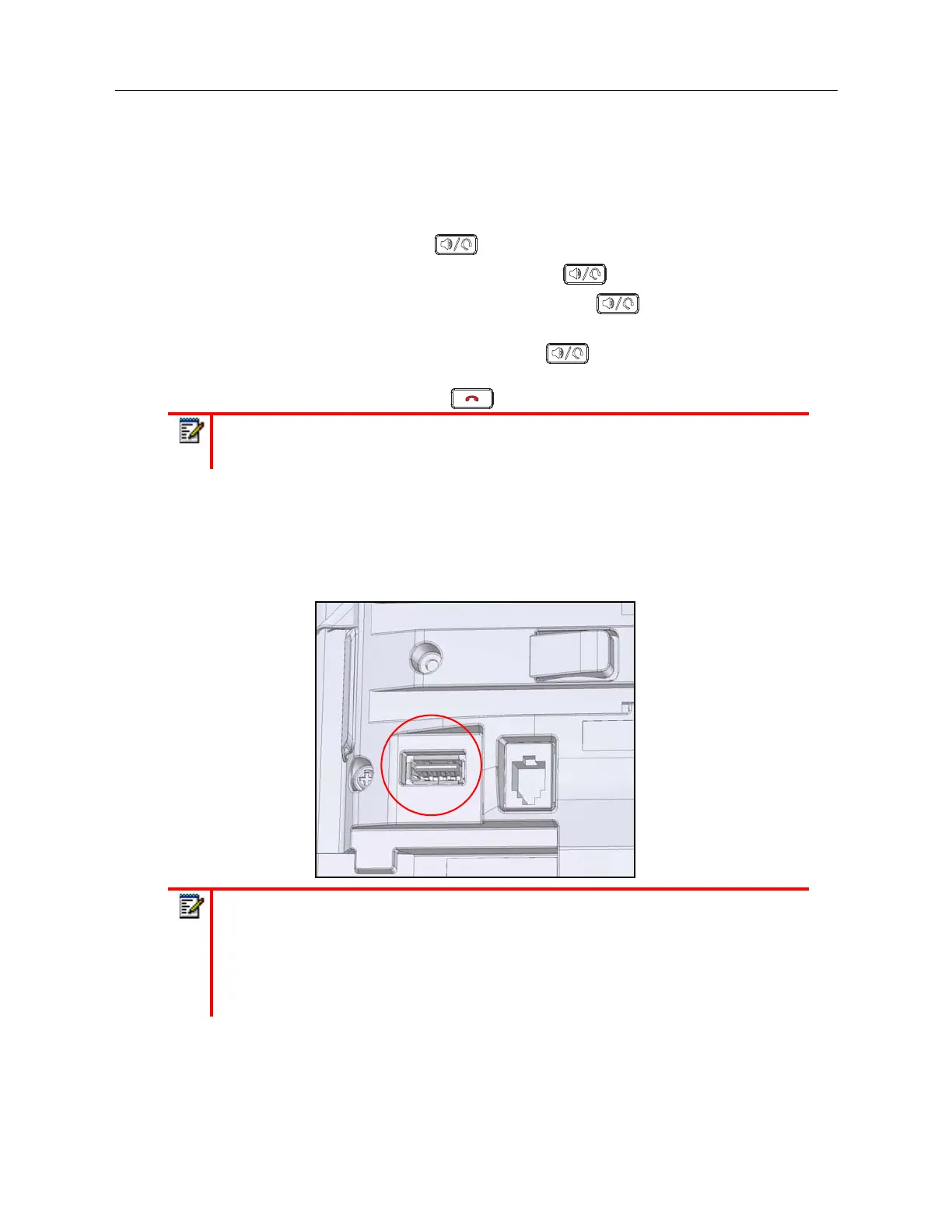
The 6940 supports USB headsets (connected through the USB port located on the back of the
phone) as well as Bluetooth-compliant headsets. Bluetooth must be enabled and the Bluetooth
device must be paired and connected with the 6940 for it to function.
Note:
When handsfree is on, the speaker light turns on.
Notes:
1.
For more information about Bluetooth headset support, see “Bluetooth” on page lxv.
2.
When the default (Speaker) audio mode is being used, if a USB headset is connected,
or when Bluetooth is enabled and a Bluetooth headset is paired, the phone
automatically switches the audio mode to Headset/Speaker. For instructions on how
to manually override the audio mode, see “Audio Mode” on page lxxviii.



 To Next Page