Mitel 6940 SIP Phone User Guide
• Phone lock status
• SCA Caller IDs
• XML-related text
• Network status
Softkeys
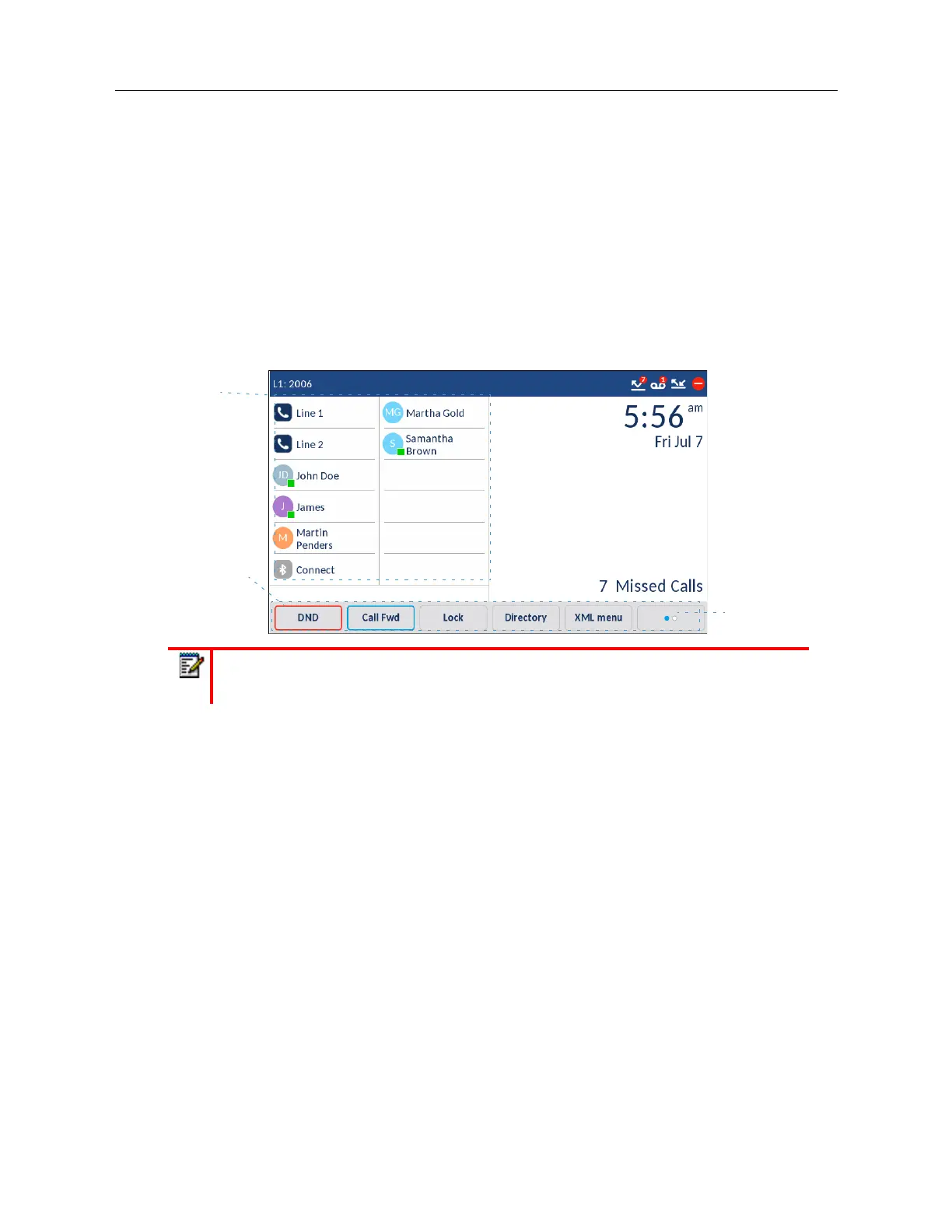
12 top softkeys and 6 bottom softkeys are always displayed on the
Home
screen. You can configure
the top softkeys with up to 48 functions and configure the bottom softkeys with up to 30 functions
as required.
If you or your Administrator have configured softkey functions on your phone, the labels for those
functions display on the screen. For example, in the illustration above
Voicemail
and
Home
were
configured as speed dial keys and the remaining top softkeys were configured as
Busy Lamp Field
(BLF) keys. The bottom set of softkeys were configured as
DND
(Do Not Disturb),
Call FWD
(Call
Forward), and
Lock/Unlock, XML, and Directory
respectively.
If you have more than 12 top softkeys configured, dots are displayed beneath the top softkeys
indicating more top softkey pages are available. These dots indicate the number of softkey pages
and its relative position. Swipe left on the top softkey area to access the additional pages.
For bottom softkeys, a
More
softkey (as indicated by the dots) is displayed if you have configured
more softkeys than can be displayed at one time. These dots indicate the number of softkey pages
and its relative position. Press the
More
bottom softkey to access the additional pages.
Note:
For more information about configuring the top and bottom softkeys, see
“Configuring Softkeys” on page xciii.
More Softkey
Bottom
Top
Softkeys
Softkeys



 To Next Page