Mitel 6940 SIP Phone User Guide
5.
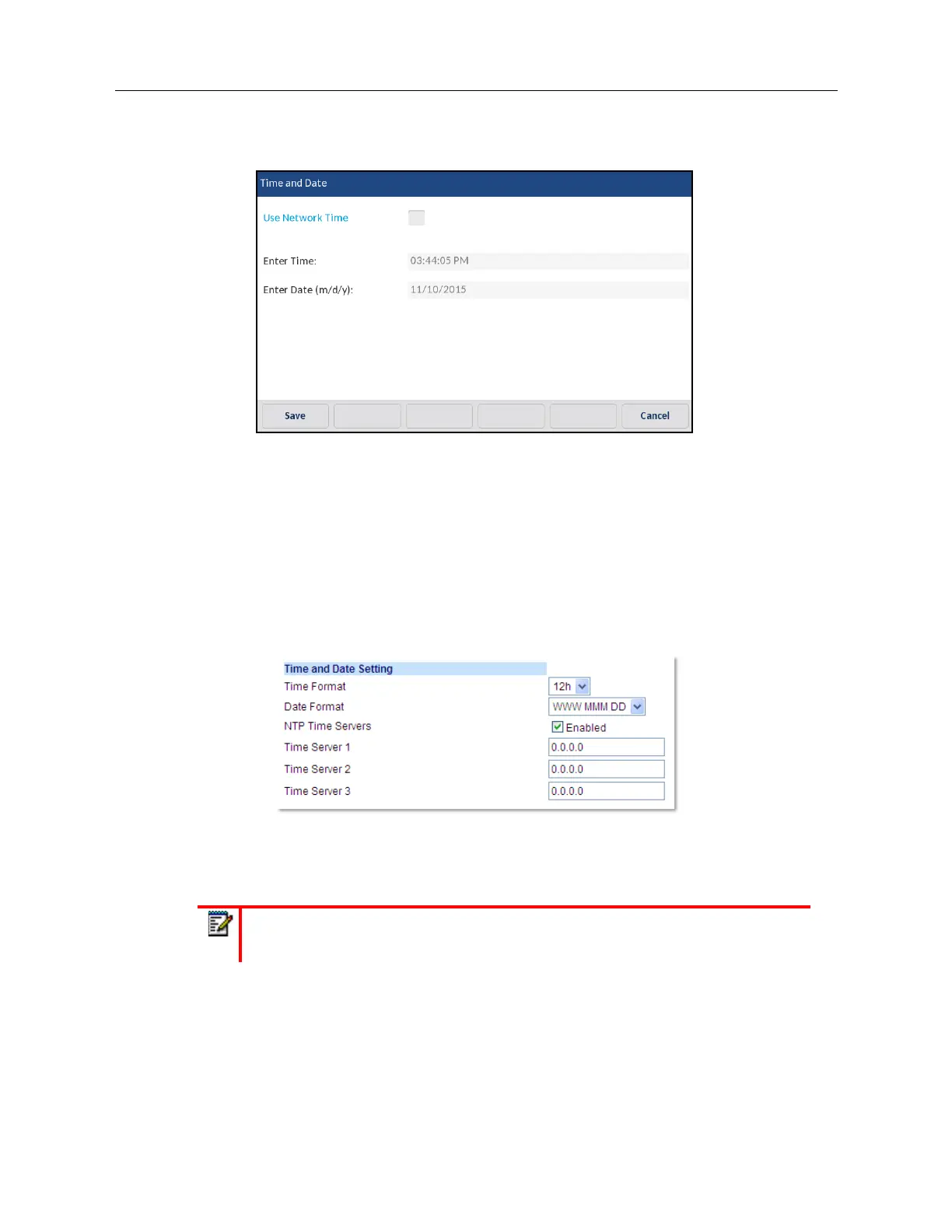
If you want to manually set the date and time, press the
Use Network Time
checkbox to clear
the checkmark and disable the setting.
a.
Press the
Enter Time
or
Enter Date
field.
b.
Using the on-screen keyboard, change the time and date accordingly.
When entering the time, use the right arrow key on the on-screen keyboard to toggle be-
tween AM and PM.
6.
Press the
Save
softkey to save your changes.
Configuring Time and Date Settings Using the Mitel Web UI
1.
Click on
Basic Settings > Preferences > Time and Date Setting
.
2.
In the
Time Format
field, select the time format you want to use on your phone. Valid values are:
• 12h (12 hour format) (default)
• 24h (24 hour format)
Note:
The time format you configure is applicable to the phone’s
Home
screen as
well as the Received Callers and Outgoing Redial Lists.



 To Next Page