OPERATION
© 2014 Mold-Masters (2007) Limited. All Rights Reserved.
Revised 1 Oct, 2014
6-29
6.20 Load tool settings (locally)
Note that the operating mode for the controller cabinet remains un-
changed by loading a tool. So, if your controller is in Run mode and
another tool setting with different temperatures is selected, and load-
ed, then the tool will immediately change to run at the different tem-
perature settings.
If, at step 2, the [
Load] button is greyed out then swapping Tools on-
the-y has been Disabled. (See page 5-18 for details).
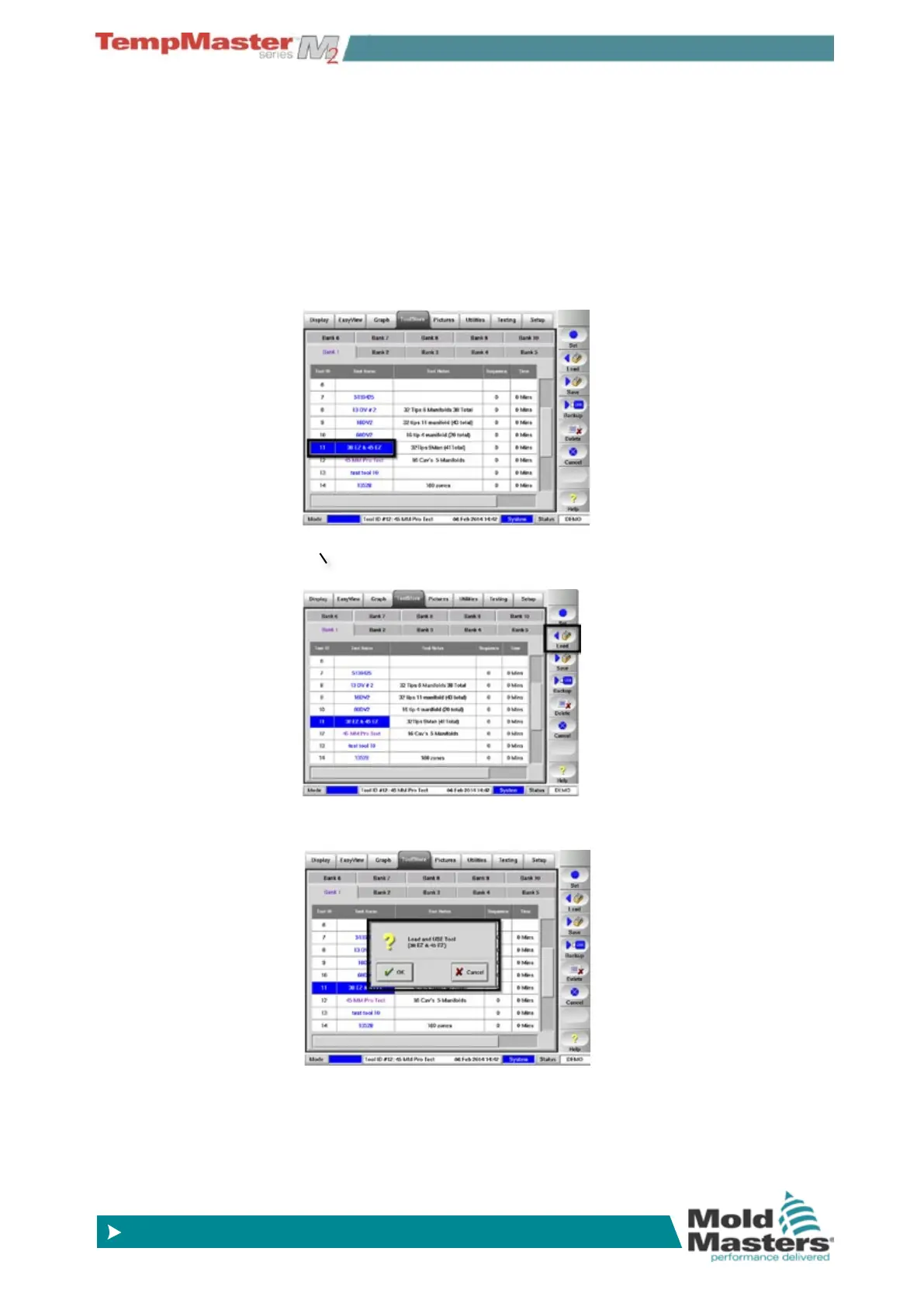
1. Select the desired tool.
2. Choose [
Load]..
3. Choose [
OK], or [Cancel] to exit.
6.20.1 Load tool settings (remotely)
If the controller is tted with an IO5 card then it is possible to remotely
select different tools. See page page 6-48 for information about how
this works



 To Next Page