OVERVIEW
© 2014 Mold-Masters (2007) Limited. All Rights Reserved.
Revised 1 Oct, 2014
4-2
4.2 How to Isolate the Controller
The main Power Switch is sufciently rated to disconnect the total
load current during switch On and switch Off. To prevent its operation,
during maintenance, you can use a suitably-sized padlock, or similar
device, to lock the switch in the Off position.
4.2.1 Switching On
Main Cabinet
Switch ON the Main Isolator to energise the main cabinet.
KTS Console
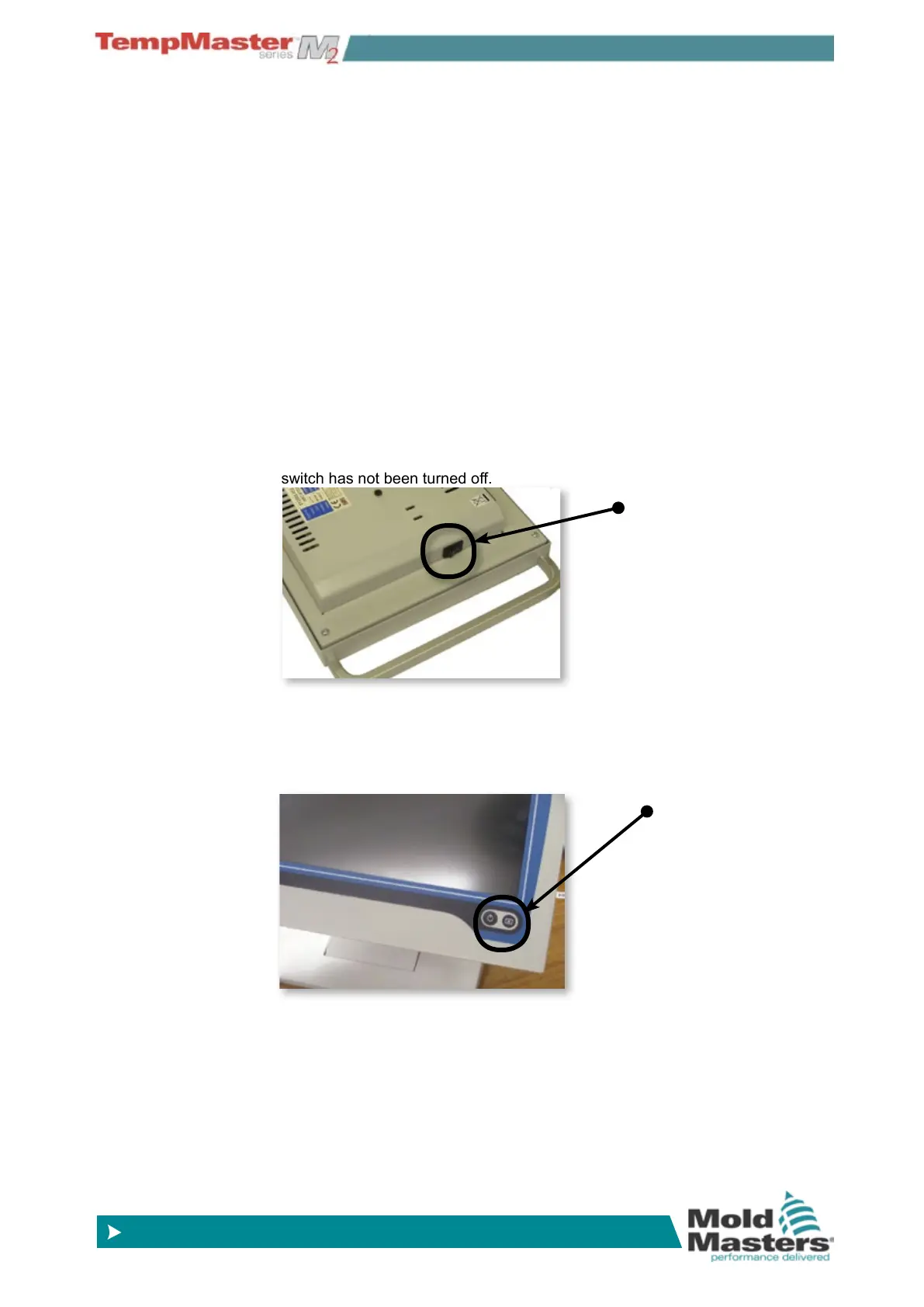
The KTS Console has a main On/Off switch, at the rear right-hand side of the
console case, which is normally left switched “on”.
If left on then the console will start its boot up sequence as the cabinet is
powered up.
If the cabinet is switched on and the console does not start then check this
switch has not been turned off.
TSA2 Console
The TSA2 Console has a non-latching push button at the bottom right hand
side of the screen. After switching on the main cabinet on you then need to
briey press the start button until it illuminates. Release the button and the
console will start its normal boot-up sequence.
4.2.2 Mold Heating
After the consoles have started and the main display screen is visi-
ble then the controller may, or may not, start to heat up the zones; it
depends on how the Console Startup option is congured. (on page
5-19.)
If Console startup is set to “Stop” then the tool remains at zero pow-
er and at room temperature. If it set to any of the other three options
(Startup, Standby, or Run) the controller applies power to the zones
so that they heat up.
Console Switch
Console Switch



 To Next Page