MAINTENANCE
© 2014 Mold-Masters (2007) Limited. All Rights Reserved.
Revised 1 Oct, 2014
7-3
7.2 Print out to File
Rather than print to a printer, either local or network connected, you
can print any of the normal print options to a USB Memory stick.
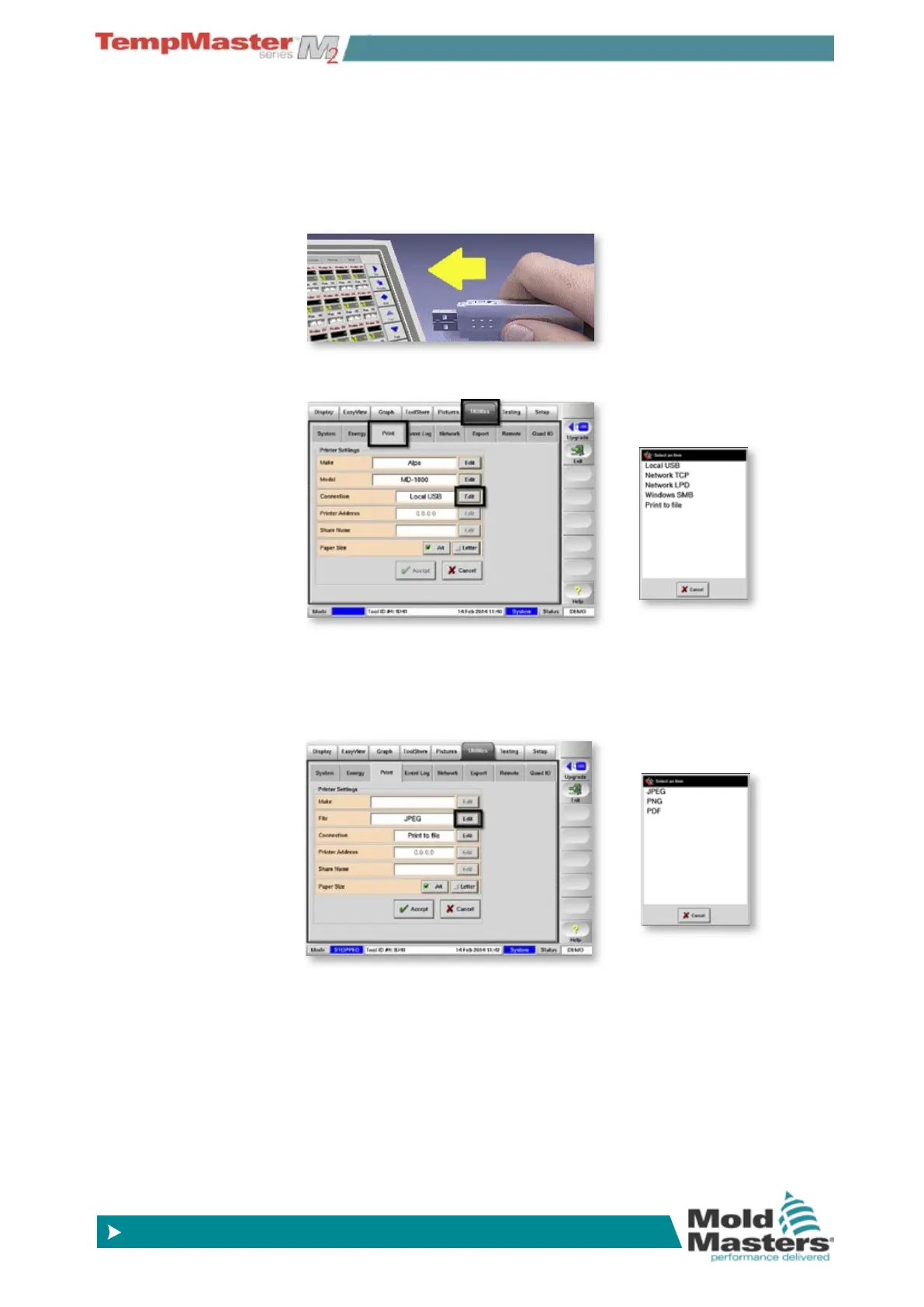
1. Insert storage media then wait about 10 seconds until the USB
Memory is ready to use.
2. Select Utilities and Print page. Choose Connection [Edit] and
choose [Print to File].
3. On return to the main Print page you will see that the second
Printer Setting has changed from “Model” to “File” and see that this
option defaults to PDF.
For different print options choose File [Edit] and select
JPEG, PNG or PDF.



 To Next Page