EasyManua.ls Logo

Mold-Masters M2 - 5.13 Set Up EasyView Pages

Default Icon
179 pages
Print Icon
To Next Page IconTo Next Page
To Previous Page IconTo Previous Page
Loading...
SETUP
© 2014 Mold-Masters (2007) Limited. All Rights Reserved.
Revised 1 Oct, 2014
5-28
www.moldmasters.com
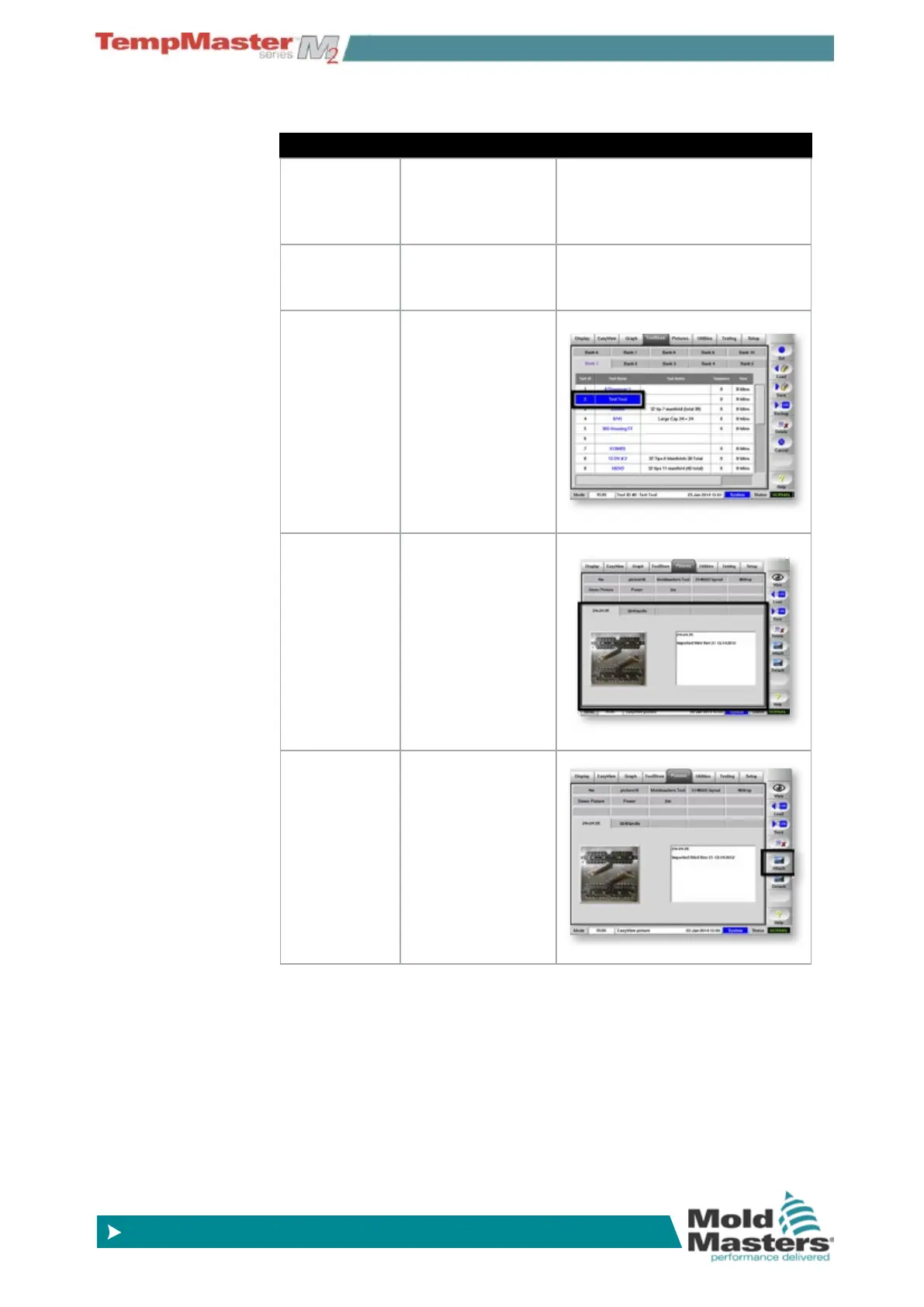
5.13 Set Up EasyView Pages
Step Process More…
1. Prepare
and load an
image.
Select a picture or
drawing of the tool
and save it to a
memory card.
Do this on a PC away from the
Console.
2. Import the
image.
Get the picture
into the picture
page.
See page 6-40 for details.
3. Select the
tool.
Open ToolStore
and load the ap-
propriate tool.
4. Select the
picture.
Open picture page
and select the tab
for the new pic-
ture.
There are 20
picture slots and
200 tool slots –
one picture can be
used for more than
one tool.
5. Attach the
image.
Choose [
Attach].

Table of Contents

Related product manuals