OPERATION
© 2014 Mold-Masters (2007) Limited. All Rights Reserved.
Revised 1 Oct, 2014
6-9
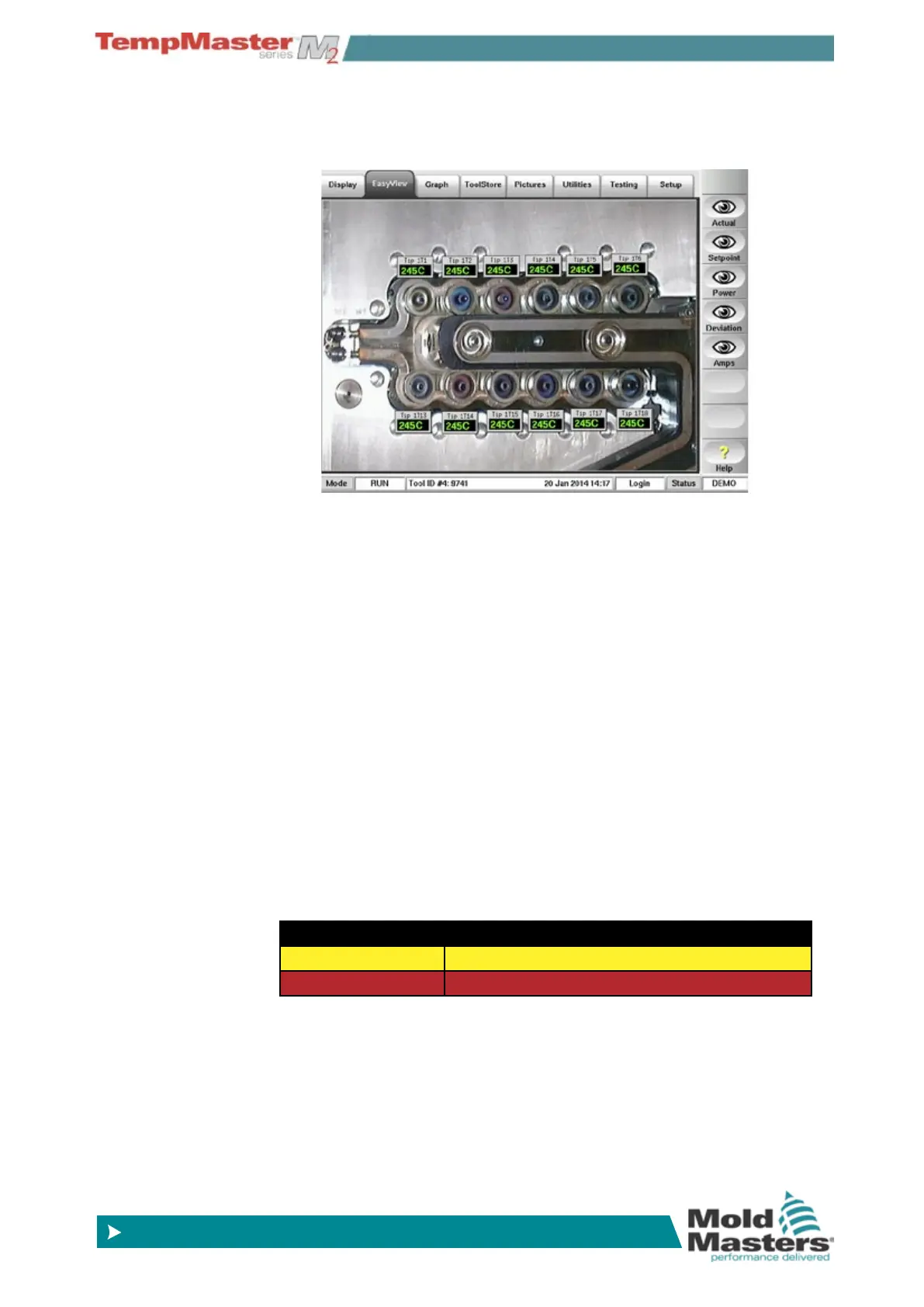
6.7 About EasyView page
The EasyView page allows you to relate zone temperatures to physi-
cal position.
Apart from the zone (alias) name, the mini-panels show one other
piece of information which may be either:
• the Actual temperature,
• the Set-point temperature,
• the current Applied power,
• the deviation between Set and Actual temperatures
• the current (or Amps) consumed by that zone
While no zone is selected, you can change the displayed value by
choosing one of the [
Actual], [Set-point], [Power], [Deviation] or
[
Amps] buttons at the side of the page.
Choose any one mini-panel within the EasyView page to make the
sidebar function buttons switch to [
Set] and [Zoom] ready for your
next input.
The mini-panel header is not color-coded as on the Display page.
However the lower half, while showing temperature or power is
color-coded to indicate the alarm status, as shown below.
Green on Black Normal working
Black on Yellow 1st stage Warning status
White on Red 2nd stage Alarm Status or Fatal Error



 To Next Page