TROUBLESHOOTING
© 2014 Mold-Masters (2007) Limited. All Rights Reserved.
Revised 1 Oct, 2014
8-5
8.4 TouchScreen - removal and reconnection
Provided you are not using cycle-synchronised probes, the display
console can be disconnected while the system is running without
causing immediate problems. However, we recommend that you only
do this to recover from an emergency situation and that you run the
system without a console for as short a period as possible.
The task is less onerous if done after shutting down the whole system.
However the following steps show how to swap a console while the
controller remains in normal run mode.
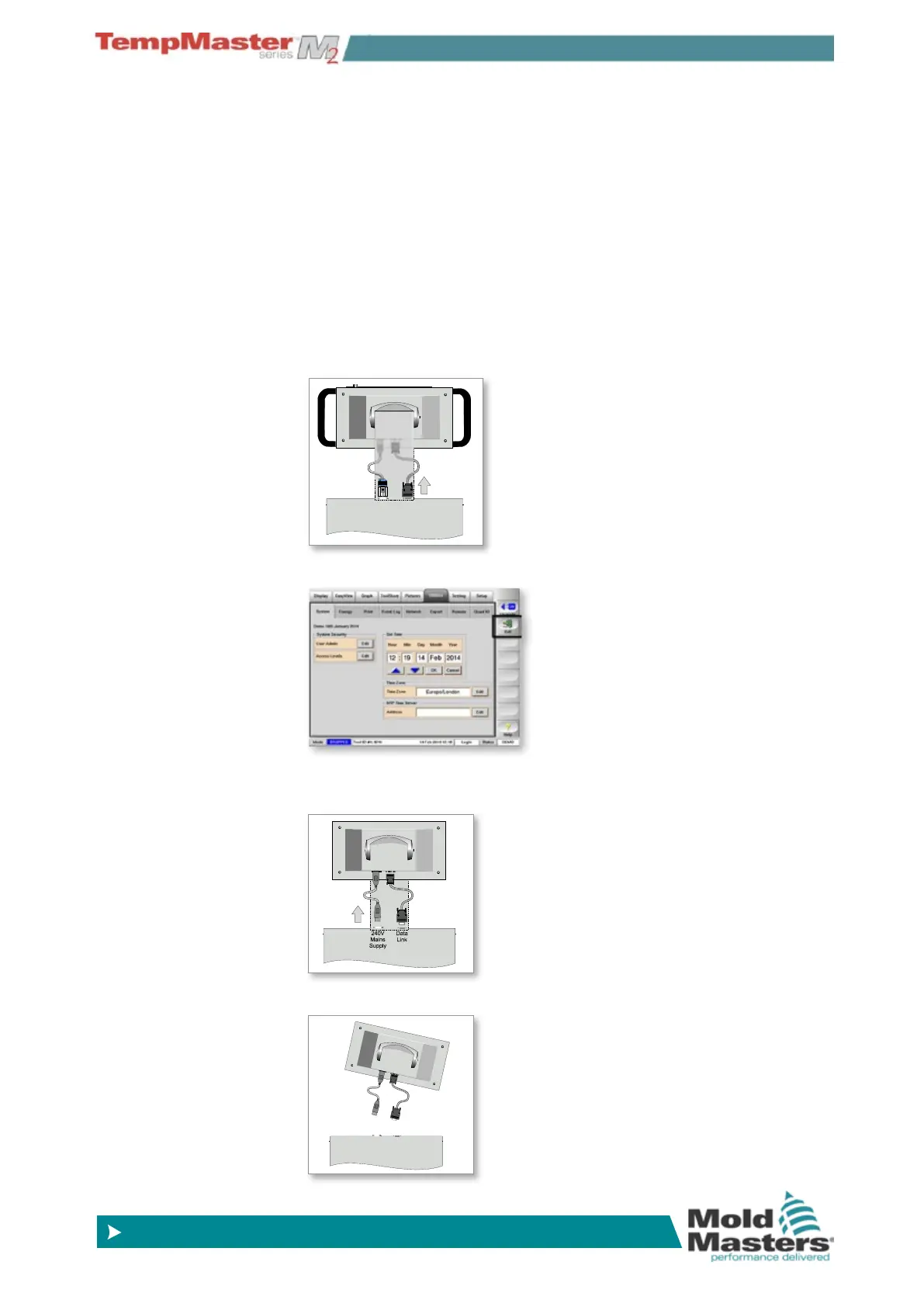
8.4.1 Removing a console
1. Unplug the data lead.
2. Stop the console by choosing [Exit].
3. Unplug the power lead.
4. Remove the console.
240V
Mains
Supply
Data
Link
240V
Mains
Supply
Data
Link



 To Next Page