OVERVIEW
© 2014 Mold-Masters (2007) Limited. All Rights Reserved.
Revised 1 Oct, 2014
4-3
4.3 Switching Off (the Controller)
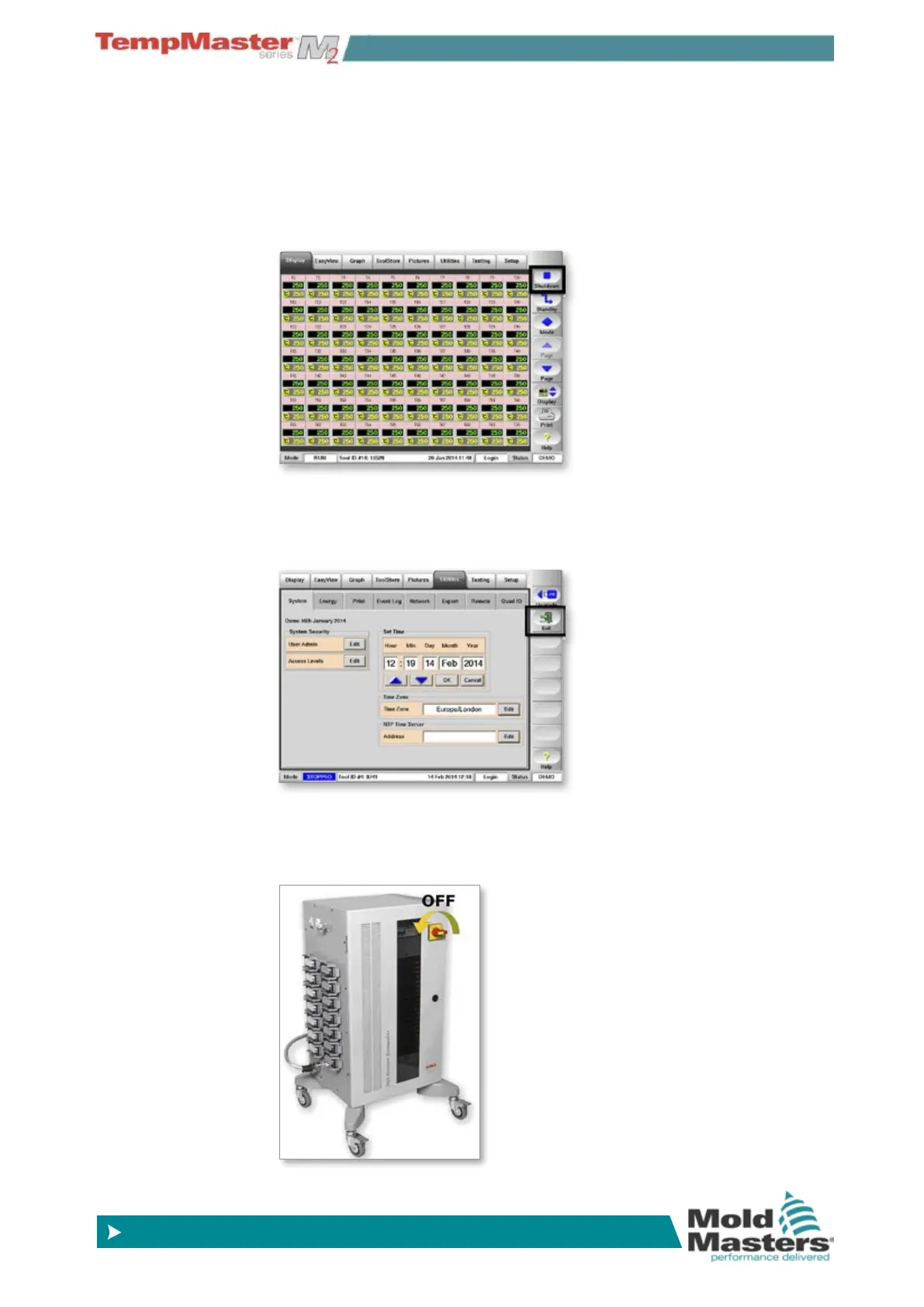
We recommend that you use the console to shut down the heating
load, and only use the main isolator to switch off a dormant controller.
1. Shut down the heating.
On the Display page, choose [Stop] to reduce the heating to zero.
2. Shut down the Console
On the Utils page, choose [Exit] to shut down the Console Computer.
3. Shut down the Controller
Finally, use the <Main Power Switch> to isolate all the power to the
whole system.



 To Next Page