SETUP
© 2014 Mold-Masters (2007) Limited. All Rights Reserved.
Revised 1 Oct, 2014
5-36
5.14.4 User Admin options
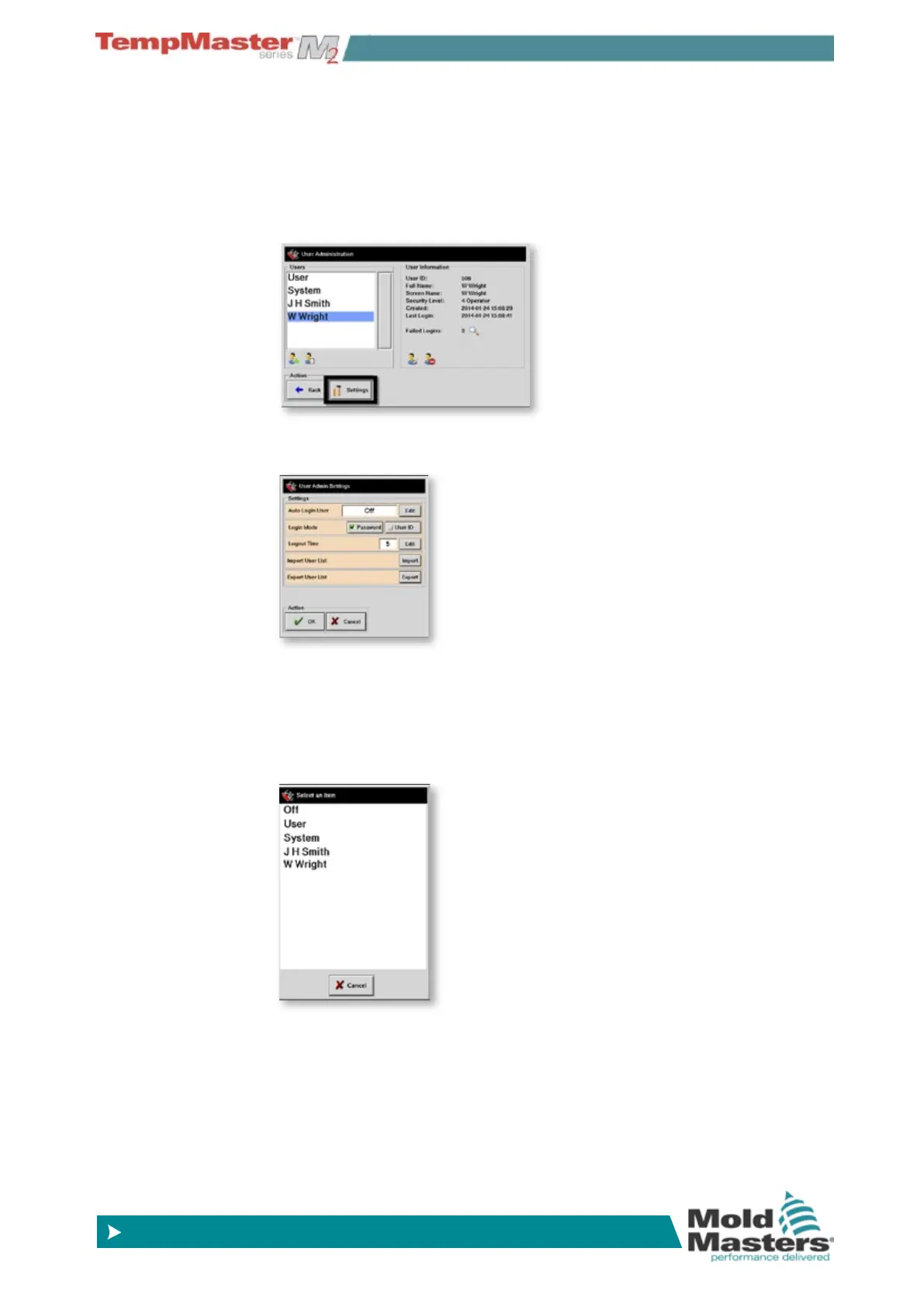
Other User access facilities are detailed here:
Choose [
Settings].
This opens the options panel.
Auto Login User - allows you to change the Console so it starts with
a named user logged in automatically without the need of a password.
In most occasions this is left [
Off] so that you need to login at some
level to make any change - almost essential in a large factory.
Alternatively you could choose [
System] to allow full unrestricted use
- probably an easy option for a single user situation.
Or anything else in between these two extremes.
The Login Mode can permit login with just a [
Password] or as a two-
step login requiring [
User ID] plus the associated password.
Login time allows you to set how long a login will remain effective
while it is idle - this is in minutes.
Export and Import user lists give you a simple means to move user
lists from one console to another via a USB Memory stick.
Passwords and User Access - contd.



 To Next Page