OPERATION
© 2014 Mold-Masters (2007) Limited. All Rights Reserved.
Revised 1 Oct, 2014
6-48
6.30 How to use the IO5 card for Remote
Tool Selection
The IO5 offers all the same functions of the 4-channel input/output
card along with some extra input/output functions that enable remote
tool loading. These extra functions connect to the remote machine us-
ing either a HAN16A connector or an AMP 183040 circular connector.
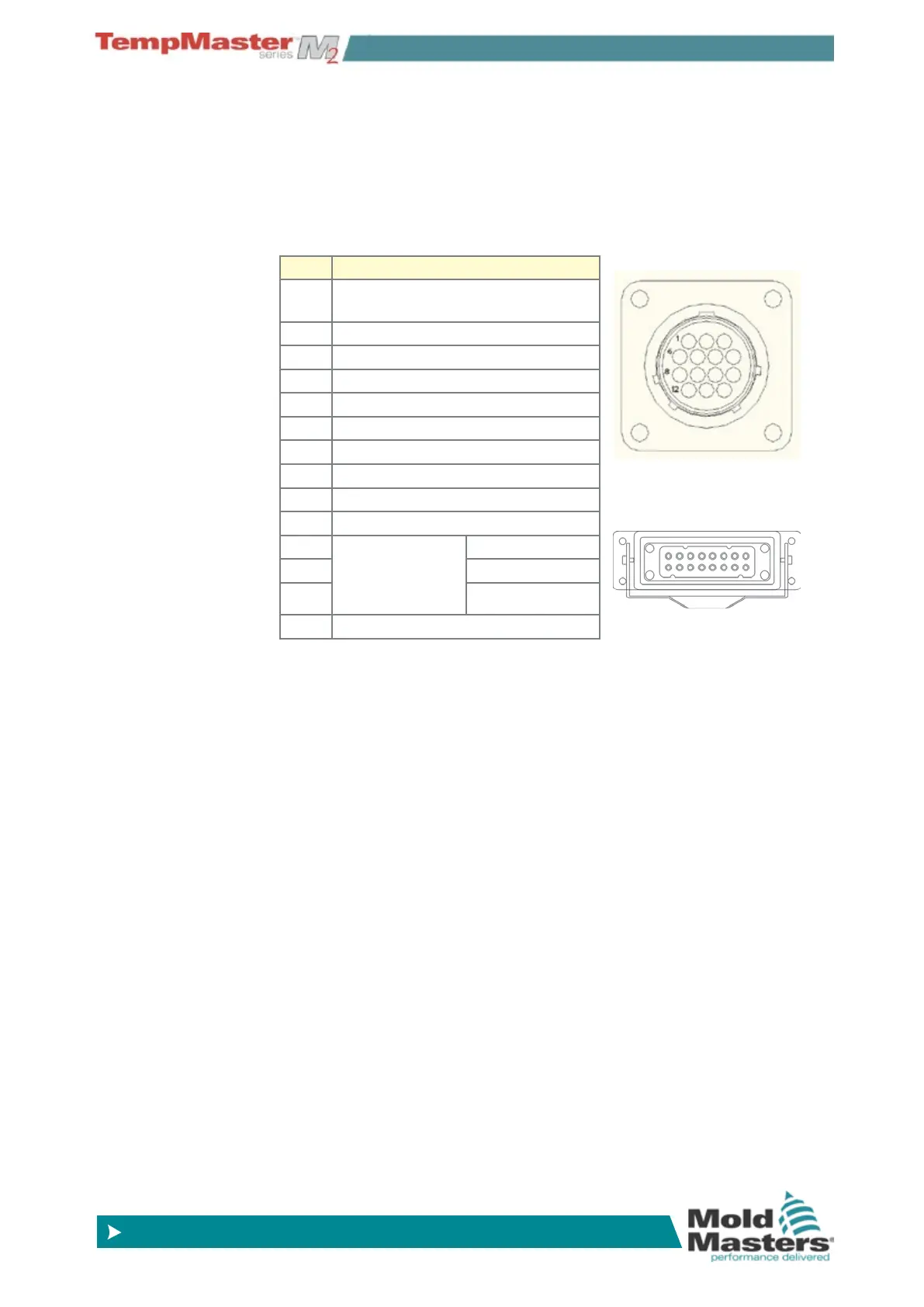
The connector pins are congured according to the table below.
Pin Function
1 “tool load” signal from molding
machine to ask console to load tool
2 address 1
3 address 2
4 address 4
5 address 8
6 address 16
7 address 32
8 address 64
9 address 128
10 spare
11 “Tool loaded
signal” from
console to
molding machine
Normally-Open
12 Common
13 Normally-Closed
14 GND
Static or Dynamic Tool Load
The IO5 can be used in two ways to enable remote tool loading.
The static method is enacted by simply connecting appropriate “load”
and “tool ID” pins to ground. The tool is loaded and feedback is ig-
nored.
The dynamic method sends a change tool command by connecting
the “load” and “tool ID” pins to ground – it then watches to see that
a tool has been satisfactorily loaded and then ends the tool load
process. It is also free to repeat the operation and load another tool
should the need arise.
Static Remote Tool Load Process
If you want to load a tool without receiving console feedback then you
can simply short appropriate pins together…
Load Tool 10 – connect, “load pin”, and “tool id pins” to ground - con-
nect pins 1, 3, & 5 to 14
Load tool 19 – connect pins 1, 2, 3 & 6 to 14
AMP 183040-1Connector
HAN16A Connector



 To Next Page