OPERATION
© 2014 Mold-Masters (2007) Limited. All Rights Reserved.
Revised 1 Oct, 2014
6-39
6.26 The Picture Page
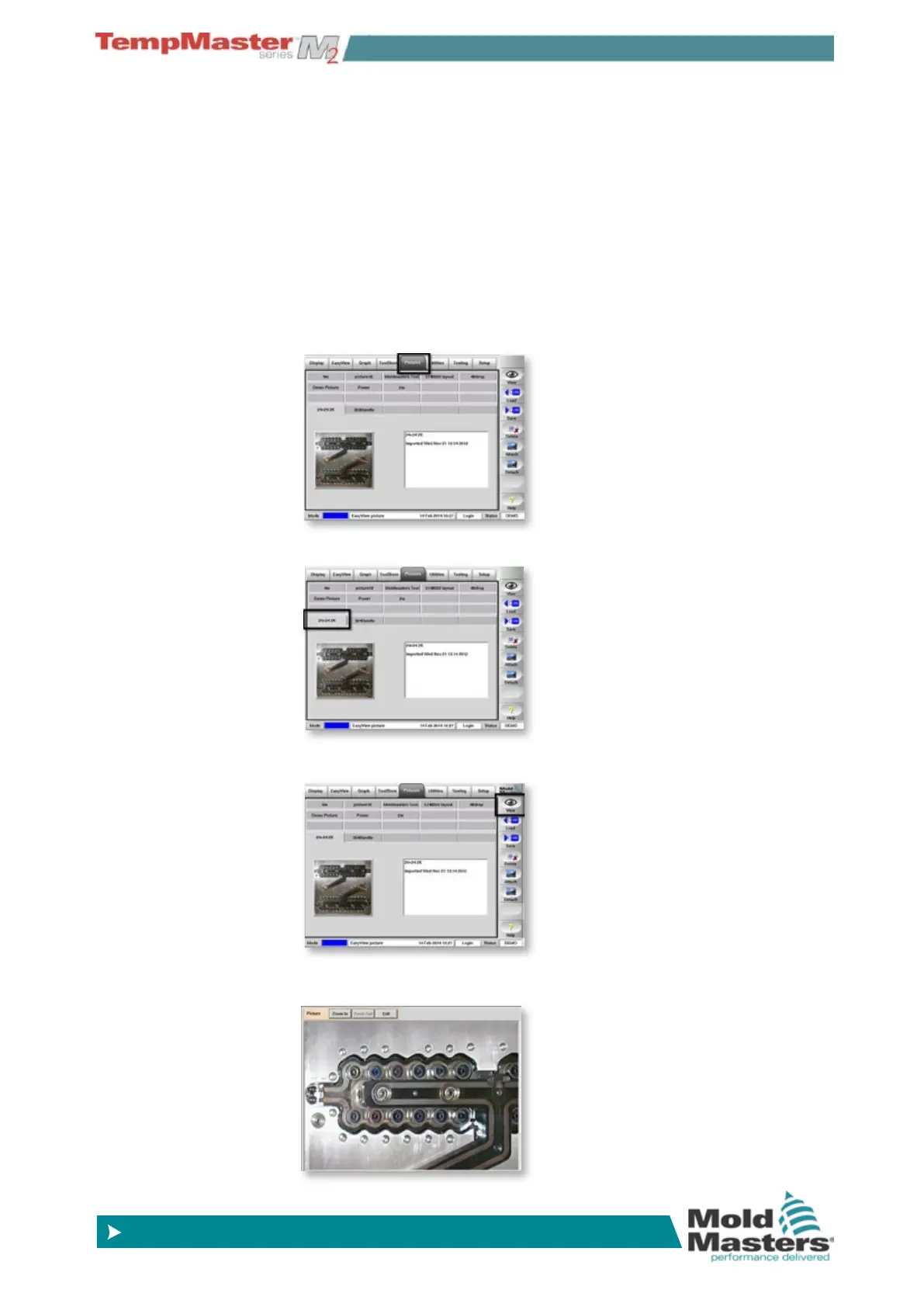
The picture gallery has the ability to store up to 20 images that can be
displayed at full screen size. Explanatory notes may accompany each
picture and where they are provided they are displayed alongside the
thumbnail view of the image.
If you want Pictures to be used for Easyview then they must be loaded
here on this page . How to congure an image ready for Easyview is
fully described on page 6-9.
6.26.1 To view an image
1. Open Pictures page.
2. Select a picture tab.
3. Choose either the [
Picture thumbnail] or [View].
4. View Picture.



 To Next Page