SETUP
© 2014 Mold-Masters (2007) Limited. All Rights Reserved.
Revised 1 Oct, 2014
5-34
5.14.2 Congure users
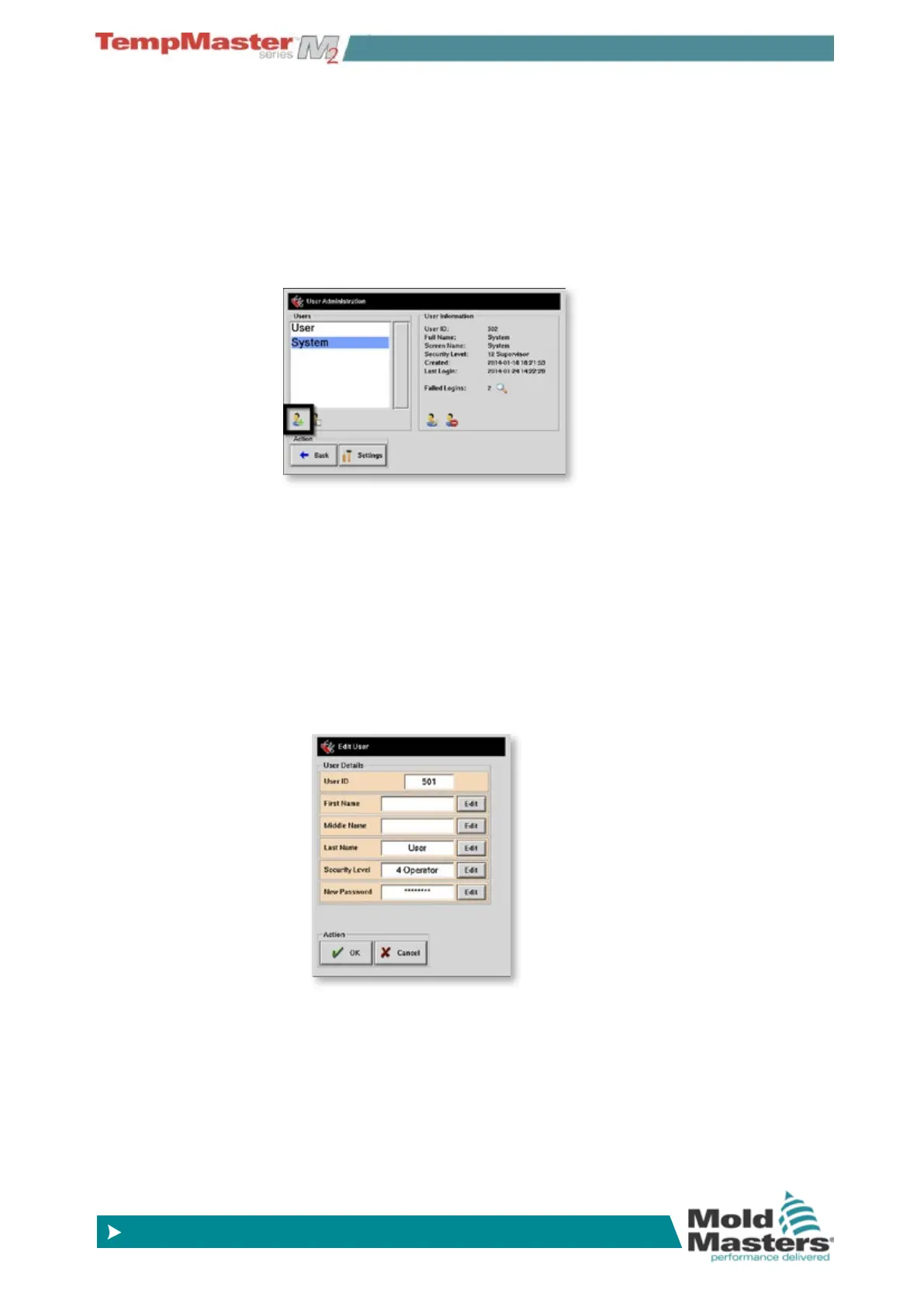
User admin function gives control over permitted users who can be
individually named each with unique passwords.
Password must be at most sixteen characters in length and may con-
tain any characters presented on the keyboard.
To add a new user choose the [
Add user] icon.
This opens a new User panel where you can provide:
• User Name (rst, middle and last).
Note: the Login window will display the user name by showing
the rst and middle name initials, followed by all of the last name.
It has room to display names of 10-12 characters - so any name
longer than that will not all be seen.
• Their security level from 1-12.
• Their unique password which can be between 1 and 16 characters
in length. Any character available on the keyboard is permissible.
Passwords and User Access - contd.



 To Next Page