SETUP
© 2014 Mold-Masters (2007) Limited. All Rights Reserved.
Revised 1 Oct, 2014
5-35
5.14.3 List current users
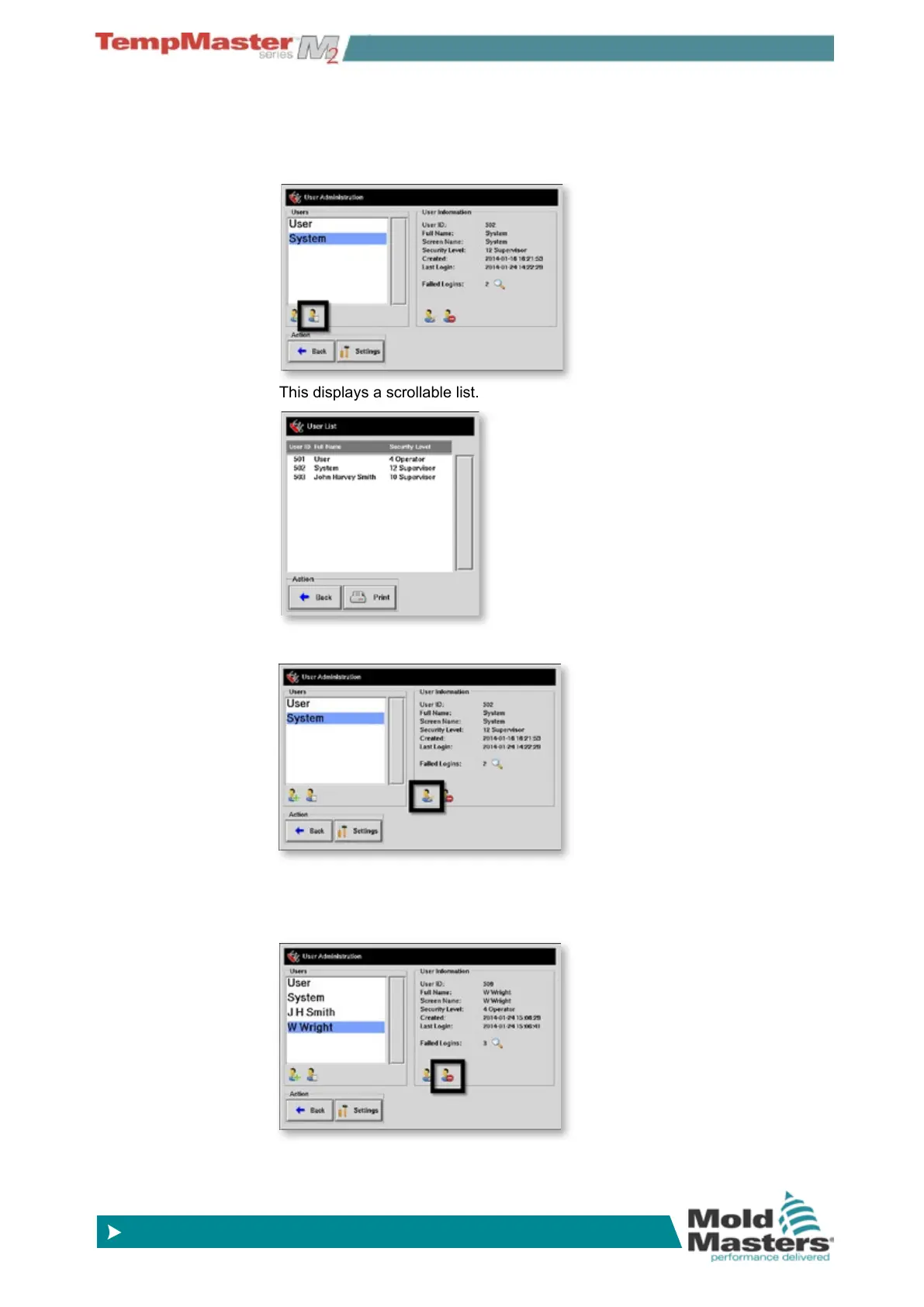
To review your current listed users choose the [User List] icon.
This displays a scrollable list.
To review a user’s details choose the [
User Edit] icon.
To delete a user choose the [
Delete User] icon.
Note that although a deleted user may no longer be operable or visible, that
user’s records will be maintained in the data les to lookup past events.
Passwords and User Access - contd.



 To Next Page