TROUBLESHOOTING
© 2014 Mold-Masters (2007) Limited. All Rights Reserved.
Revised 1 Oct, 2014
8-4
8.2 System Warning Messages
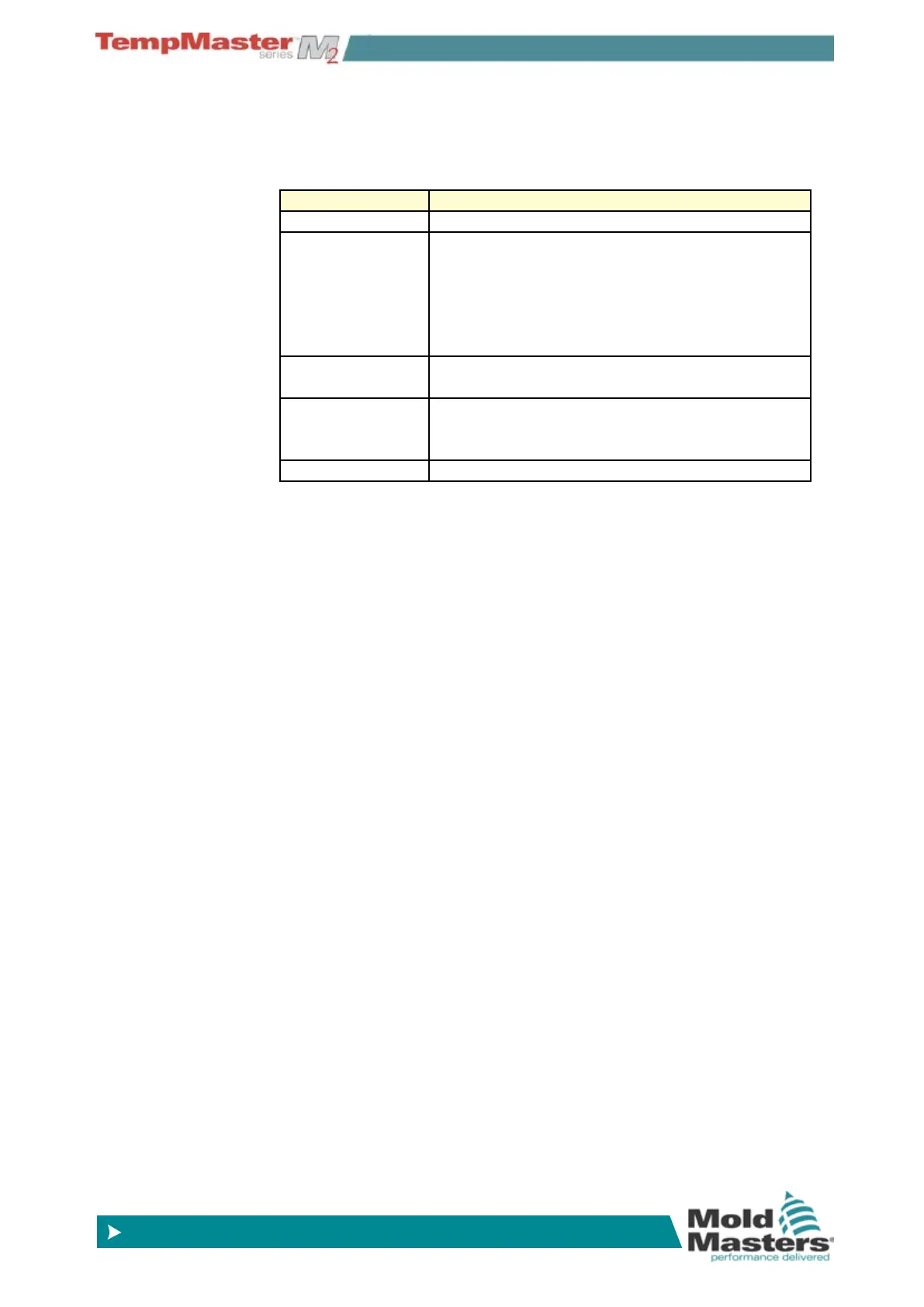
The following are a few other messages that may appear instead
temperature or fatal alarms. These are messages that warn of any
abnormal condition.
Warning Message Abnormal Condition
MAN The control zone is in manual mode.
S #
The zone is slaved to another control zone,
where # represents the number of that zone, i.e.
S 2 means the zone is slaved to Zone 2. The
same power is being sent to both zones. In the
Main page, the set point displayed on the select-
ed zone is the same as that on the slave zone.
TEST
Displayed when the zone is in diagnostic test
mode.
WARN
If during the test procedure a temperature inter-
action is found between zones, this message is
displayed.
FAIL The zone under test has failed.
8.3 Individual Controller Card Diagnostics
If a fault on a control card is suspected, check the LED card status
lamps.
From top to bottom they are:
SCAN – this LED ashes briey as the controller interrogates each
card in sequence.
FUSE – Should normally be extinguished. It lights to show that an
output fuse has failed.
TC – Should be normally extinguished. It lights to show that the card
has detected an open-circuit fault on the thermocouple circuit.
GF – Should be normally extinguished. It lights to show that the card
has detected a ground fault on one of the zones controlled by this
card.
LOAD (L1 to L2/L6) - The Load LED(s) should also be normally lit,
and a pulsing appearance shows that there is a regulated supply be-
ing delivered to the load.
To remove a card from its slot, pull the red handles forwards and gen-
tly pull the card out. There is no need to switch off the main supply.
NOTE: The shrouded terminals on the Euro back board are live, un-
less the power supply is switched to OFF.



 To Next Page