© 2014 Mold-Masters (2007) Limited. All Rights Reserved.
Revised 1 Oct, 2014
E-2
SEQUENCE VALVE GATE
Setting Up
The SVG card offers a wide range of operation parameters which
comprise a number of variable including how many open/close oper-
ations you wish to activate within a complete cycle and how you want
those events triggered.
The following briey describes your options.
1. How many gates do you need to control
2. How often do you need those gates to open and close during one
complete cycle
3. How to congure a screw sensor to be able to use barrel position
for gate control
4. Do you wish to set gate open at
• a xed point time or
• a nominated screw position
5. Do you wish to set the gate to close at
• a xed point in time
• a period of time after opening
• a nominated screw position
Part 1. How many gates do you need?
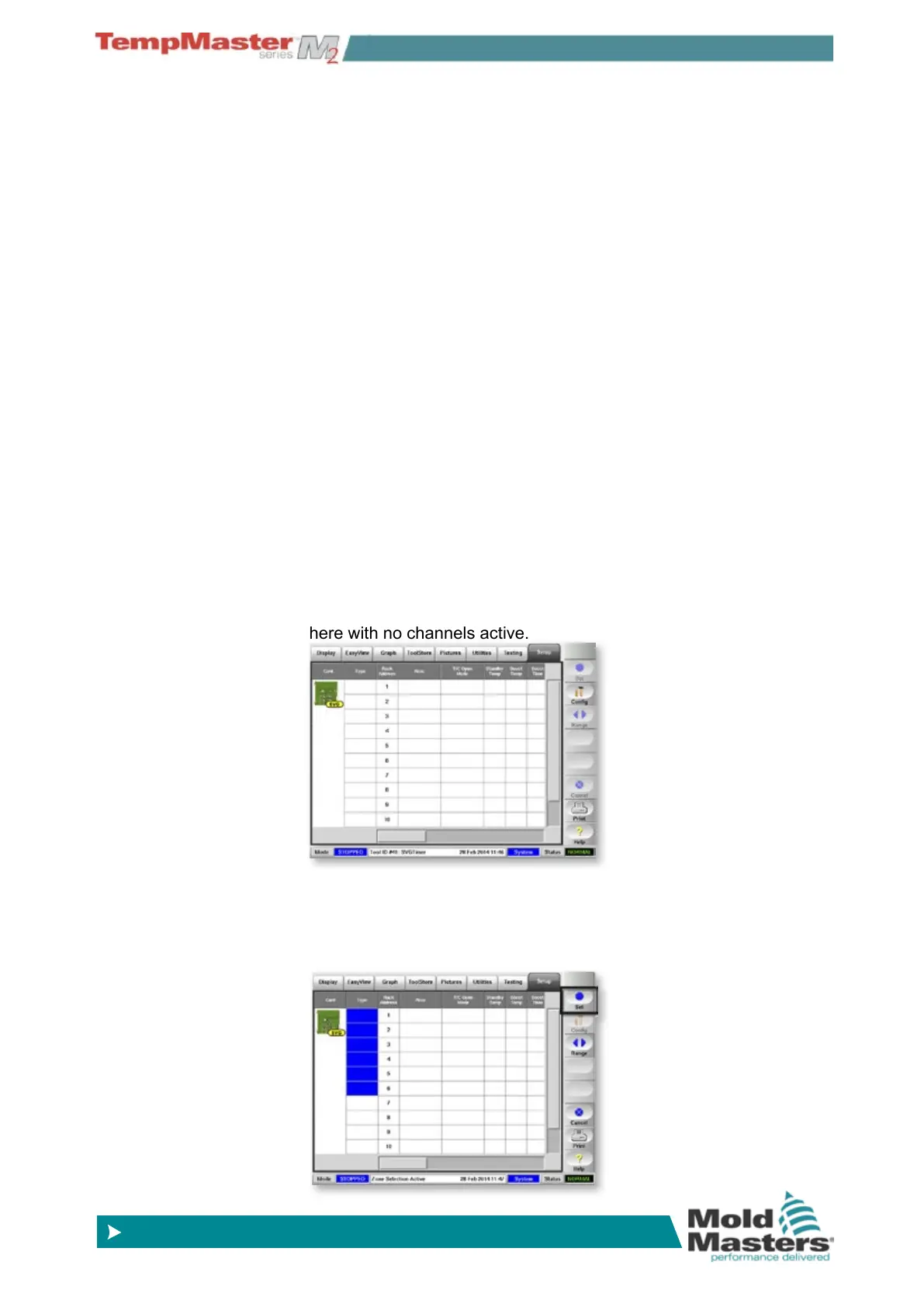
1. Choose [Setup] page and scroll to see your SVG card - shown
here with no channels active.
2. Select those channels which you wish to activate. Touch in each
type box to turn it blue until you have enough selected for your
application.
Then choose [
Set].



 To Next Page