User’s Guide Kona cutting plotter
Operation panel
AP-75380 - Revision 1.2 109
4
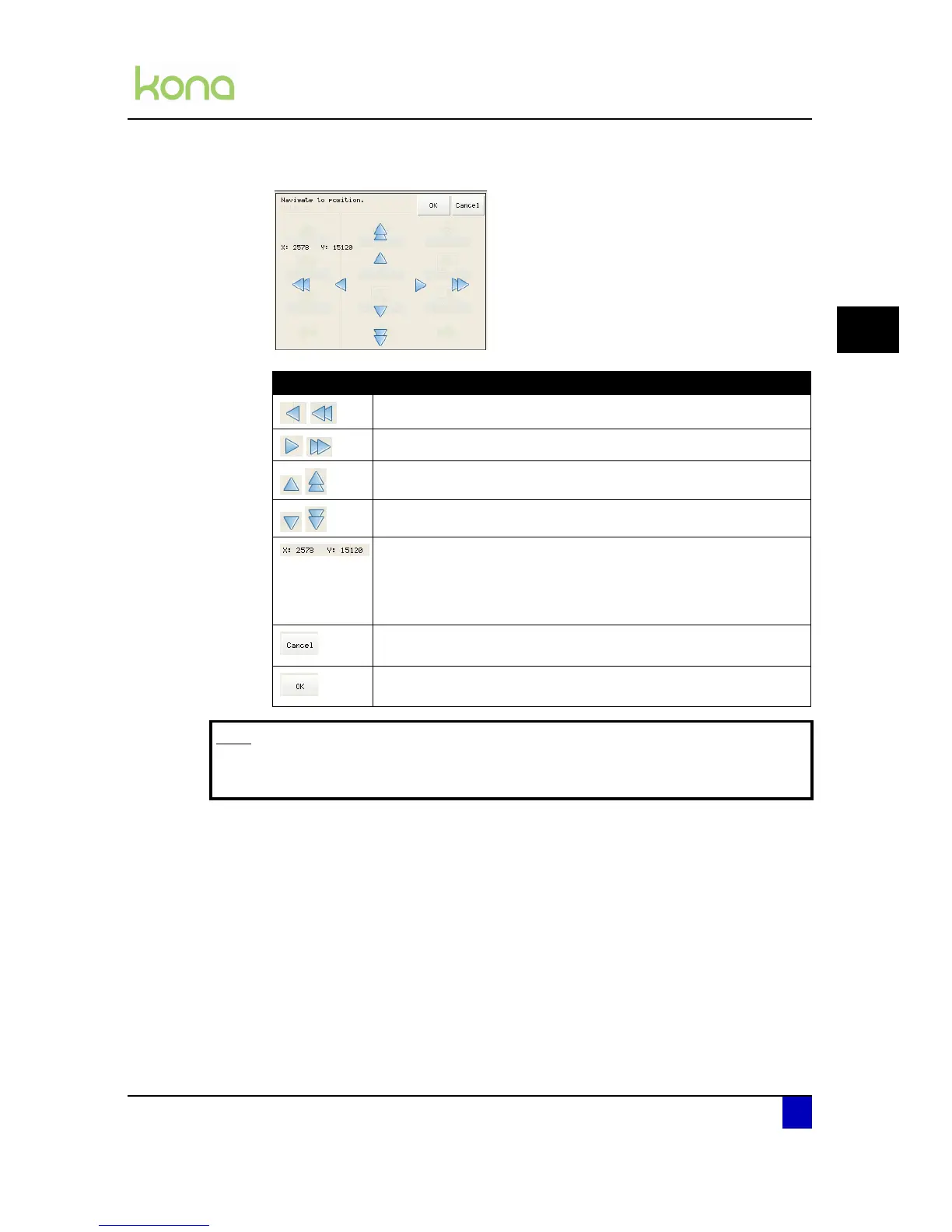
Step 2: The cutter displays following screen:
Step 3: Navigate the head over the media using the arrows. The single arrows let the head
move slowly and more accurate. The double arrows will move the head faster.
Item Information
Move the head to the left
Move the head to the right
Feed the media forwards
Feed the media backwards
Position of the knife top.
The X coordinate is the difference between the front edge of
the media and the front sensor.
The Y coordinate is measured from the right side of the cutter.
Pressing Cancel after moving the head or the media results in the
head and media returning to its previous position.
Pressing OK after moving the head or the media results in a
confirmation of the position.
Note
It is possible to move both the head as media at the same time when touching
the jog screen in diagonal direction.



 To Next Page