User’s Guide Kona cutting plotter
Operation panel
AP-75380 - Revision 1.2 71
4
4.1 Explaining the different buttons
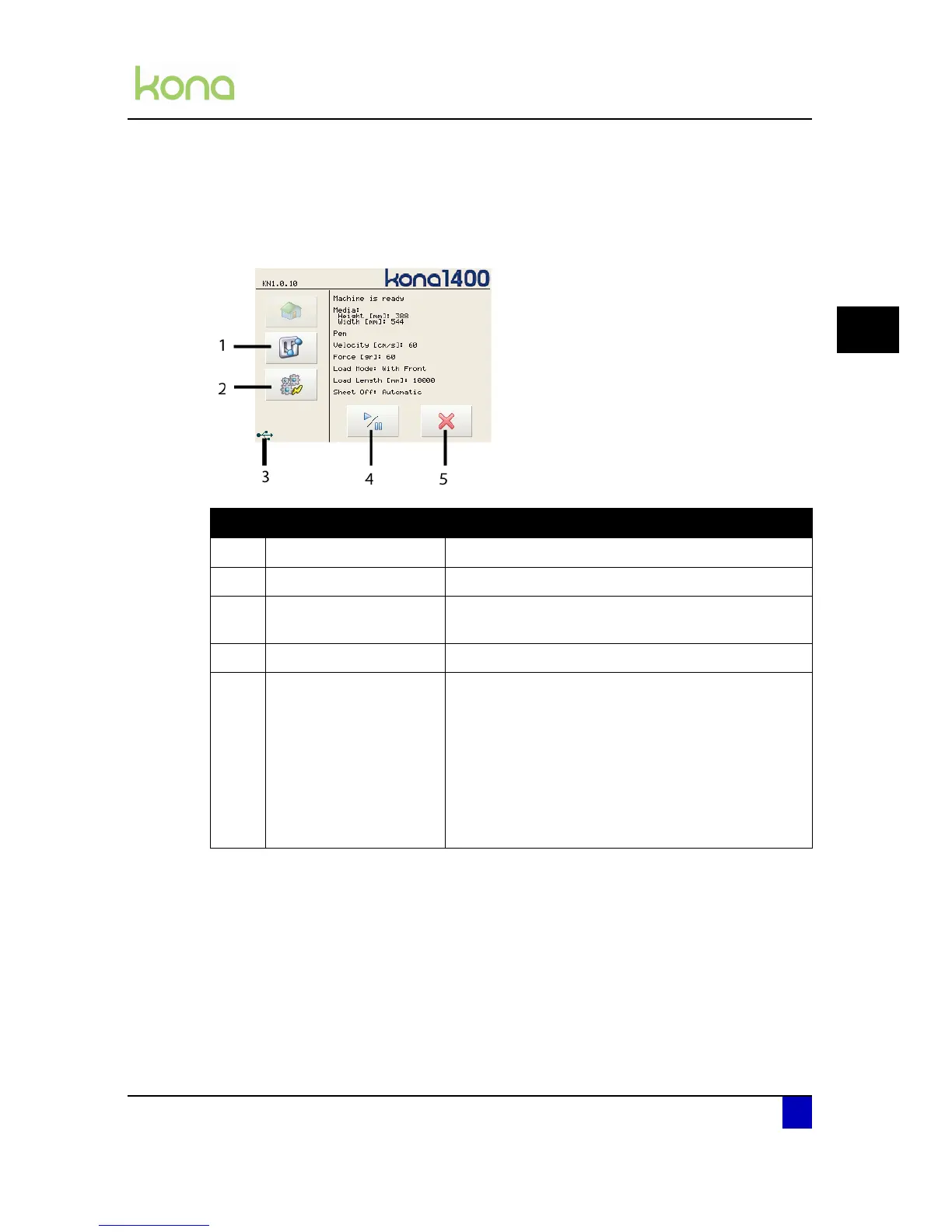
4.1.1 Main menu
N° Description Extended description
1 Settings button Open the settings menu 1/4
2 Actions button Open the actions menu 1/2
3 USB indication
This icon will appear if the Kona is connected via the
USB and the driver is correctly installed.
4 Play / pause button Pause or resume a job
5 Cancel button
In case there is no cutting job active, the Kona
displays a message stating there is nothing to
cancel.
In case there is a cutting job active, a new window
appears asking if your are sure you want to clear all
received data. Select no to ignore this, the cutter
will resume its cutting job. Select yes to stop the
current cut job. After selecting Yes, the cutter
returns to its origin.












 To Next Page