User’s Guide Kona cutting plotter
Basics
AP-75380 - Revision 1.2 29
3
3.1.3 Uninstall/update USB drivers
Please follow the instructions below to know how to uninstall the USB drivers.
Step 1: Make sure your cutter is powered ON and connected to the PC.
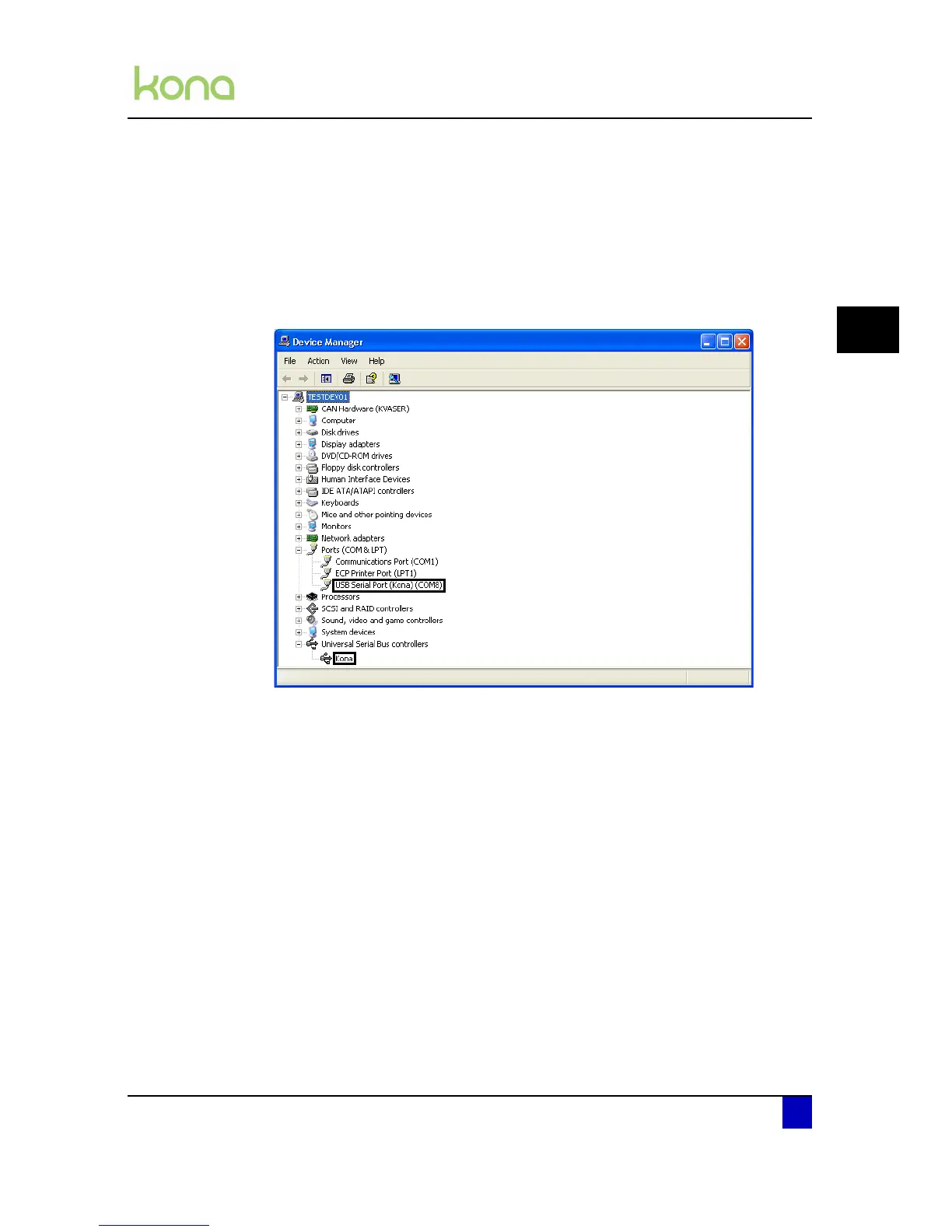
Step 2: In the Device manager you will find your device
Virtual serial port
USB device
Step 3: Uninstall the serial PORT
Double-click on the USB serial port item and select the driver TAB
When you want to install a new version of the driver press the update driver
button.
When you want to remove the complete driver press on the uninstall button.
Step 4: Perform the same actions to uninstall/update the USB device
Step 5: When the driver is uninstalled successfully, the virtual serial port and the USB
device will be removed from the device manager list.












 To Next Page