User’s Guide Kona cutting plotter
Basics
34 AP-75380 - Revision 1.2
Recovery procedure via the CutServer
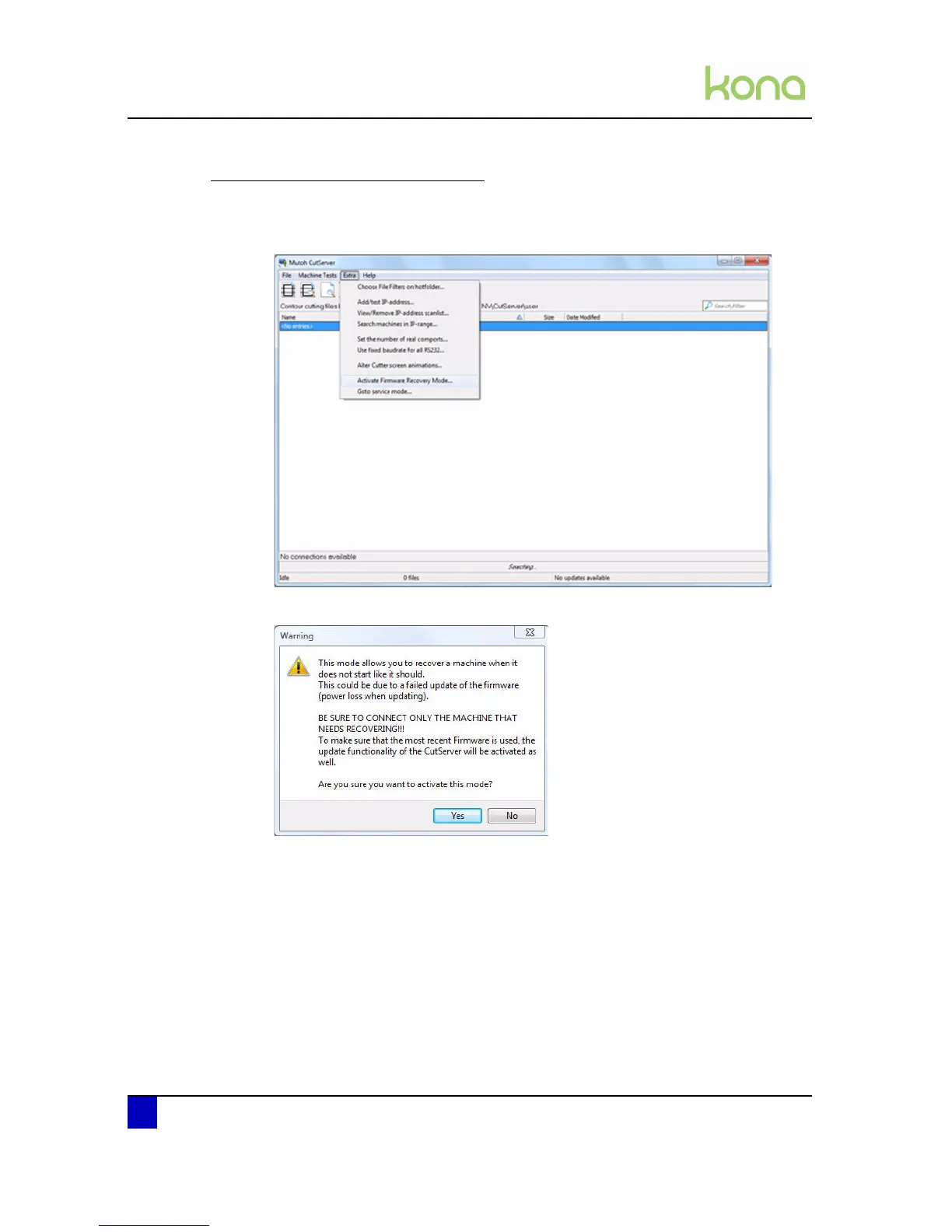
Step 1: Start the CutServer.
Step 2: In the CutServer, click the Extra tab and select Activate Firmware Recovery Mode.
Step 3: A new screen appears asking if you are sure. Select Yes.












 To Next Page