User’s Guide Kona cutting plotter
Operation panel
110 AP-75380 - Revision 1.2
Origin
Follow the procedure below to change/control the origin:
Step 1: Press the following buttons in order:
Actions
Origin
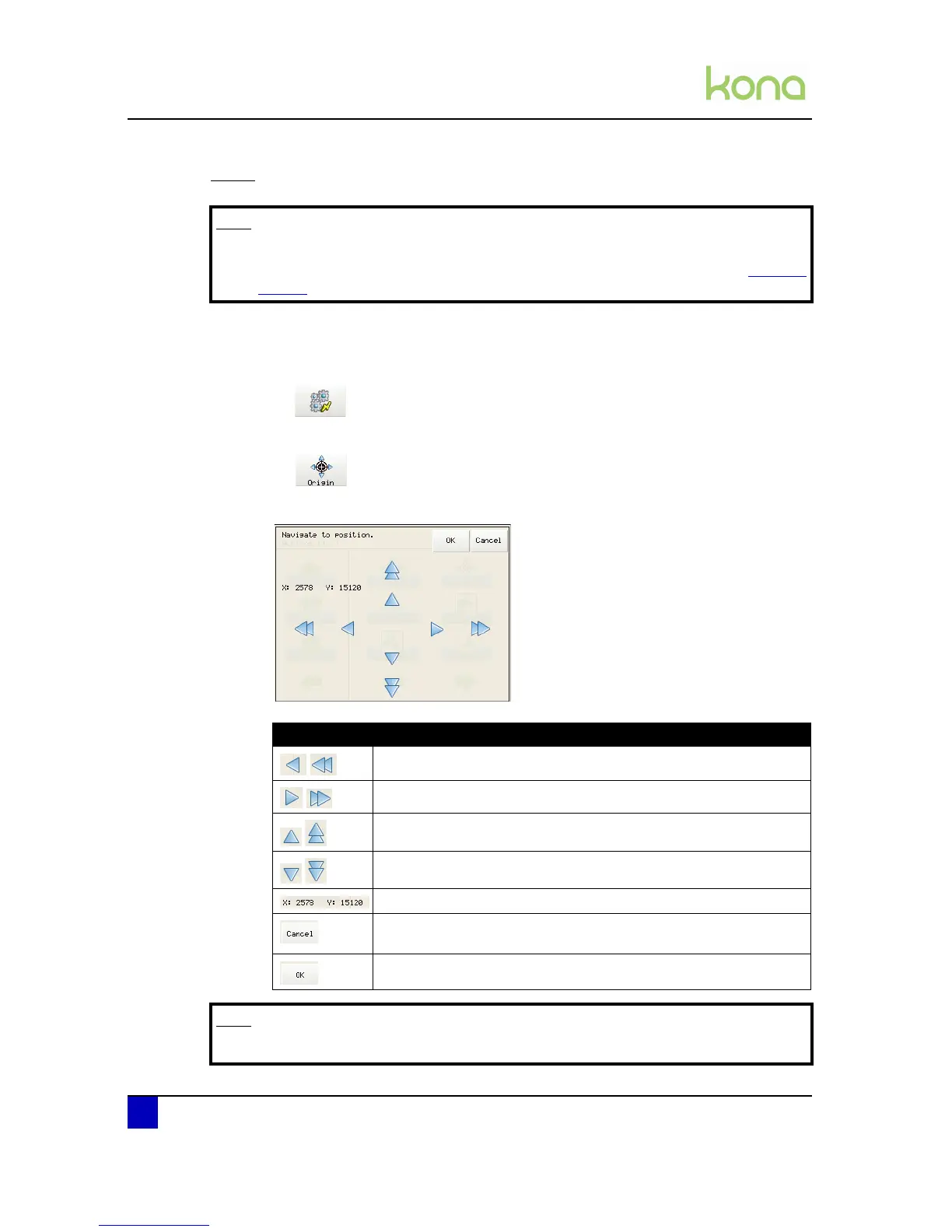
Step 2: The following screen will be displayed:
Note
Be aware that this is the customized Origin setting. There is also a standard
origin. For more information concerning the standard origin refer to Origin on
page91
Item Information
Move the head to the left
Move the head to the right
Feed the media forwards
Feed the media backwards
Position of the knife top.
Pressing Cancel after moving the head or the media results in the
head and media returning to its previous position.
Press OK to save the new origin.
Note
When a sheet-off action is performed the origin setting is reset.












 To Next Page