User’s Guide Kona cutting plotter
Operation panel
72 AP-75380 - Revision 1.2
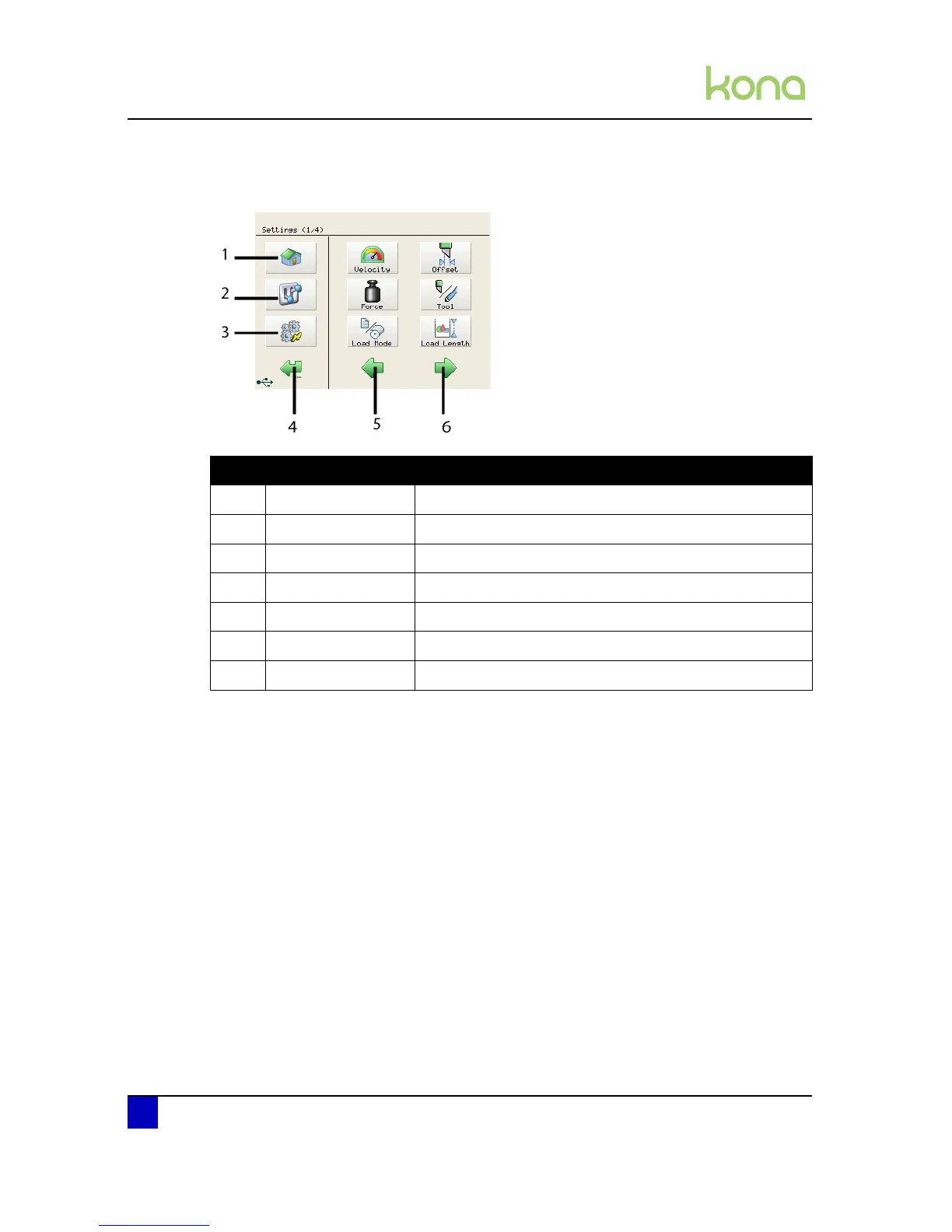
4.1.2 Settings or actions menu
N° Description Extended description
1 Home button Go back to the home menu (the menu shown above)
2 Settings button Open the settings menu 1/4
3 Actions button Open the actions menu 1/2
4 Back / cancel button Go back to the previous menu in the hierarchy
5 Previous button Shows you the previous page within a menu level
6 Next button Shows you the next page within a menu level
7 Menu button Open the respective menu












 To Next Page