User’s Guide Kona cutting plotter
Basics
40 AP-75380 - Revision 1.2
3.3.3 Replace sheet-off blade
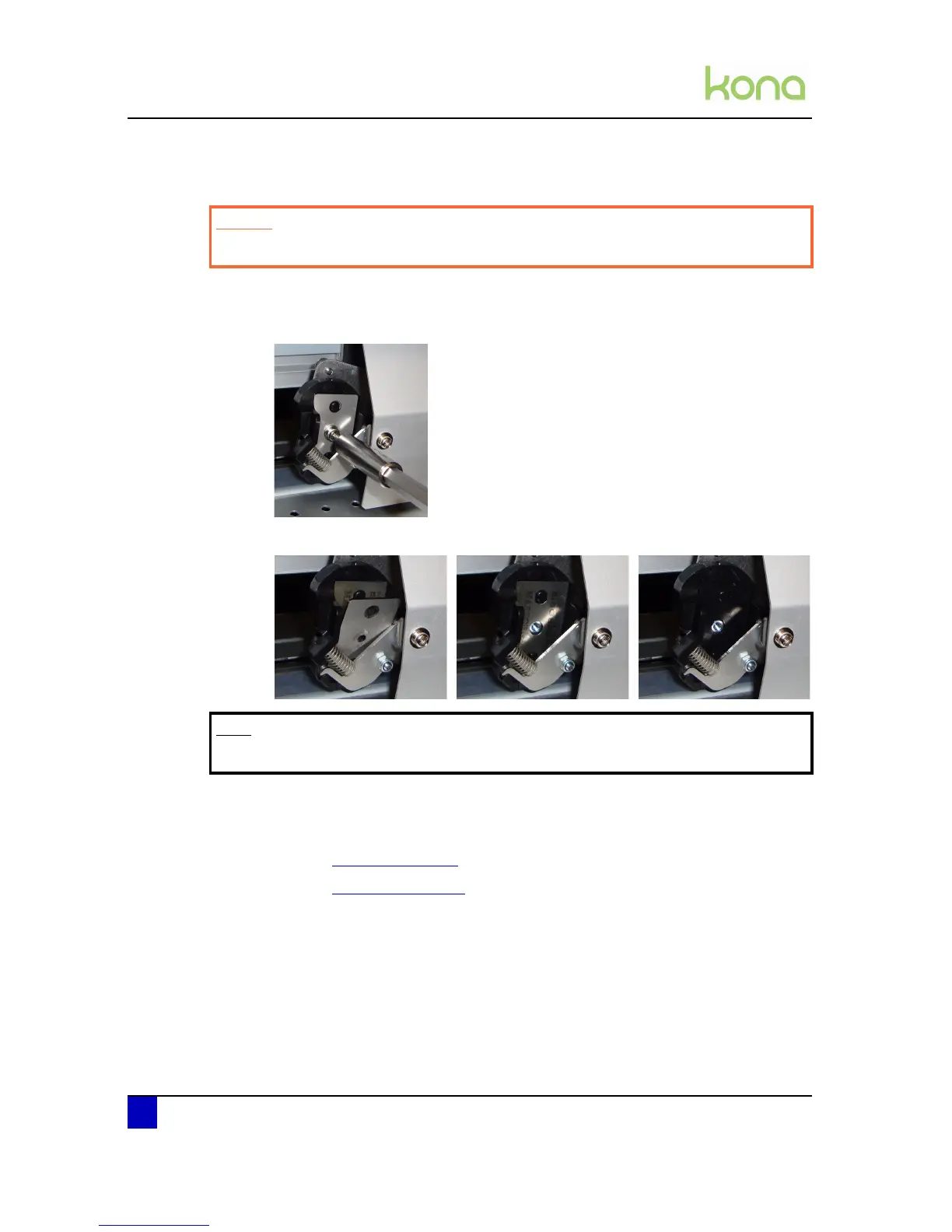
Please follow the procedure below to replace the sheet-off blade:
Step 1: Loosen the screw fixing the sheet-off blade and protection plate with a hexagon key
of 2,5 mm.
Step 2: Remove the protection plate and sheet-off blade.
Step 3: Replace the sheet-off blade or rotate it (4 cutting sides) and reinstall all the parts.
Step 4: Tighten the screw firmly and verify that the assembly has been reinstalled correctly
by performing an automatic or manual sheet-off.
Refer to Sheet off on page89
Refer to Sheet off on page121
Caution
Be careful not to cut your fingers when replacing the sheet-off blade!
Note
Be aware that the knife is held in its position with a magnet.












 To Next Page