User’s Guide Kona cutting plotter
Basics
42 AP-75380 - Revision 1.2
3.4 Setting the correct knife depth
Adjusting the knife depth is a very important parameter when it comes to making high quality
outputs.
First of all you will need to decide whether to cut your job in single or multi tool mode before
you are able to set the knife depth correctly. Refer to the table below for the different
possibilities and which knife depth to set.
Refer to Cut through on page102
for even more details.
3.4.1 Contour cutting knife depth
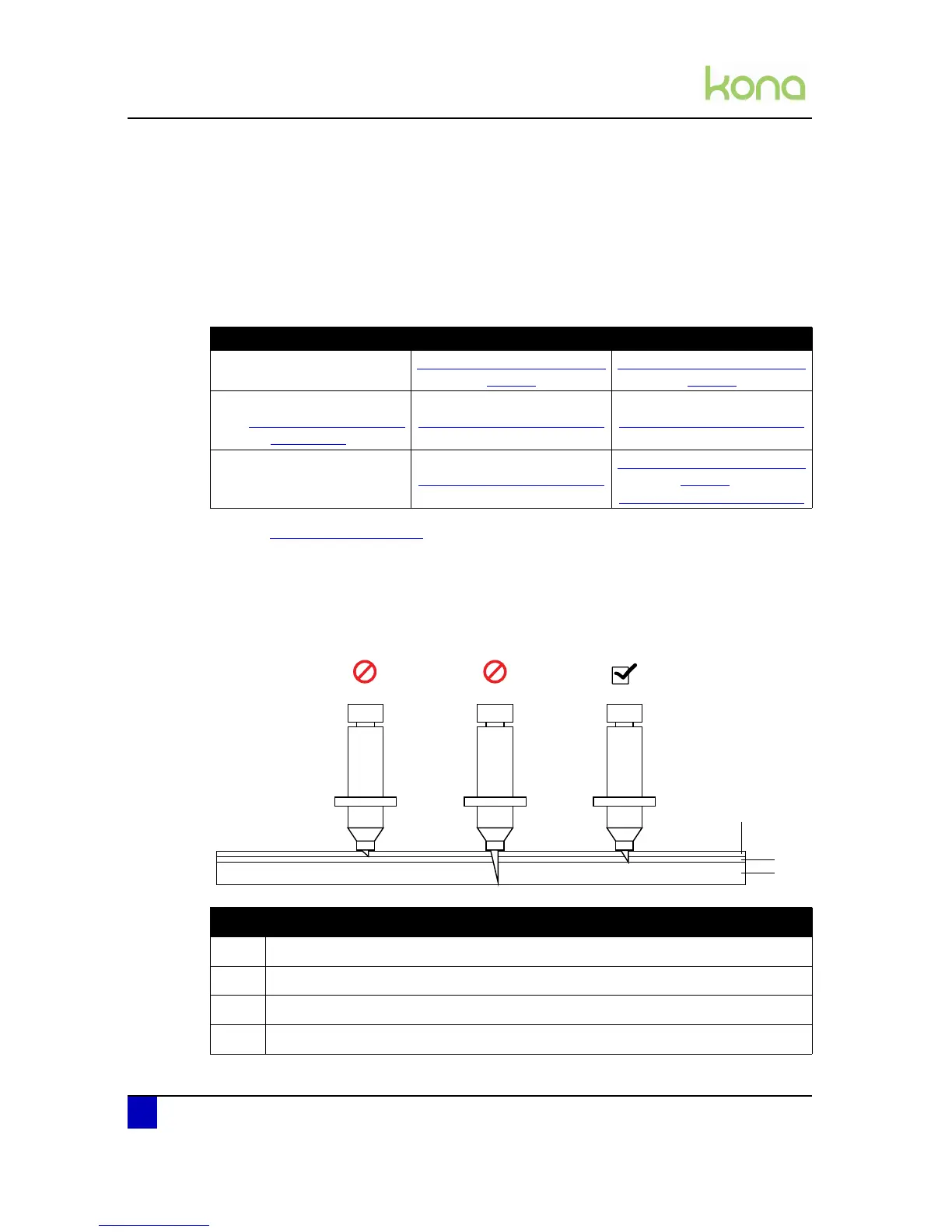
Always make sure that the knife blade protrudes enough out of the knife holder, but not too
much. The knife top should just leave a mark on the backing.
Application Single tool mode Multi tool mode
Kiss cutting
Contour cutting knife depth on
page42
Contour cutting knife depth on
page42
Through cutting
(e.g. Cut Through - Trim Poster
on page112)
Cut through depth on page43
Cut through depth on page43
Kiss cutting & through cutting Cut through depth on page43
Contour cutting knife depth on
page42 &
Cut through depth on page43












 To Next Page