User’s Guide Kona cutting plotter
Operation panel
102 AP-75380 - Revision 1.2
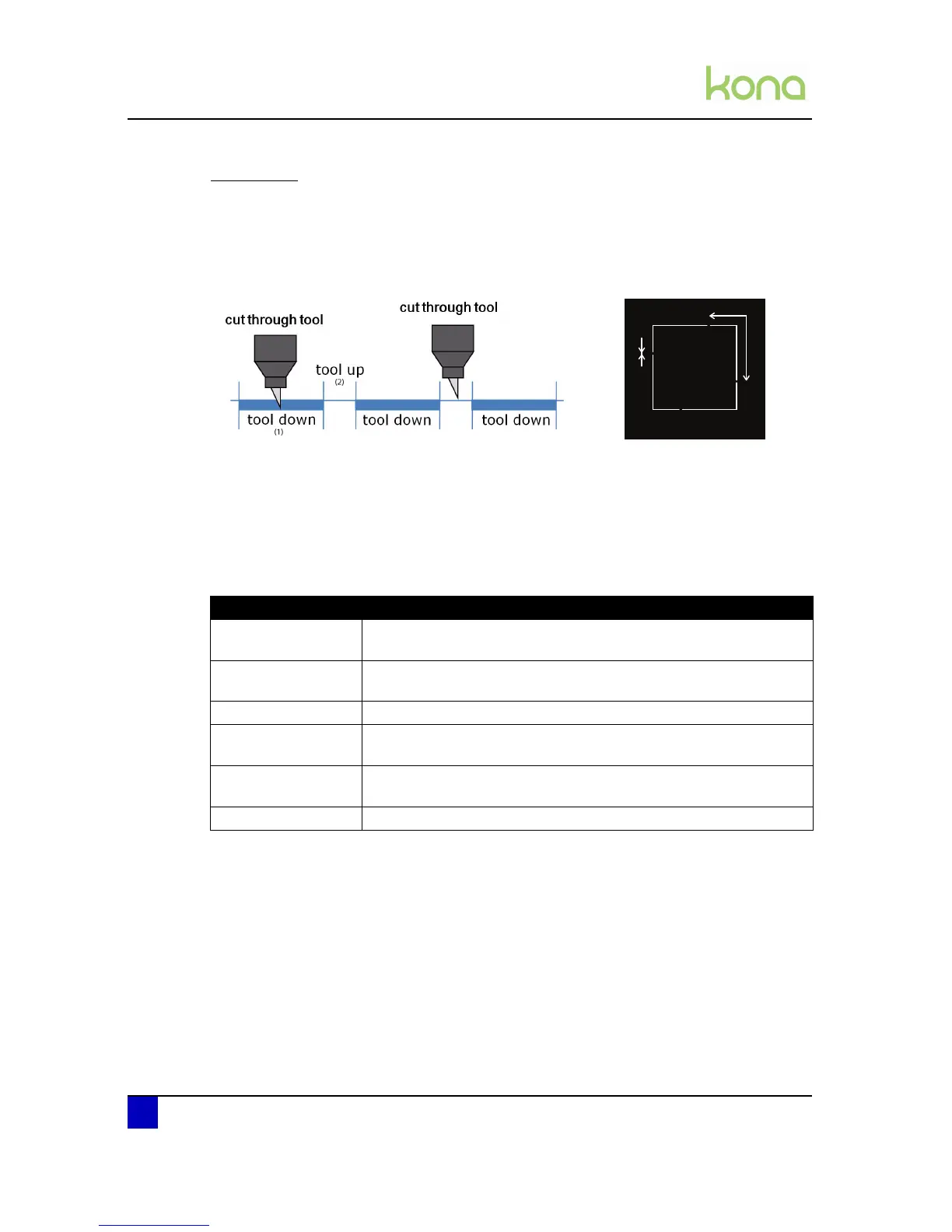
Cut through
When all vector paths of your contour alignment are completed, single sticker samples (basic
shapes) are often to be isolated. Due to the intermittent or discontinued plotting of Mutoh’s
supporting cut through technique, an extra protection of sticker drop-outs will be guaranteed
by configuring your tool-up distance consequently.
Refer to the Application Guide of the Kona to know how to initiate a cut through routine
flawless.
It is however not easy to match an ideal tool configuration setup in which the media weakness
suffers not radically from the multiple cut through samples accomplished. Therefore a perfect
harmony between your tool down force and tool up distance needs to be synchronised.
Via this menu, you can set the desired cut through parameters.
Parameter Description
Velocity
The speed of which the cut through routine is cut.
Default: 10 cm/s
Force
The force on the tool during the cut through routine.
Default: 250 gram
Test Performs a small cutthrough test.
Tool Up Distance
The quantity of vinyl left uncut to hold the sticker fixed to the media.
Default: 0,1 cm
Tool Down Distance
The distance of cutting through the vinyl.
Default: 10 cm
Test Performs a small cutthrough test.












 To Next Page