User’s Guide Kona cutting plotter
Operation panel
AP-75380 - Revision 1.2 73
4
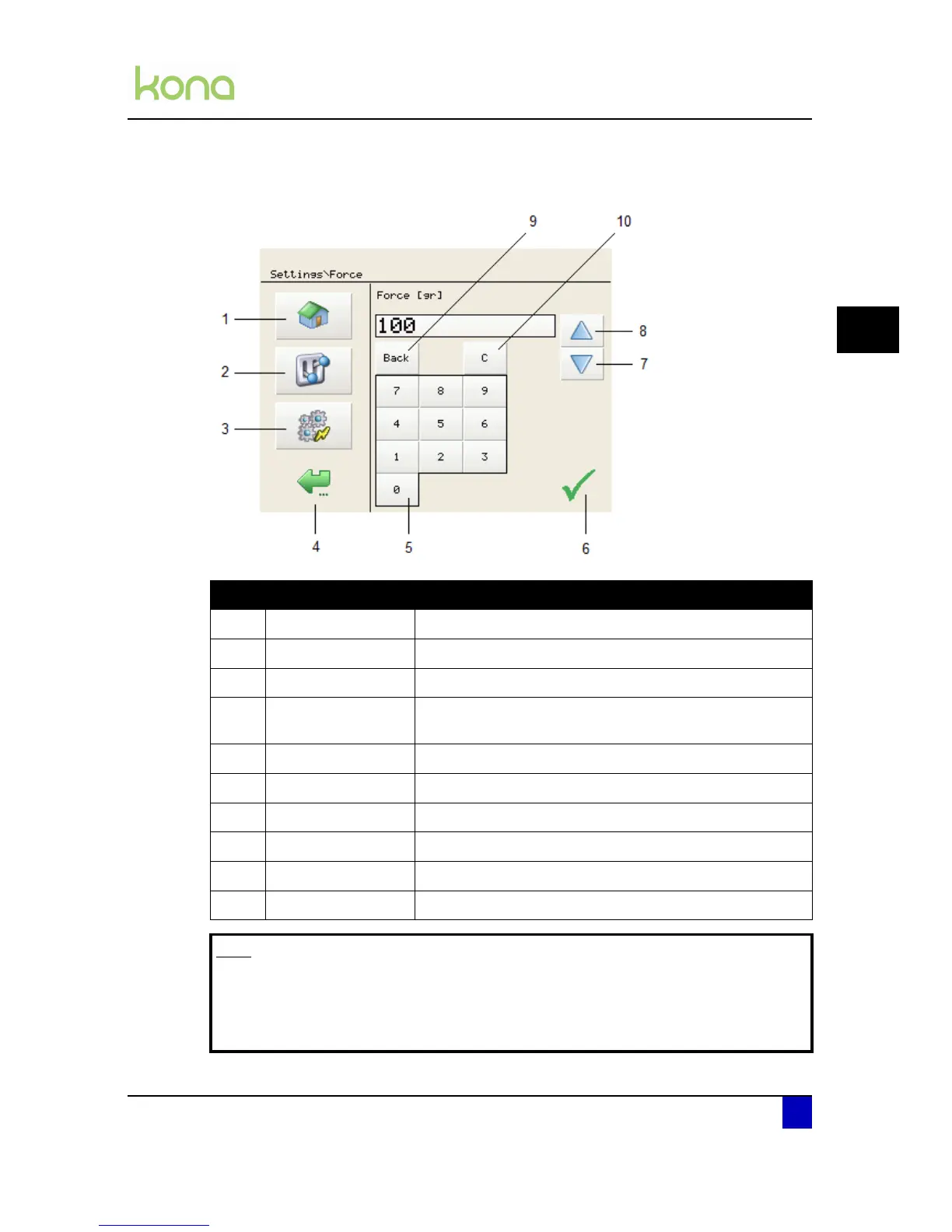
4.1.3 Adjust value menu
N° Description Extended description
1 Home button Go back to the home menu (the menu shown above)
2 Settings button Open the settings menu 1/4
3 Actions button Open the actions menu 1/2
4 Back / cancel button
Go back to the previous menu in the hierarchy and/or cancel
the settings change
5 Numeric keyboard Type the requested set value
6 Save button Save the new value
7 Decrease button Decrease the value with one digit
8 Increase button Increase the value with one digit
9 Backspace Returns one digit.
10 Clear button Resets the value to 0.
Note
It is impossible to exceed a maximum value. The cutter will beep twice if you
try.
The value will be displayed in blue when the chosen value is smaller than the
minimum value.












 To Next Page