User’s Guide Kona cutting plotter
Operation panel
88 AP-75380 - Revision 1.2
4.2.3 Settings 2/4
Smoothing
Smoothing can be enabled or disabled. Depending on your choice, cutting of obtuse angles will
be dealt with differently by the cutter.
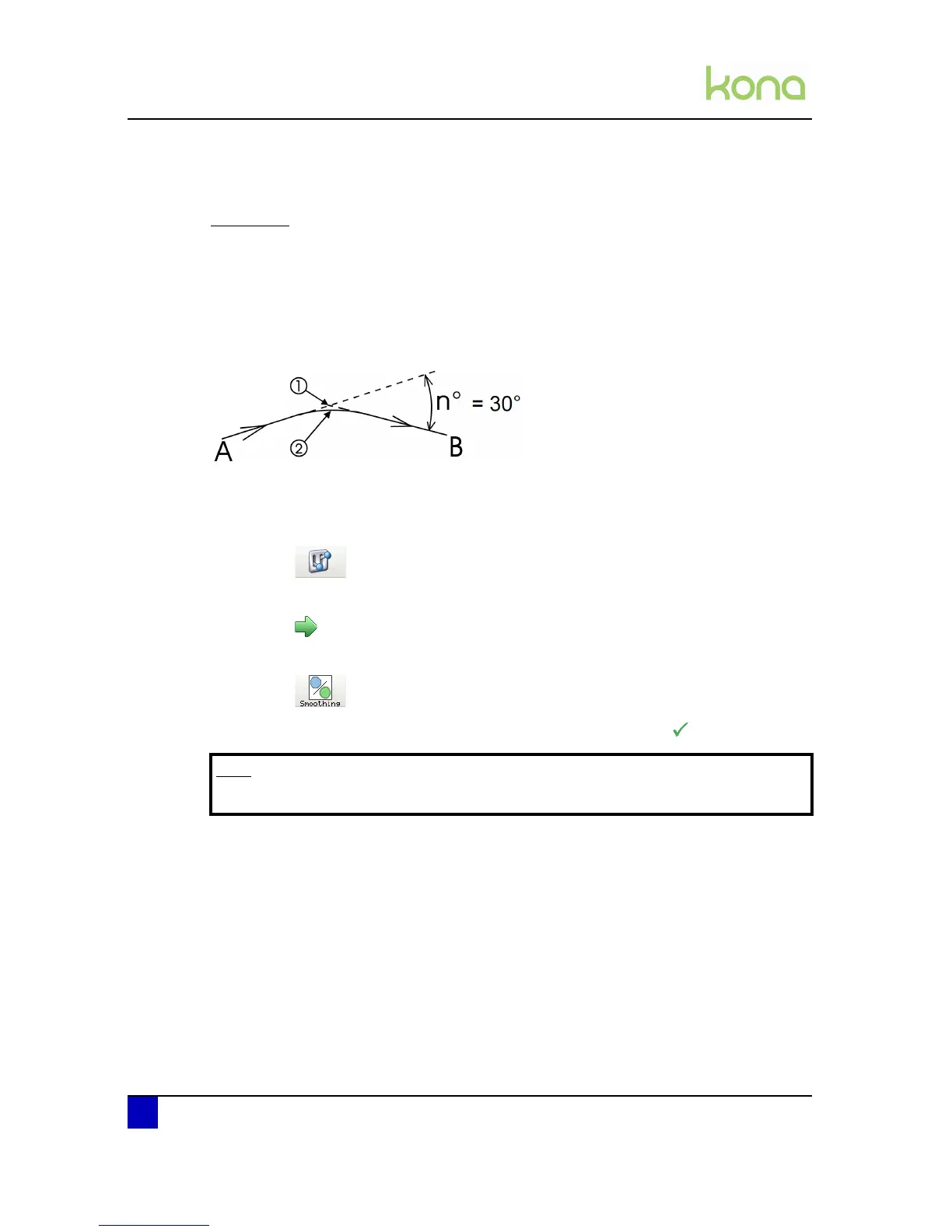
If the complementary angle between two consecutive vectors A & B is larger than the
smoothing angle, the cutter will slow down and cut a sharp corner (1). If the angle is smaller,
the cutter will maintain its speed and cut a rounded corner (2). The optimum smoothing angle
is calculated internally. When smoothing is DISABLED all corners will be cut sharply.
Enable or disable the smoothing as follows:
Step 1: Press the following buttons in order:
Settings
Next page
Smoothing
Step 2: Choose between ON (recommended) or OFF and confirm with
Note
It is advised to enable the smooting feature.












 To Next Page