Chapter 3 pH MEASUREMENT
3.2 Open pH Measurement Screen
34 HORIBA
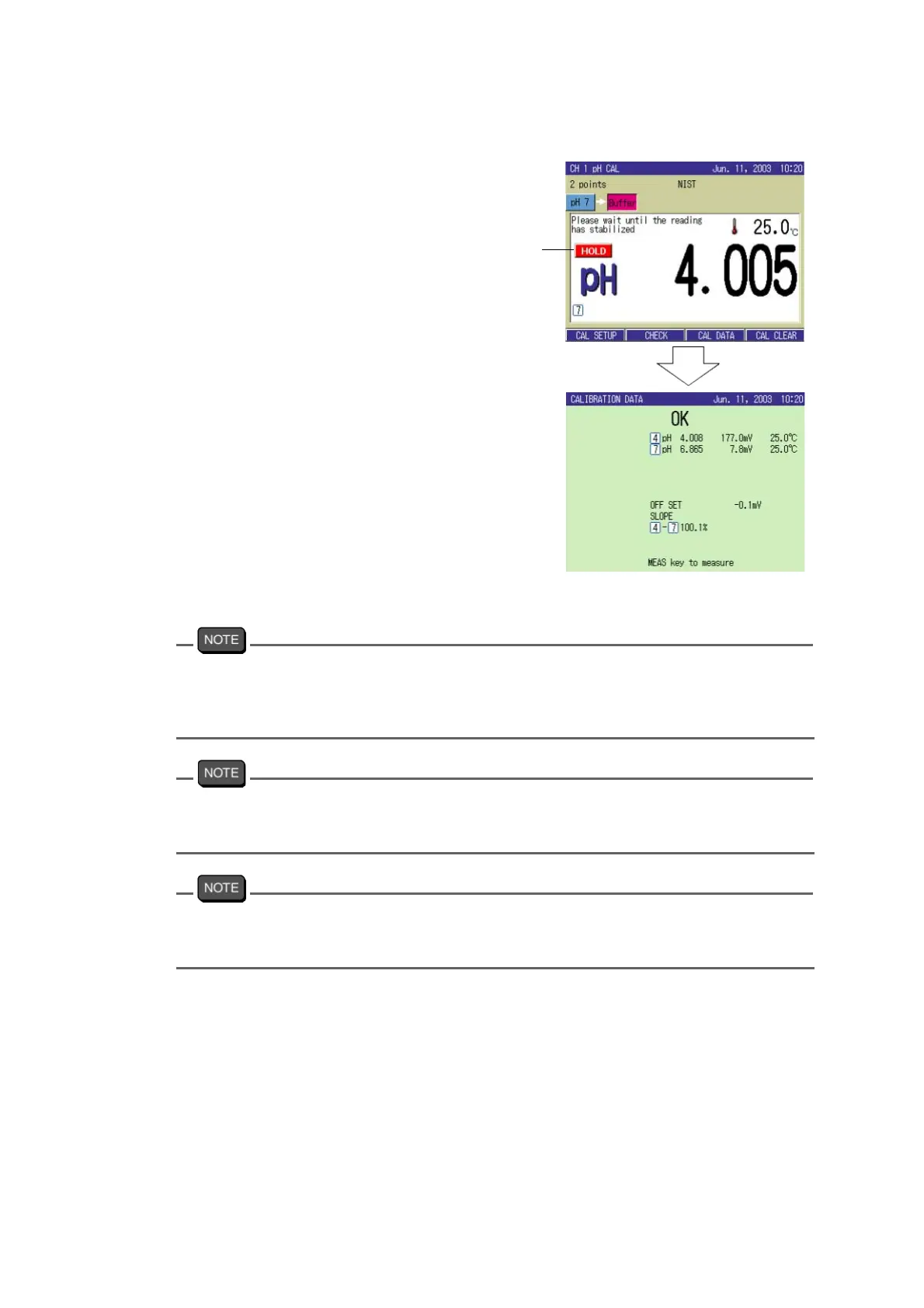
3. Start calibration of the 2nd point by
pressing the CAL key.
When calibration of the 2nd point is
complete, the calibration result is dis
-
played on the screen.
4. Press the MEAS key.
The Measurement screen appears.
In performing calibration of the point number more than set, press the ESC key in the result
screen. Maximum five points of calibration can be performed, even though the number of set
point is less than five. The screen display shows the calibration to be performed from the
solution of pH7, but any standard solution can be used.
For calibration using multiple standard solutions, continuously perform from one solution to
another. Returning to the measurement mode and repeating calibration goes back to the 1st
point.
When an error occurs in calibration, the screen displays the error. Remove the cause and
repeat the calibration.
"15.2.1 Error message chart" page 200
Blinking



 To Next Page