Chapter 5 Ion Measurement (F-53,55)
5.2 Measurement Using a Calibration Curve
F-52, 53, 54, 55 63
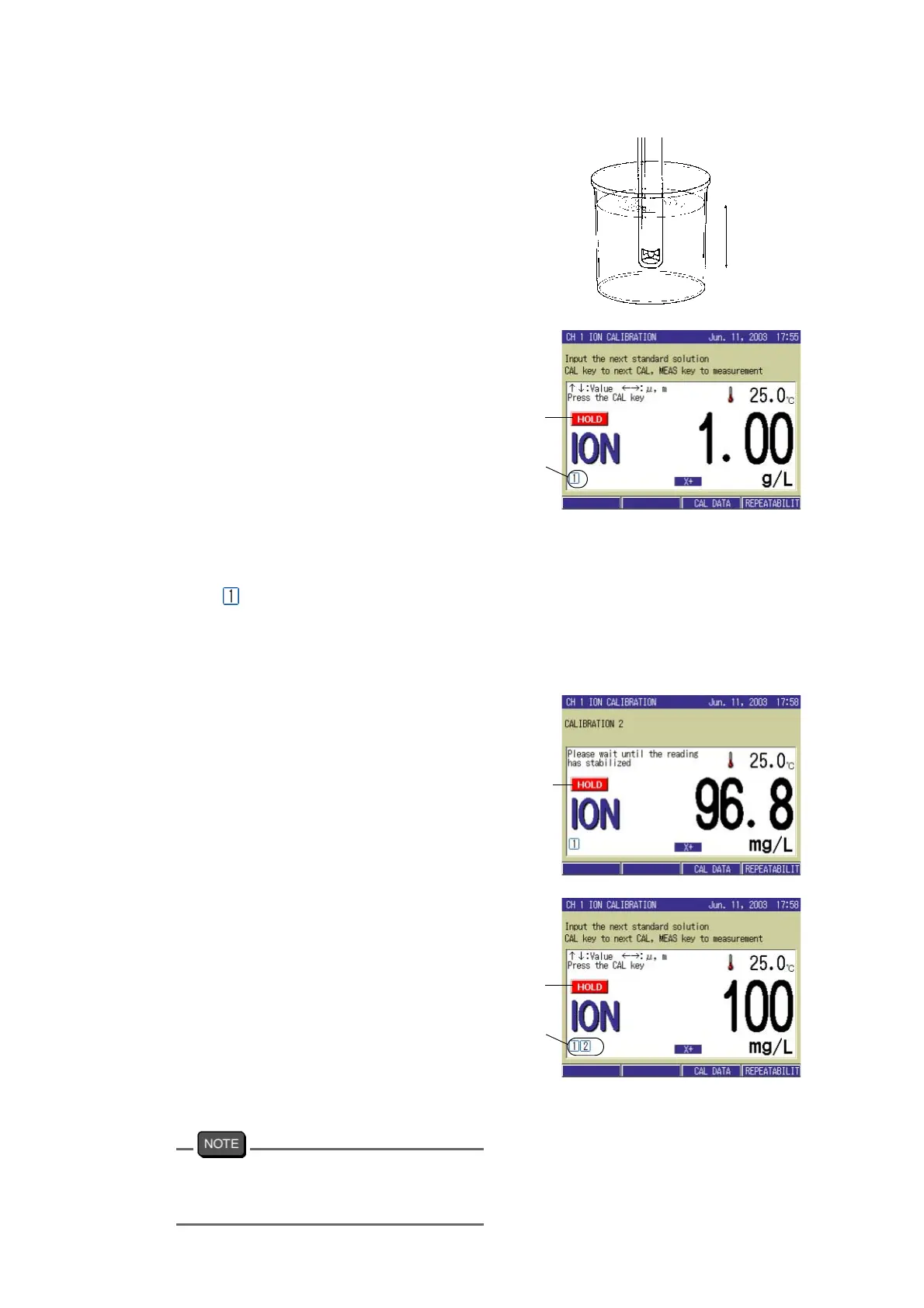
5. Immerse the electrode in the beaker
with standard solution.
6. Input the values of standard solu-
tion by ↑ or ↓ key and select the
auxiliary unit by ← or → key.
7. Press the CAL key to start the first
calibration.
The measured value will be
displayed.
“HOLD” will flash in the
display
until the measured value
stabilizes.
When the indicated value
stabilizes,
“HOLD” will stop flashing
and
remain lit and the calibrated value
will be held on the display.
The calibration status indication mark
showing the first point calibration
appears.
● The calibration of the second point
1. Input the value of the standard
solution for the second point by ↑
or ↓ key, and select the unit by ←
or → key.
2. Press the CAL key to start the sec-
ond calibration.
The measured value will be displayed
and “HOLD” will flash in the display
until the indication stabilizes. When
the indicated value stabilizes,
“HOLD” will stop flashing and remain
lit and the calibrated value will be held
on the display.
The calibration status indication mark
showing the second point calibration
appears.
During the calibration, the display range may
automatically switch to change the auxiliary
unit.
Deeper
than 3 cm
CAL
state
indica-
tion
Lit
Blinking
CAL
state
indica-
tion
Lit



 To Next Page