Chapter 5 Ion Measurement (F-53,55)
5.4 Changing Measurement SETUP Conditions
84 HORIBA
● Changing the electrode model
When the Ion model is set, the Ion type automatically changes.
For each Ion type, the unit and the calibration information is memorized.
1. In the ION SETUP screen, press
the ELECTRODE MODEL option.
Press the ENTER key to proceed
to the ELECTRODE MODEL
screen.
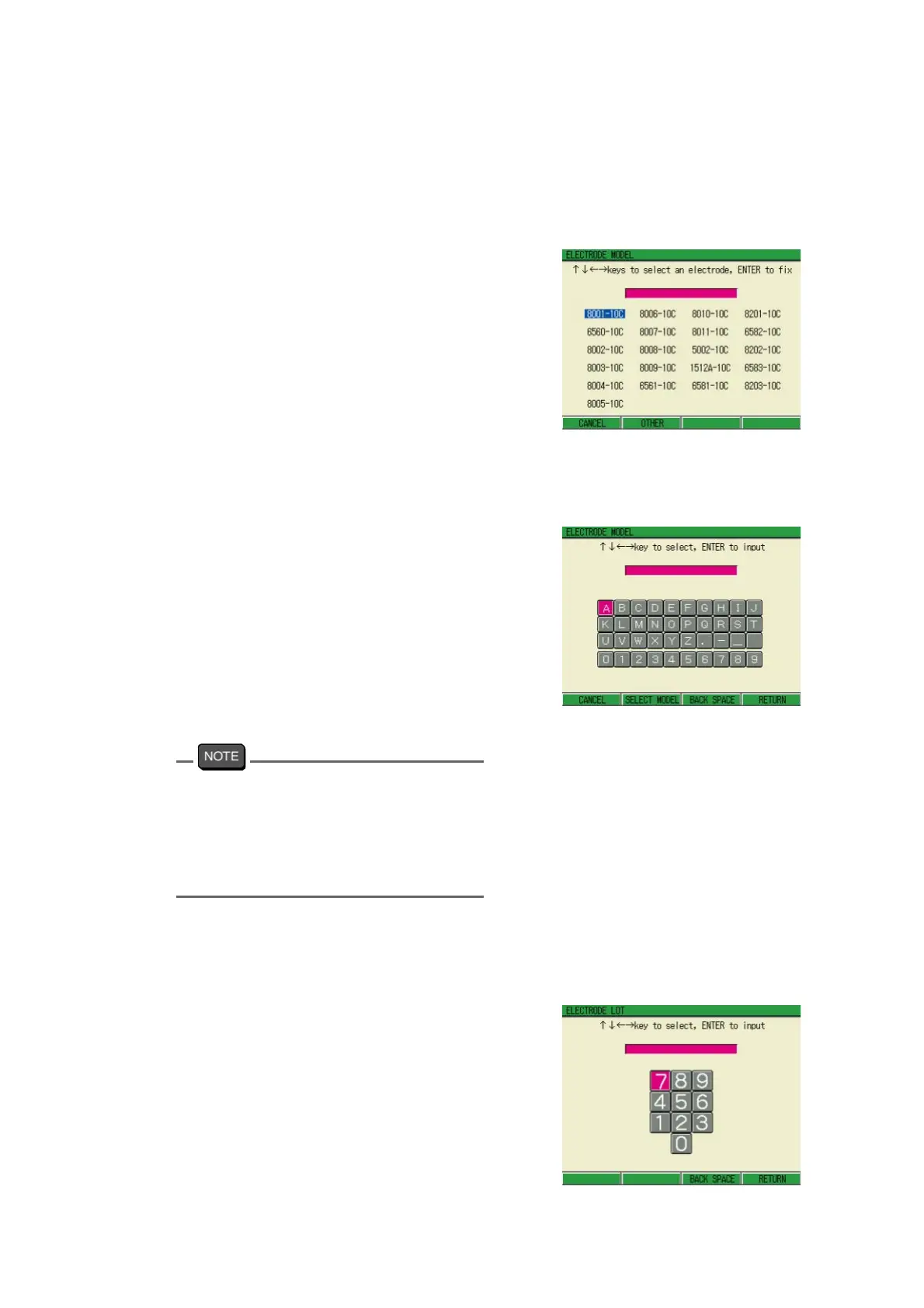
Selecting the electrode model
Press ↑ , ↓ or ← , → key to select
the appropriate electrode model.
Determine the selection by the
ENTER key. The screen goes back to
ION SETUP; press F4 (RETURN) to
reflect the setting.
Setting the other model freely
Press F2 (OTHER) to enable the
model name input by alphabetical and
numerical characters.
Up to 9 characters are available.
Press F4 (RETURN) returns the
screen to ION SETUP.
2. Press F4 (RETURN).
The setting is reflected, and the dis-
play returns to the Measurement
screen.
When the OTHER option is selected to input
the model freely, input of the same name
shown in the selection menu of ELEC
-
TRODE MODEL screen will be recognized
as selecting the same electrode on the
screen.
● Changing the electrode Lot
1. In the ION SETUP screen, select
the ELECTRODE LOT option.
Press the ENTER key, and pro
-
ceed to the ELECTRODE LOT
screen.
2. Select the numerical value by
pressing ↑ , ↓ or ← , → key, and
determine the value by the ENTER
key.
Maximum character: 7 digits



 To Next Page