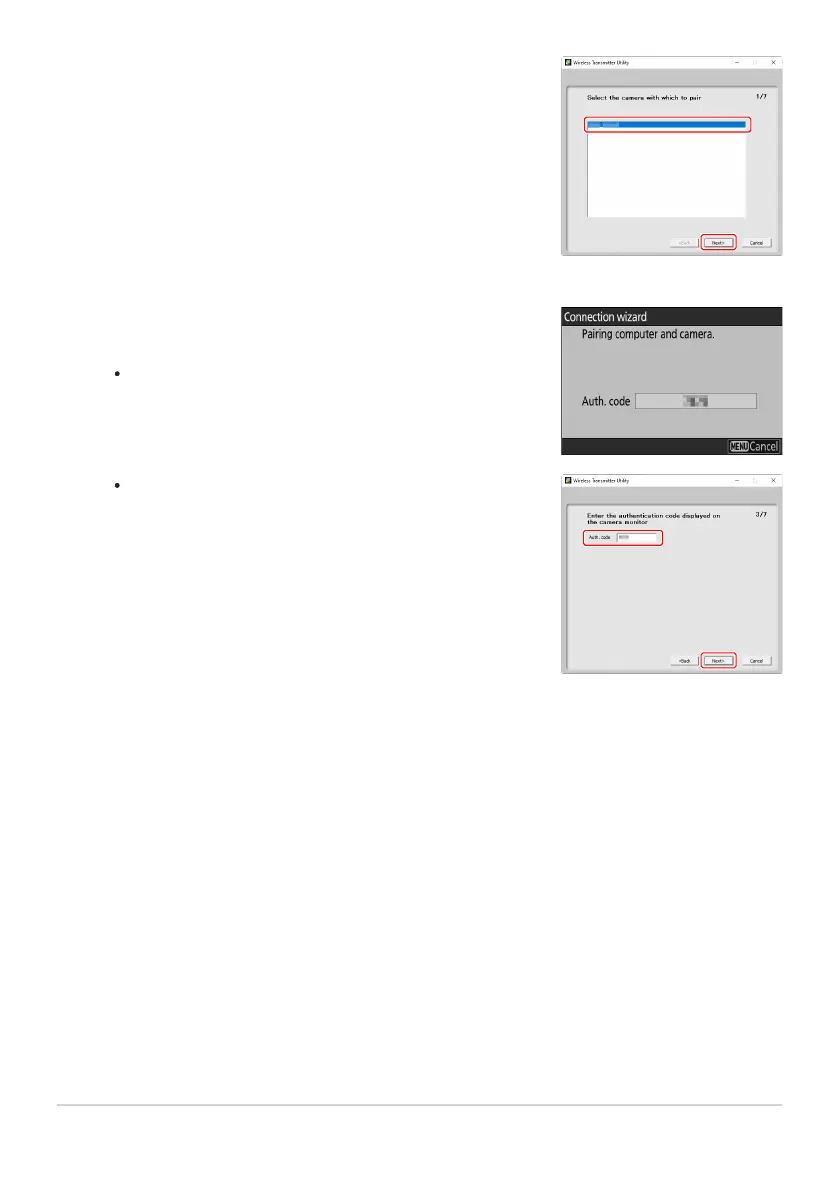
Select the camera in the Wireless Transmitter Utility.
Select the name displayed by the camera in S
tep8 and click
[Next].
In the Wireless Transmitter Utility, enter the authentication
code displayed by the camera.
The camera will display an authentication code.
Enter the authentication code in the dialog displayed by the
Wireless T
ransmitter Utility and click [Next].
332
Computers: Connecting via Ethernet
9
10



 To Next Page