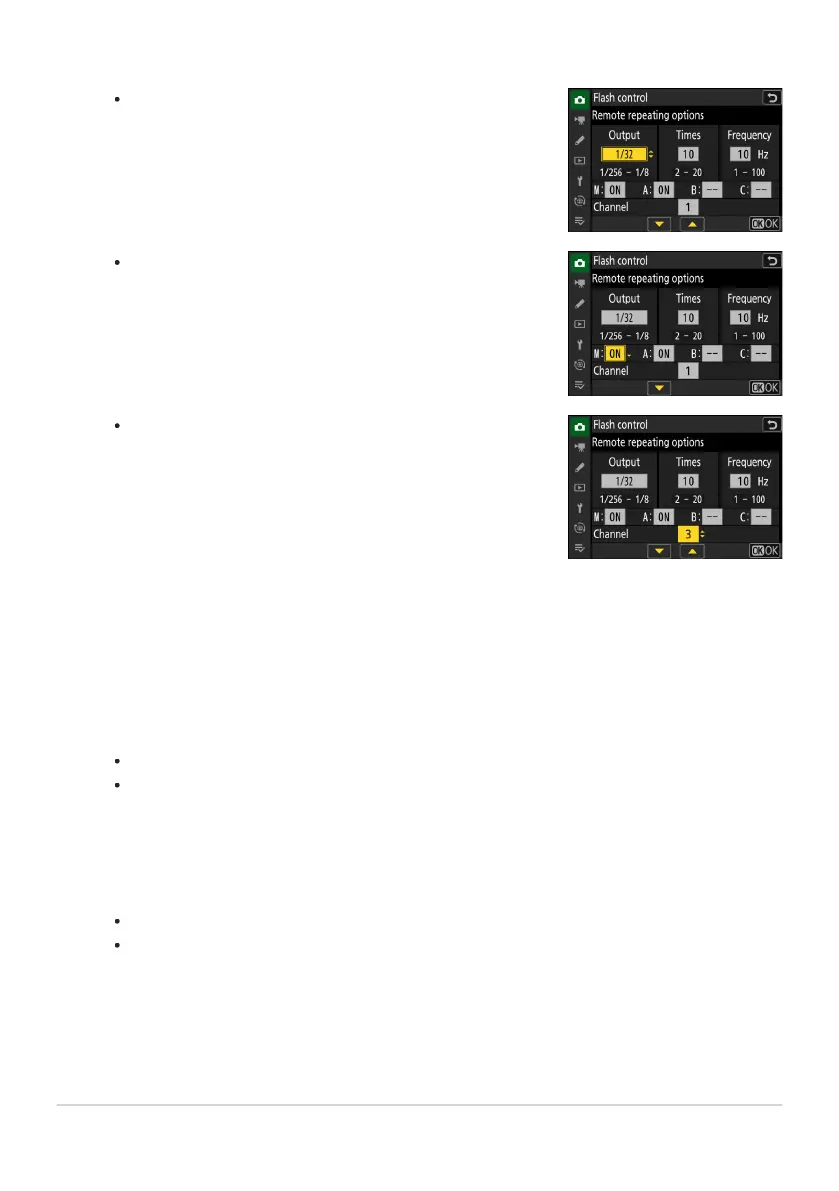
Adjust “output”, “times”, and “frequency”.
Enable or disable selected groups.
Select [ON] to enable or [– –
] to disable the selected
group.
-
Choose the channel.
For [Channel], choose the channel (1–4) the master flash
will use for optical r
emote flash control.
If the remote flash units include an SB‑500, you must
choose Channel [3].
-
-
C: Adjust remot
e repeating options.
f: Choose a channel for the remote flash units.
Set the remote flash units to the channel selected for [Channel] in Step 3.
f: Group the remote flash units.
Choose a group (A, B, or C).
There is no limit on the number of remote flash units that may be used. The practical
maximum, however, is three per group, as the light emitted by the remote flash units will
interfere with performance if more flash units are used.
C/f: Compose the shot and arrange the flash units.
See the documentation provided with the flash units for more information.
Test-fire the units and confirm that they are functioning normally. To test-fire the units, use
the [Test flash] item in the i menu, which can be added to the menu using Custom Setting
f1 [Customize i menu].
416
Optical AWL
3
4
5
6



 To Next Page