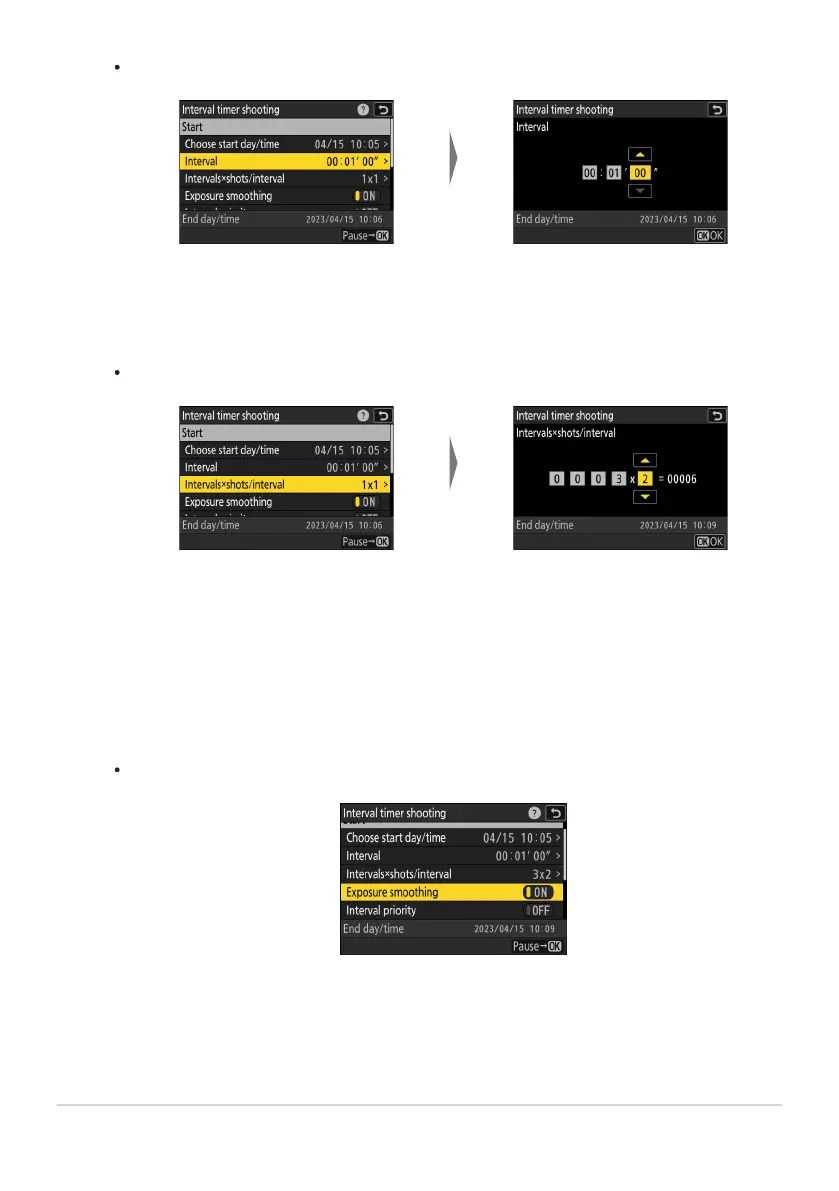
Highlight [Inter
val] and press
2.
Choose an interval (in hours,
minutes, and seconds) and
pr
ess J.
Highlight [Inter
vals×shots/
interval] and press 2.
Choose the number of
inter
vals and the number of
shots per interval and press
J.
Choose the interval between shots.
Choose the number of int
ervals and number of shots per interval.
In single frame release mode, the photographs for each interval will be taken at the rate
for continuous high-speed release mode.
Enable or disable exposure smoothing.
Highlight [Exposure smoothing] and press 2 to select [ON] or [OFF].
Selecting [ON] allows the camera to adjust exposure to match the previous shot.
486
Interval Timer Shooting
-
-



 To Next Page