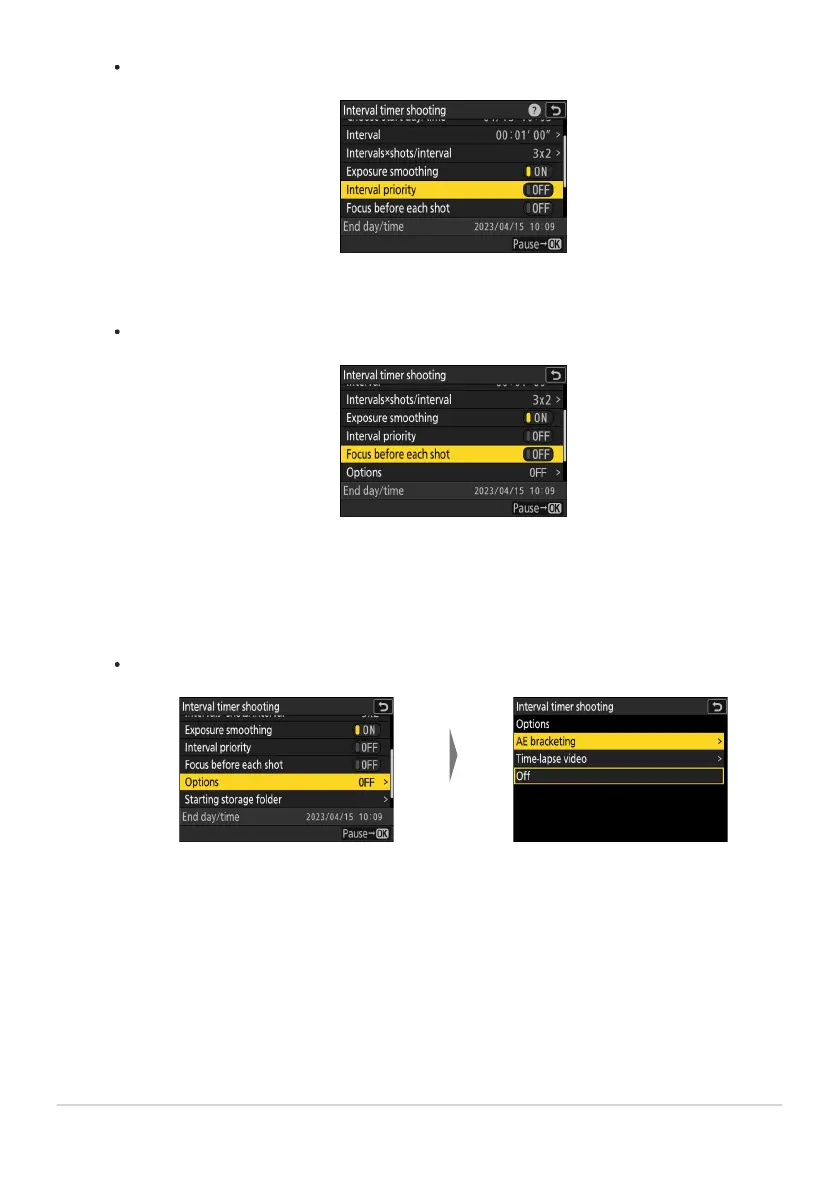
Highlight [Options] and pr
ess
2.
Highlight [AE brack
eting] or
[
Time-lapse video] and press
J.
Choose an interval priority option.
Highlight [Int
er
val priority] and press 2 to select [ON] or [OFF].
Choose whether the camera focuses between shots.
Highlight [Focus befor
e each shot] and pr
ess 2 to select [ON] or [OFF].
If [ON] is selected for [Focus before each shot], the camera will focus before each shot
according to the option currently selected for focus mode.
Choose additional options.
If you selected [AE bracketing], choose values for [Number of shots] and [Increment];
if you selected [Time-lapse video], choose settings for [Video file type], [Frame size/
frame rate], and [Destination].
487
Interval Timer Shooting
-
-



 To Next Page