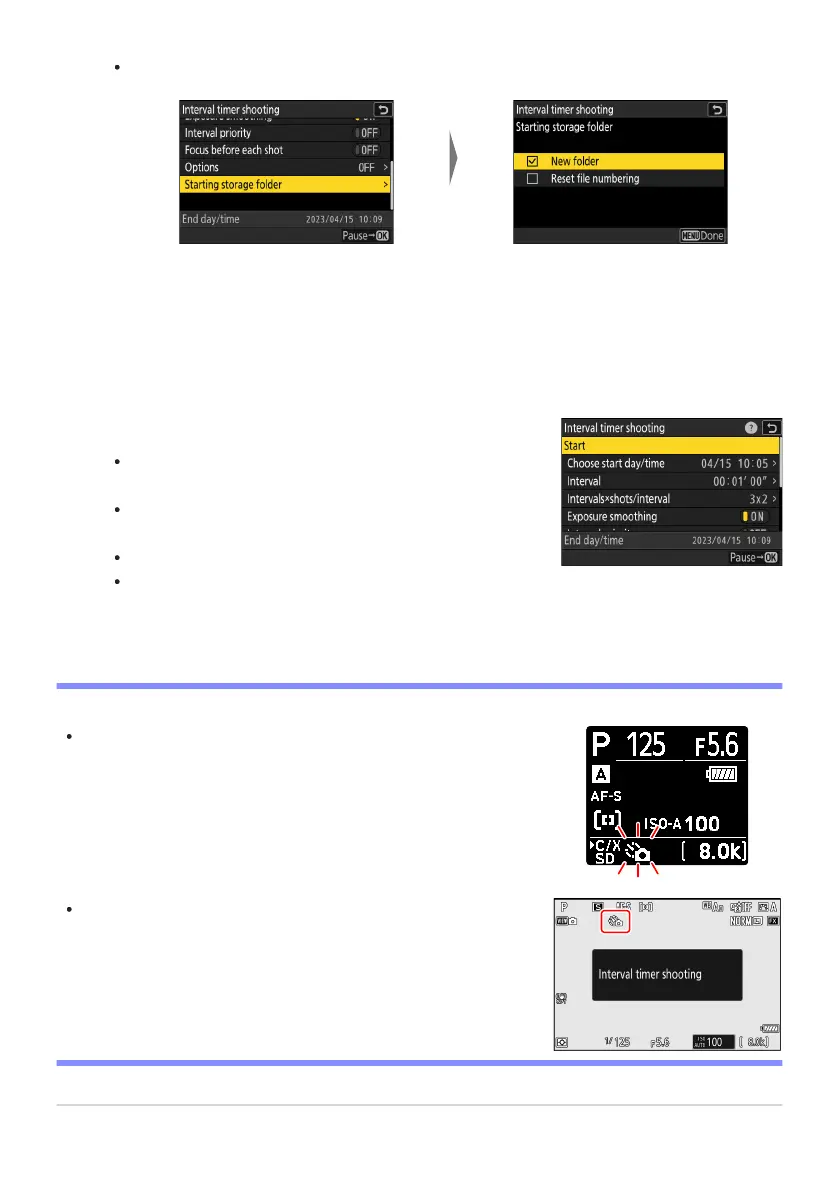
Highlight [Star
ting storage
folder] and press 2.
After highlighting the desired
options and pressing
J to
turn them on (M) or off (U),
press 4.
Highlight [Start] and press J.
If [Now] was select
ed for [Choose star
t day/time] in Step 2,
shooting will start after about 3 s.
Otherwise shooting will start at the time selected for
[Choose start day/time]> [Choose day/time].
The display turns off during shooting.
Shooting will continue at the selected interval until all shots
have been taken.
A 7 icon is displayed in the contr
ol panel during interval timer
photography. If [Time-lapse video] is selected for [Options], a 8
icon will also be displayed.
If the display is turned on by pressing the shutter-release button
halfway
, the message [Interval timer shooting] will be displayed
and the 7 icon will flash. If [Time-lapse video] is selected for
[Options], a 8 icon will also be displayed.
Choose starting folder options.
D During Shooting
488
Int
erval Timer Shooting
3



 To Next Page