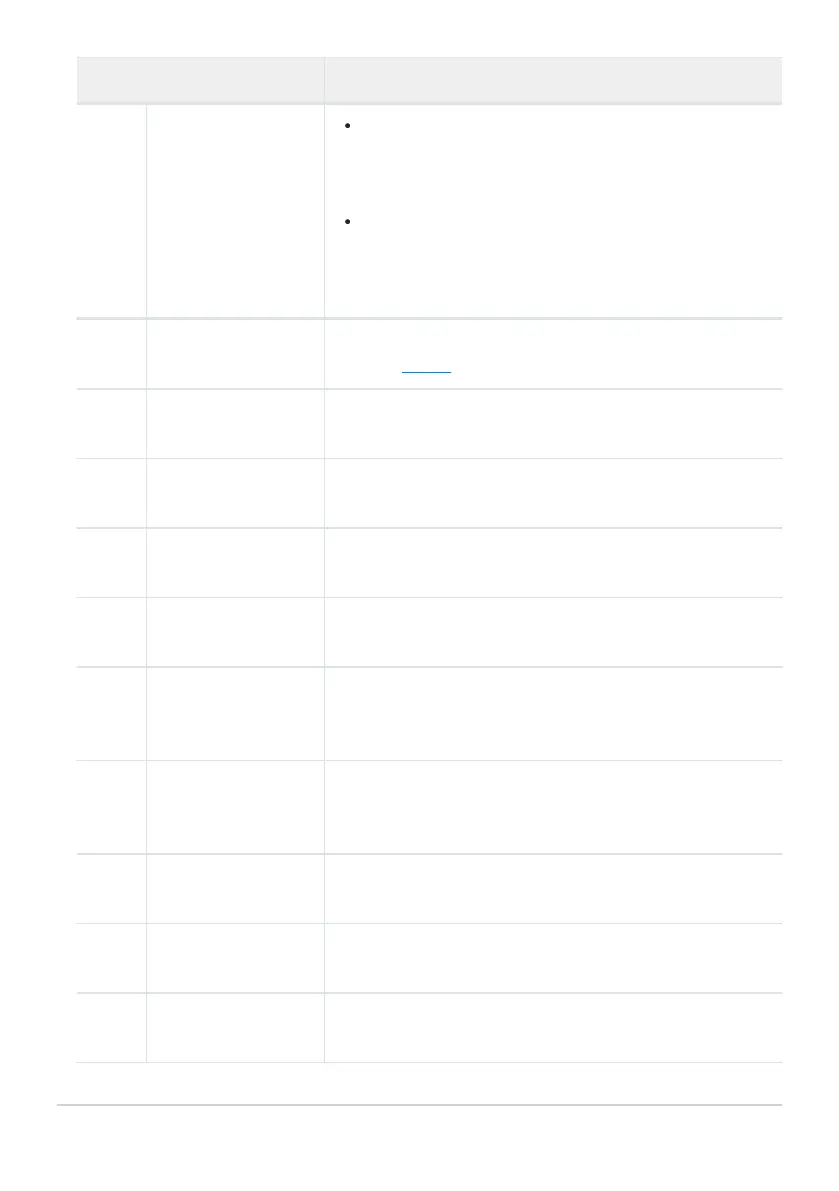
Role Description
J
[Hi-Res Zoom −]
Zoom out using Hi-R
es Zoom; the zoom ratio decreases
while the control is pressed. This option is enabled
automatically when [Hi-Res Zoom +] is selected for [Fn1
button].
Rotate the lens Fn ring counterclockwise to zoom out
using Hi-Res Zoom. This option is enabled automatically
when [Hi-Res Zoom +] is selected for [Lens Fn ring
(clockwise)].
9
[Pattern tone range]
Press the control to cycle through zebra pattern tone range
options (
0 679).
e
[Same as AF-ON
button
]
The control performs the role currently selected for the AF-
ON button.
1
[Record videos]
Press the control to start recording. Press again to end
recording.
n
[Shooting menu
bank]
Press the control and rotate a command dial to choose a
shooting menu bank.
v
[Shooting mode]
Press the control and rotate the main command dial to
choose a shooting mode.
J
[Choose image area]
Press the control and rotate a command dial to choose the
image area for videos. Note that the image area cannot be
changed while recording is in progress.
m
[White balance]
Hold the control and rotate the main command dial to adjust
white balance for videos. Some options offer sub-options that
can be selected by rotating the sub-command dial.
h
[Set Picture Control]
Press the control and rotate a command dial to choose a
Picture Control.
y
[Active D-Lighting]
Press the control and rotate a command dial to adjust Active
D-Lighting for videos.
h
[Skin softening]
Press the control and rotate a command dial to adjust skin
softening.
666
g2: Custom Controls



 To Next Page