LIFEPAK 15 Monitor/Defibrillator
Service Manual
Replacement Procedures
OEM PCB (A06) Replacement
Section Menu Section Contents Procedures Back Index
266
8
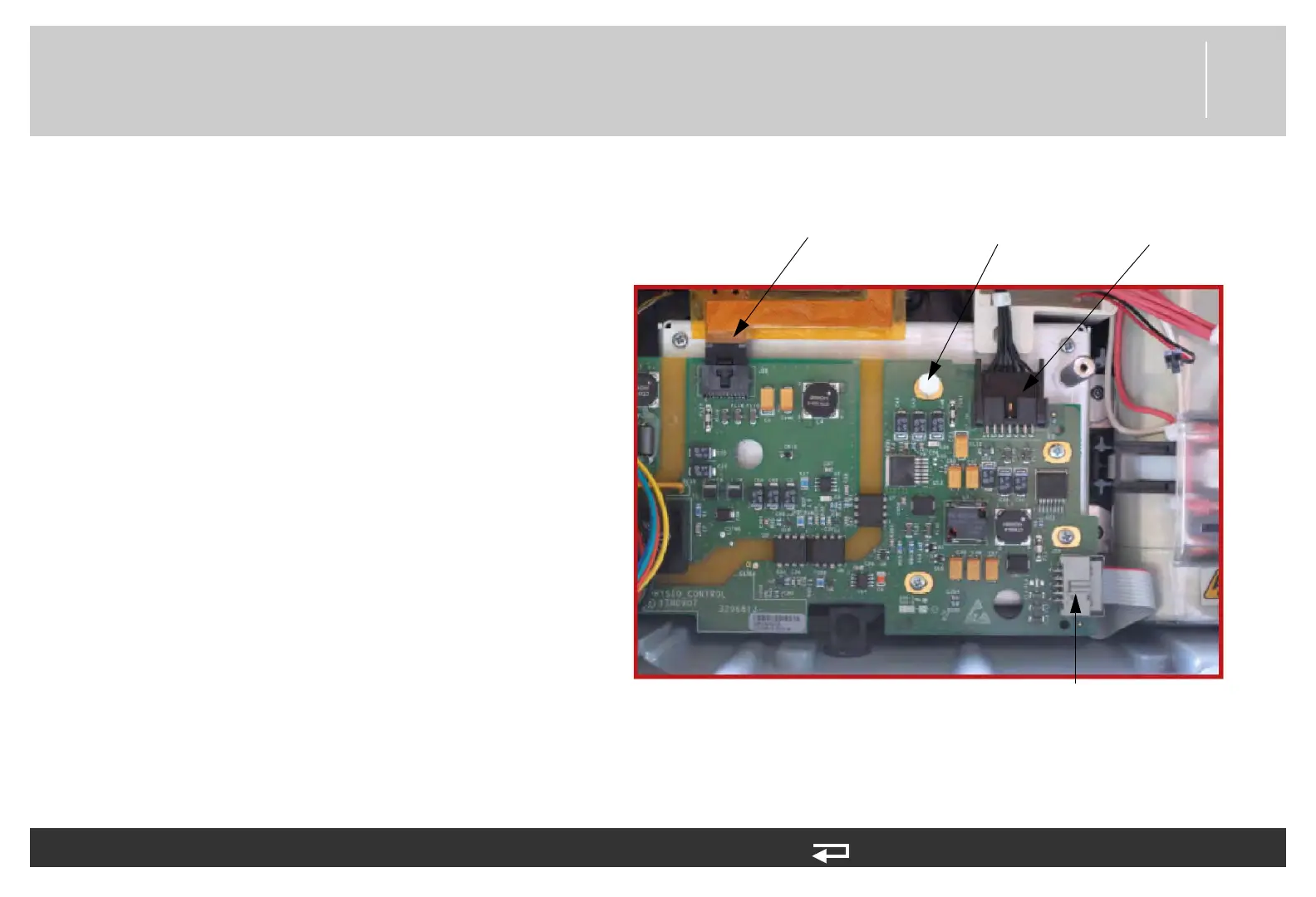
4. Install the nylon standoff (3010569-02) in
the OEM hole (torque to 4.0 in-lb using a
1/4” socket).
5. If present, connect the SpO2/OEM cable
(W21) (3207000-004) and ensure locking
feature is engaged.
6. If present, connect the CO2/OEM cable
(W26) (3206998-002) and ensure locking
feature is engaged.
7. If present, connect the NIBP/OEM cable
(W27) (3012181-00) and lock into place
with the retainer clip (3010805-000).
To install the OEM PCB (A06) into the rear case: (Continued) 12 steps, (Page 2 of 3)
Nylon
standoff
W27 - NIBP /
OEM cable
W26 - CO2/
OEM cable
W21 - SpO2/
OEM cable
Figure 8.63—OEM PCB connections














 To Next Page