LIFEPAK 15 Monitor/Defibrillator
Service Manual
Replacement Procedures
Interconnect Bracket (A17) Replacement
Section Menu Section Contents Procedures Back Index
285
8
Removing the Interconnect Bracket (A17)
Refer to Figure 8.78 on p. 284.
To remove the interconnect bracket from the rear case:
1. Disassemble the case as described in Disassembling the Case (p. 181).
2. Remove the system/therapy PCB assembly as described in System (A01)/
Therapy (A04) PCB Assembly Replacement (p. 232).
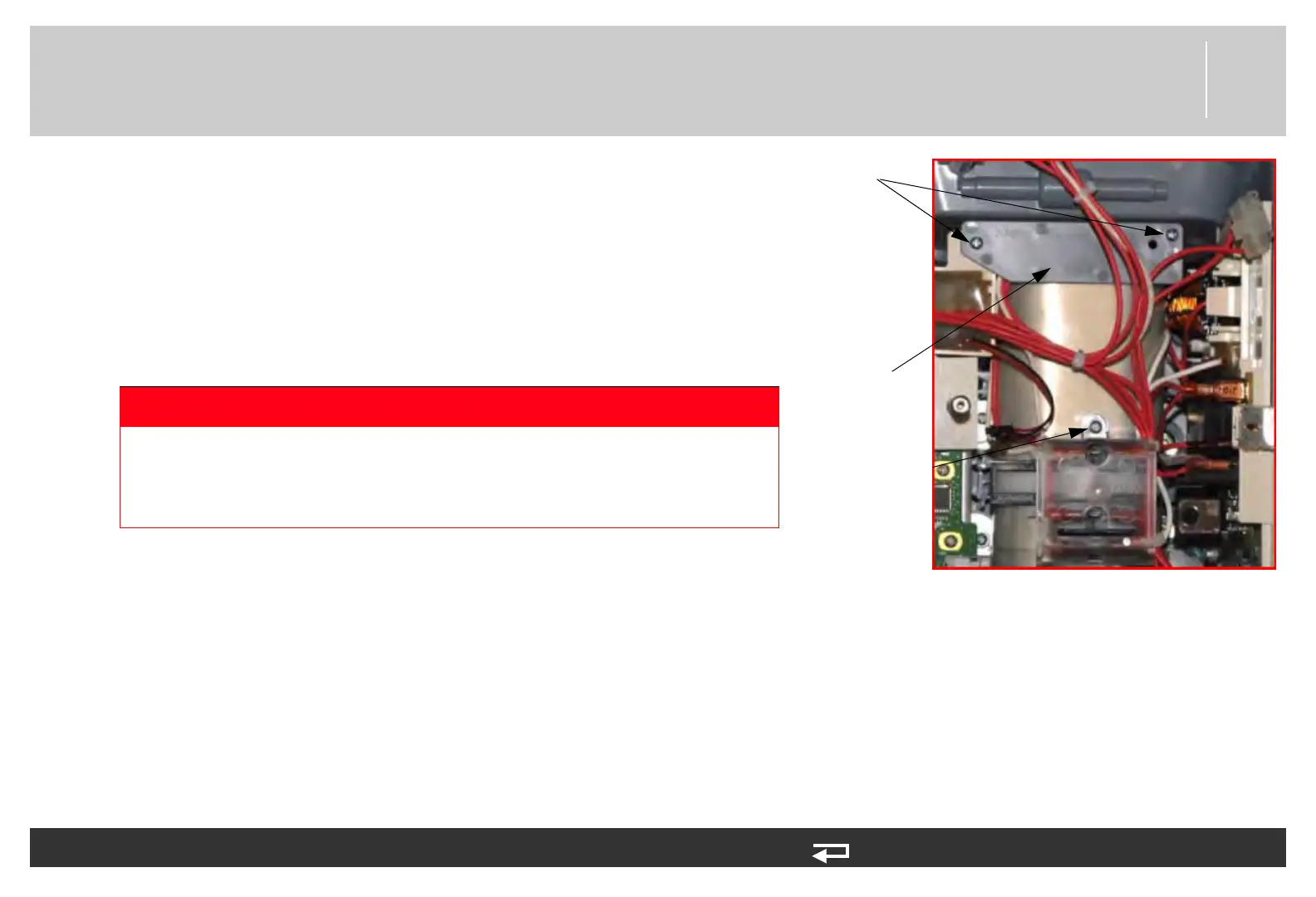
3. Remove the two mounting screws (202253-761) from the capacitor
bracket and remove the bracket (3207031-001). Discard the screws.
4. Remove the screw (202253-761) securing the clear, plastic, high-voltage
shield (3010593-00) from the interconnect bracket. Discard the screw.
5. Cut the cable ties that secure the interconnect bracket wiring.
6. Remove all spade terminals from the interconnect bracket terminals. A
gripping tool may be necessary.
7. Cut the large tie wrap securing the interconnect bracket.
DANGER
SHOCK HAZARD Lethal voltages may be present even without
operator action. Always discharge the energy storage capacitor
prior to servicing. See the service manual “Capacitor Discharging
Procedure (p. 178)” for detailed instructions.
capacitor
bracket
two screws
cover screw
Figure 8.79—Interconnect bracket screw locations














 To Next Page