User’s Manual of WGSW-20160HP/WGSW-24040HP series
• DEI
Drop Eligible Indicator: Valid value of DEI can be any of values between 0, 1 or
'Any'.
• Action
Indicates the classification action taken on ingress frame if parameters
configured are matched with the frame's content.
There are three action fields: Class, DPL and DSCP.
Class: Classified QoS class.
DPL: Classified Drop Precedence Level.
DSCP: Classified DSCP value.
• Modification Buttons
You can modify each QCE in the table using the following buttons:
: Inserts a new QCE before the current row.
: Edits the QCE.
: Moves the QCE up the list.
: Moves the QCE down the list.
: Deletes the QCE.
: The lowest plus sign adds a new entry at the bottom of the list of QCL.
4.9.11.1 QoS Control Entry Configuration
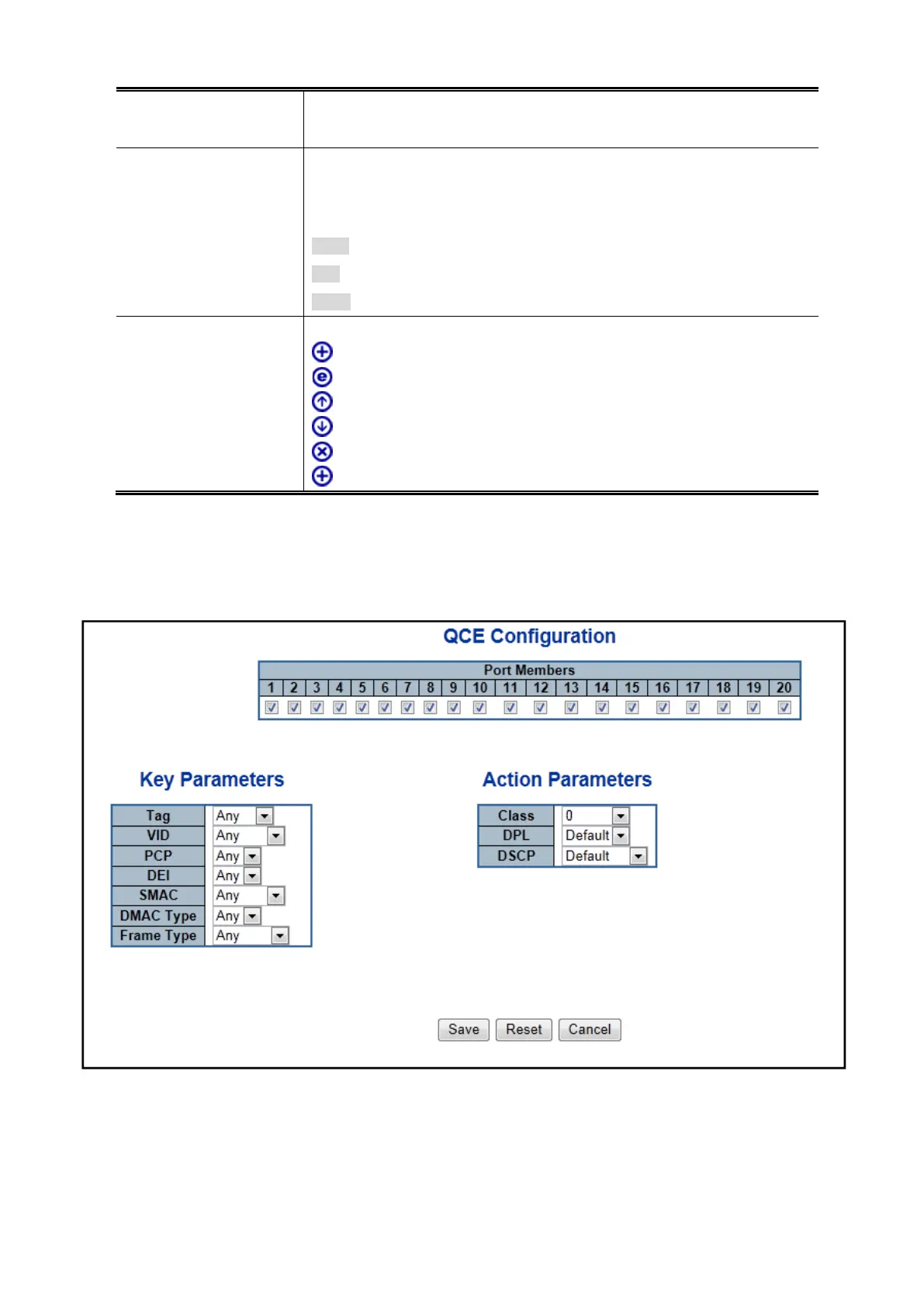
The QCE Configuration screen in Figure 4-9-13 appears.
Figure 4-9-13: QCE Configuration Page Screenshot



 To Next Page
 Loading...










