User’s Manual of WGSW-20160HP/WGSW-24040HP series
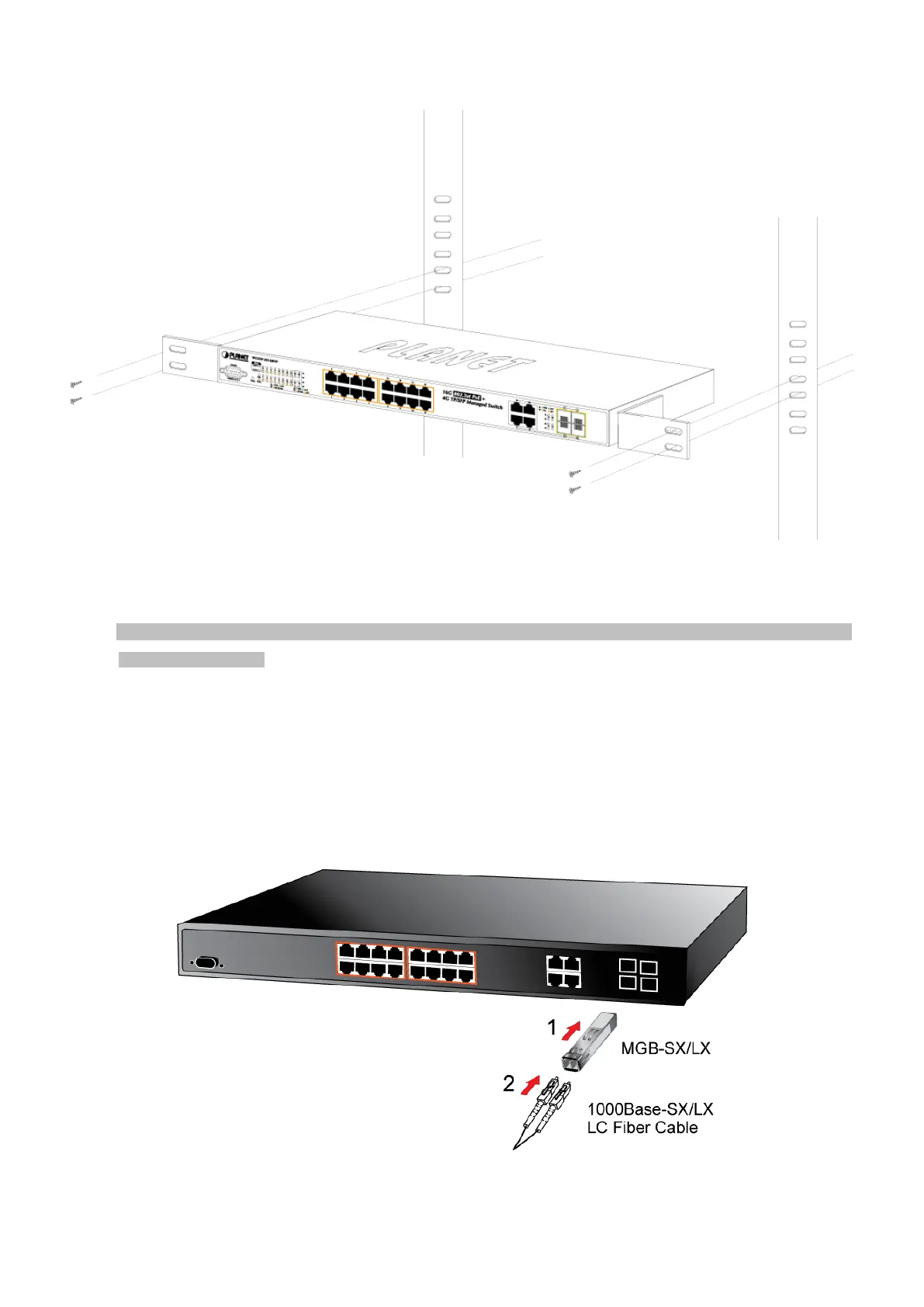
Figure 2-6: Mounting Managed Switch in a Rack
Step6: Proceeds with the steps 4 and 5 of session 2.2.1 Desktop Installation to connect the network cabling and supply power
to the Managed Switch.
2.2.3 Installing the SFP Transceiver
The sections describe how to insert an SFP transceiver into an SFP slot.
The SFP transceivers are hot-pluggable and hot-swappable. You can plug-in and out the transceiver to/from any SFP port
without having to power down the Managed Switch, as the Figure 2-7 shows..
Figure 2-7: Plug-in the SFP Transceiver



 To Next Page
 Loading...










