ROTALIGN Ultra iS Shaft handbook
110
If a sensor or laser with an older firmware version is connected to a ROTALIGN
Ultra iS computer running on the current ROTALIGN Ultra firmware version, a
hint to update the respective firmware appears on the display. The laser/sensor
update wizard may then be prompted.
The sensALIGN sensor and laser firmware updates must be carried out only using
the supplied sensALIGN sensor and laser cable ALI 4.921-2.
5.2.9 Intelli laser position
This Advanced Shaft feature is used to adjust the laser beam so that it remains in the
sensor detector surface through the entire rotation of the shafts. This feature is useful
when measuring shafts with gross misalignment or angular misalignment over large
distances.
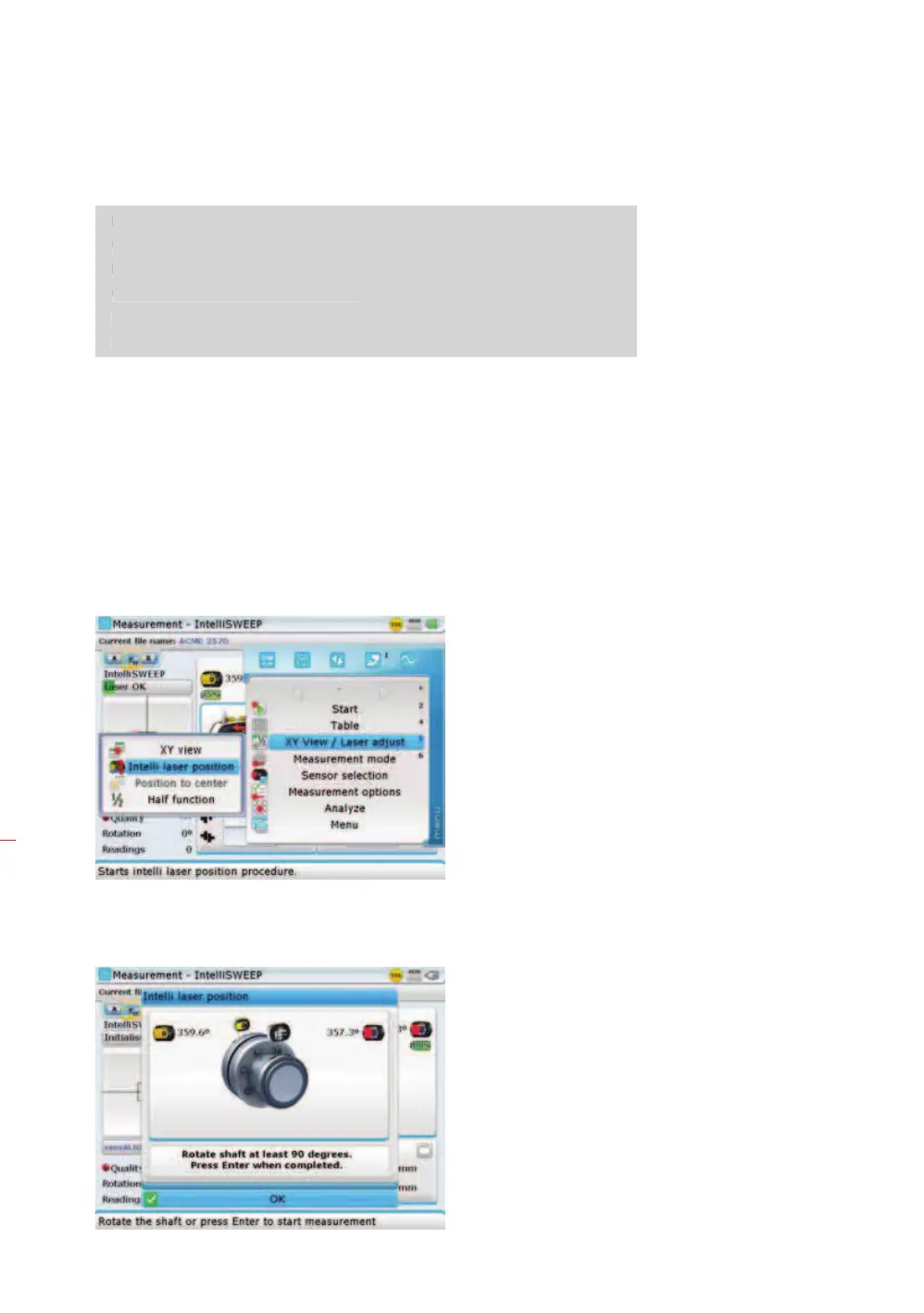
Intelli laser position is used as follows.
1. As laser beam adjustment takes place in the “Measurement” screen, press
q
while on this screen, then use the navigation keys and highlight the submenu
item ‘Intelli laser position’.
2. With ‘Intelli laser position’ highlighted, press
e to confirm selection. A hint to
rotate the shafts through 90° appears on the screen.
Note
I



 To Next Page
 Loading...
