WEC8500/WEC8050 (APC) Operation Manual v10.1 124
©Samsung Electronics America
4 Configure the mDNS snooping profile object in the WLAN and the wired
interface.
o The Bonjour service configured in the mDNS snooping profile is
forwarded to the configured WLAN and wired interface.
WEC8500/configure# wlan 1
WEC8500/configure/wlan 1# mDNS-snoop-profile mdns_p1
WEC8500/configure/wlan 1# exit
WEC8500/configure# interface vlan1.10
WEC8500/configure/interface vlan1.10# mDNS-snoop-profile mdns_p1
WEC8500/configure/interface vlan1.10# exit
Configuration using Web UI
In the menu bar of <WEC Main window>, select <Configuration> and then select the
<Controller> <General> submenus.
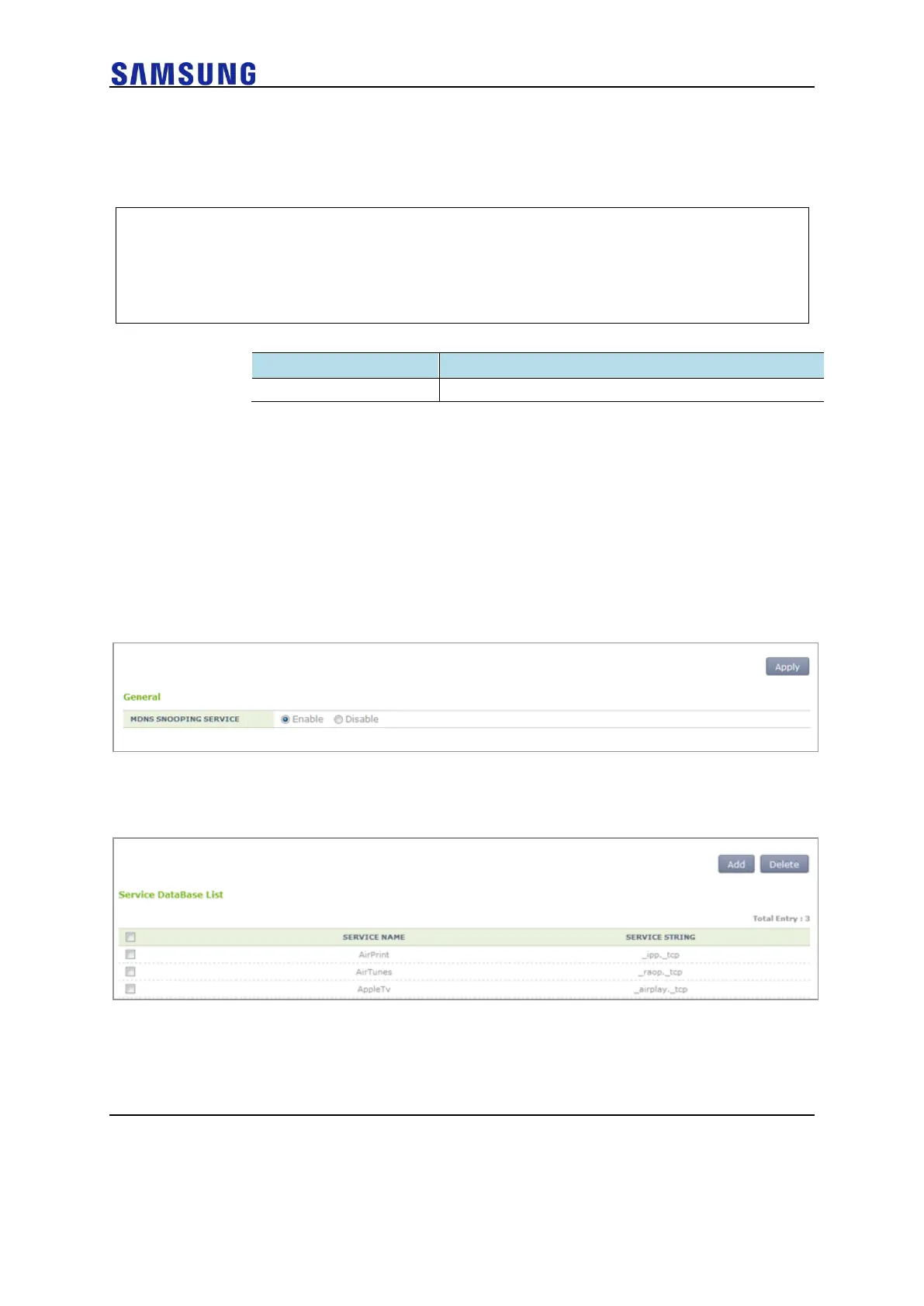
1 Enable the mDNS Snooping function in the APC system.
In the menu bar of <WEC Main window>, select <Configuration> and
then select the <Controller> <mDNS Snooping> <General >
submenus.
Figure 85. mDNS Snooping Activation Window
2 Add an mDNS snooping service object.
Figure 86. mDNS Snooping Service Configuration
3 Create an mDNS snooping profile object and configure a service object.
Select <Controller> <mDNS Snooping> <Profile>.



 To Next Page