WEC8500/WEC8050 (APC) Operation Manual v10.1 230
©Samsung Electronics America
and go to the <Security> <L2> tab.
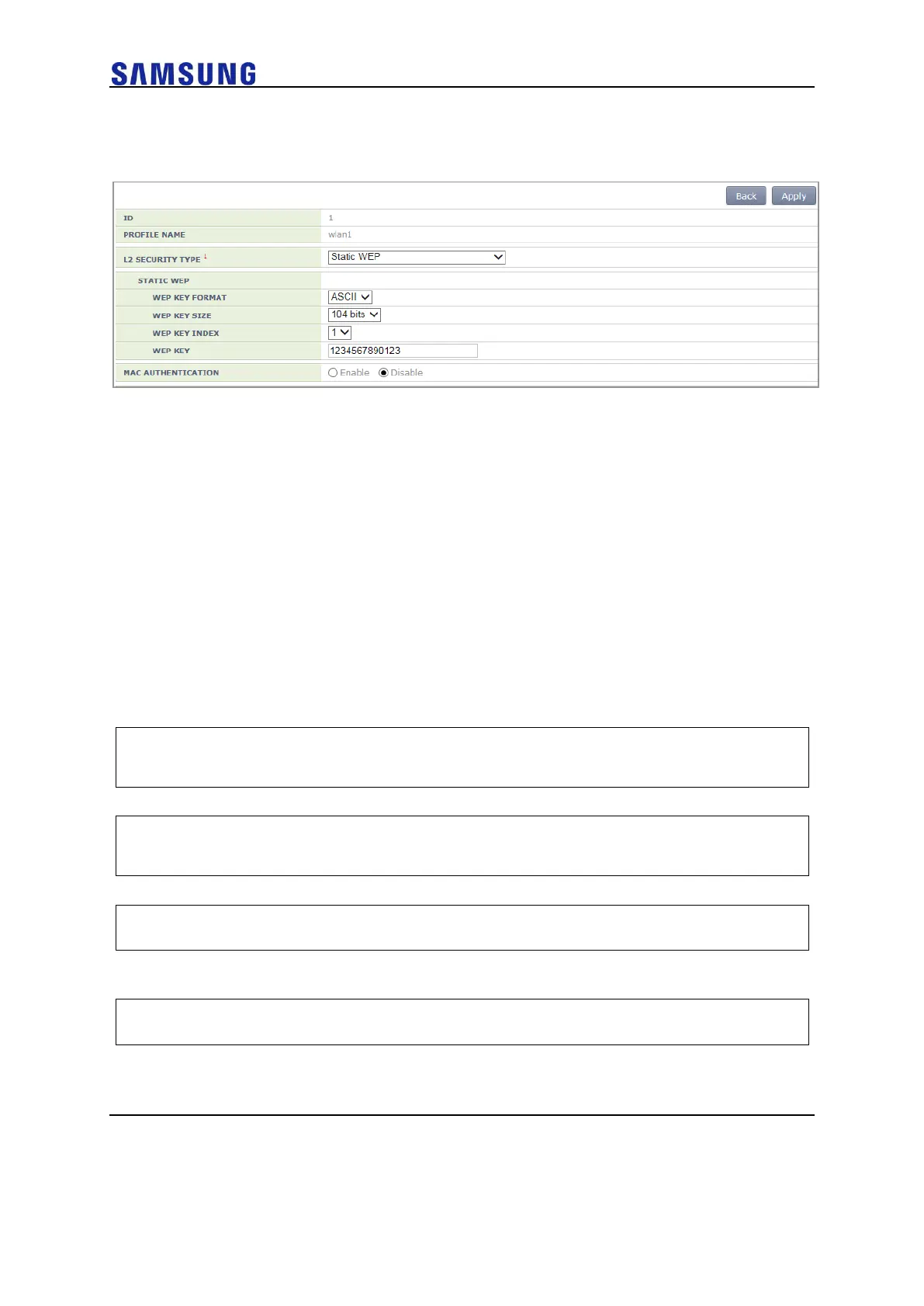
Figure 159. Static WEP Configuration
Select the L2 Security Type as Static WEP. After configuring the rest values as required,
click the <Apply> button.
For more information about detail configuration item of L2 tab, see ‘5.3.1 Initialization of
WLAN Security Function’.
Dynamic WEP Configuration
The Dynamic WEP is a security algorithm that improves the security vulnerabilities of a
static WEP by using 802.1x authentication. Unlike the static WEP that is based on a
configured fixed key, it creates a cryptographic key by executing 802.1x authentication
when a terminal is connected.
Configuration using CLI
For dynamic WEP configuration, execute the command as follows:
1 Go to configure wlan configuration mode of CLI.
WEC8500# configure terminal
WEC8500/configure# wlan 1
2 Go to security configuration mode and initialize the configuration.
WEC8500/configure/wlan 1# security
WEC8500/configure/wlan 1/security# setDefault
3 Enable the 802.1x authentication.
WEC8500/configure/wlan 1/security# ieee8021x
4 To configure the length of a cryptographic key of dynamic WEP, execute
the following command:
WEC8500/configure/wlan 1/security# ieee8021x encryption [KEY_LENGTH]



 To Next Page