4 Configure the Modulation and Coding Scheme (MCS) rate.
WEC8500/configure/80211a/11n-support# mcs [RATE] global
5 To check the configured 11n-support information, use the ‘show 80211a
radio-config ap [AP_ID]’ command.
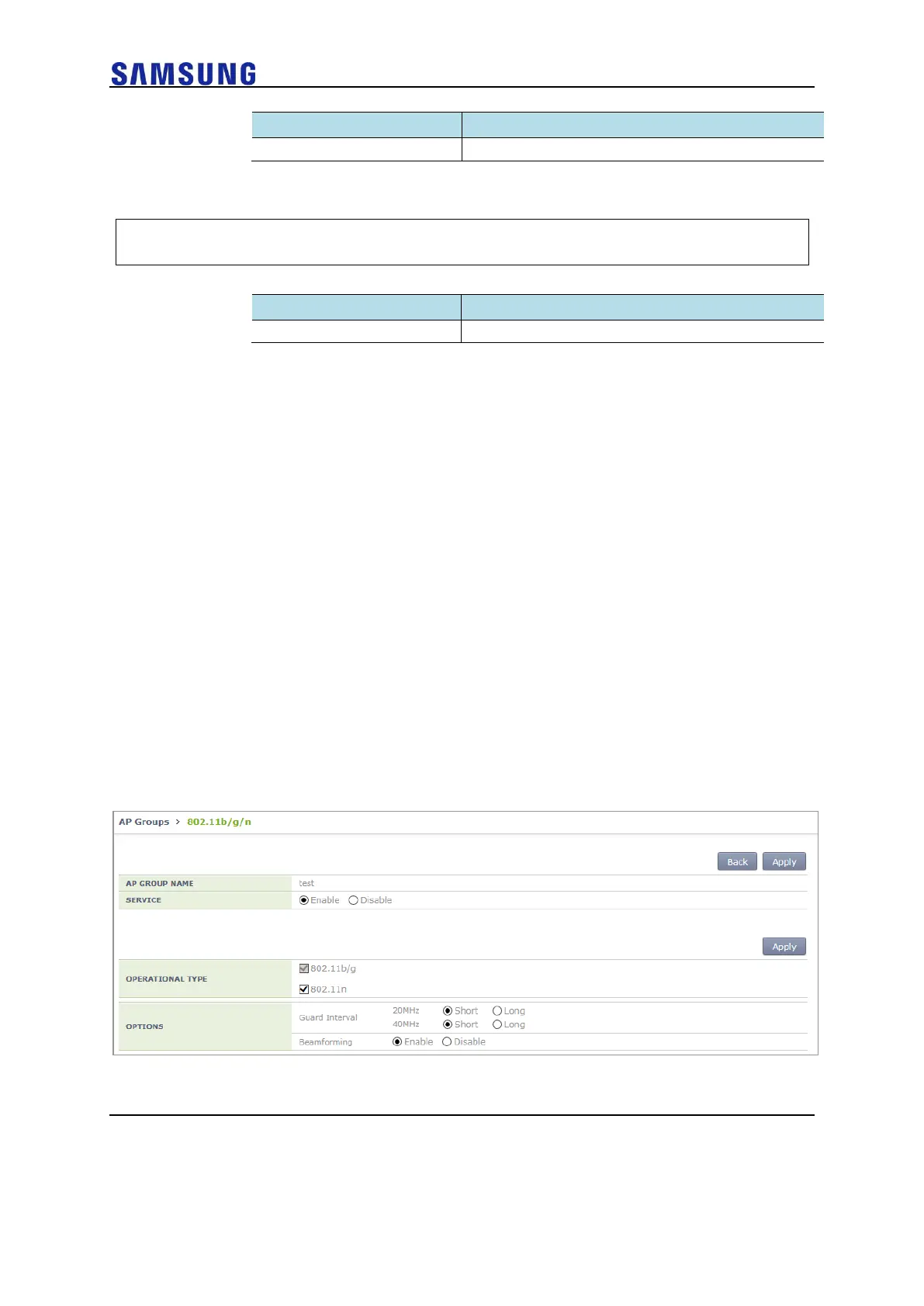
[OPTIONS]
• Guard-interval (11n): select short/long for each Guard-interval 20/40
Mhz.
• Beamforming: select use or not use.
Configuration using Web UI
In the menu bar of <WEC Main window>, select <Configuration> and then select the
<Access Points> <802.11a/n/ac> or <802.11b/g/n> <General> menu in the sub-
menus.
Select <Configuration> in the menu bar of <WEC Main Window> and select <WLANs>
<WLANs> <802.11a/n/ac> or <802.11b/g/n> in submenus to configure MCS Setting.
Select <Configuration> in the menu bar of <WEC Main Window> and select <AP
Groups> <802.11a/n/ac> or <802.11b/g/n> in submenus to configure Operational Type
and Options.
An example of selecting 802.11b/g/n is shown below.
Figure 186. 802.11/b/g/n Operational Type and Options Window



 To Next Page