WEC8500/WEC8050 (APC) Operation Manual v10.1 58
©Samsung Electronics America
priority.
• bridge 1 priority [PRIORITY]
• no bridge 1 priority
[bridge shutdown]
This command clears bridge settings. The ‘no’ parameter is used to restart a bridge.
• bridge shutdown [1-32]
• no bridge shutdown [1-32]
Configuration using Web UI
In the menu bar of <WEC Main window>, select <Configuration> and then select the
<Controller> <Network> <MSTP> menu in the sub-menus.
The sub-menus of the MSTP menu are as follows:
• Config: Configures the spanning tree.
• Instance: Manages the MSTP VLAN instance.
• Port: Manages the MSTP port.
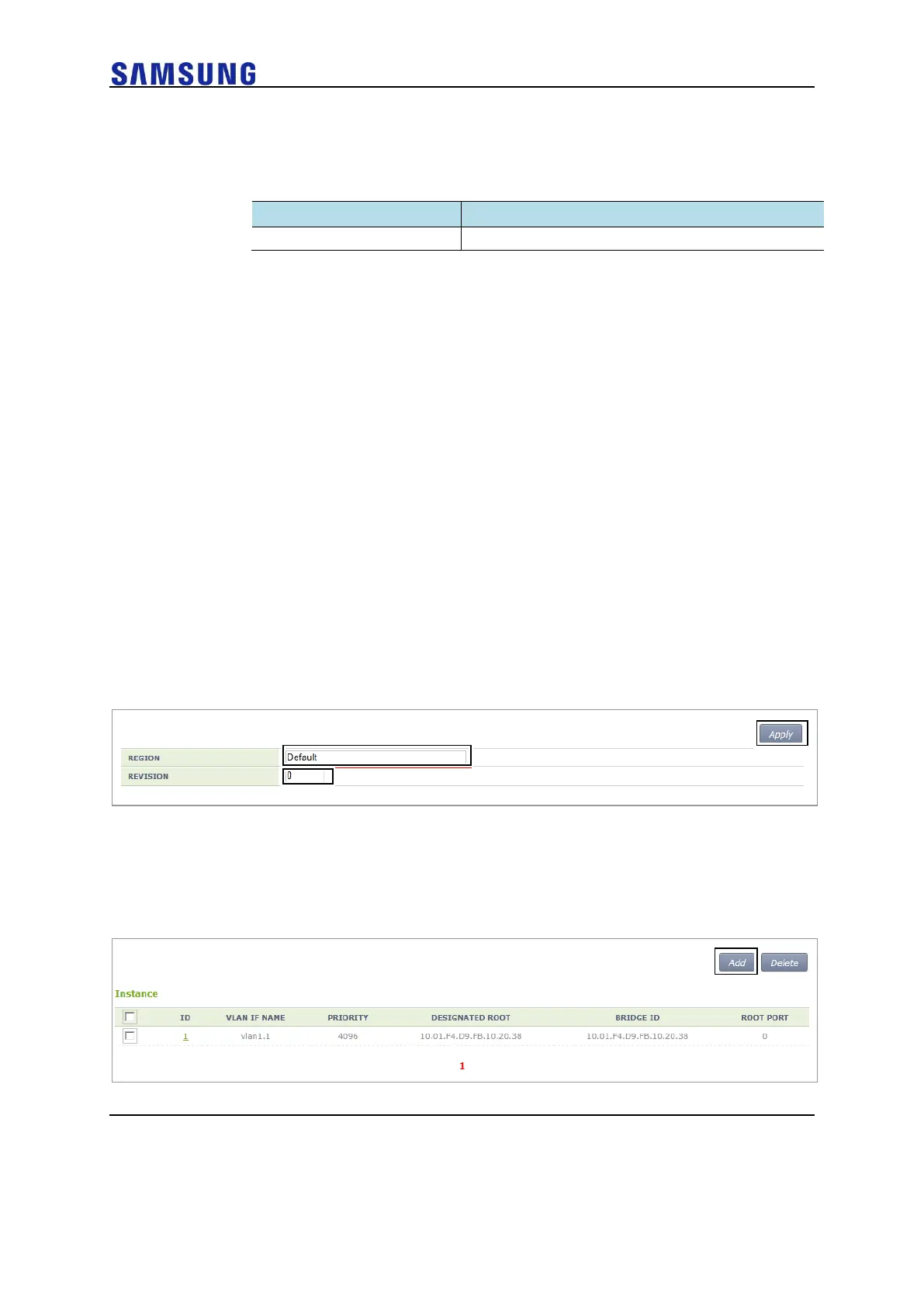
[Configuring Spanning Tree]
After selecting the <Config> menu, enter configuration information and then click the
<Apply> button.
Figure 51. Spanning Tree Configuration Window (1)
[Managing the MSTP VLAN instance]
When you select the <Instance> menu, the configured MSTP VLAN Instance list is
displayed on the window. Click the <Add> or <Delete> button to add or delete an instance.
Figure 52. Spanning Tree Configuration Window (2)



 To Next Page