WEC8500/WEC8050 (APC) Operation Manual v10.1 467
©Samsung Electronics America
MAC Address : F4D9FB236C01
System Model : Any
Lifetime : Permanet
Number of APs : 75
VQM : Eanbed
Firewall : Eanbed
Installation Time : 00
[Analyzing License Key]
Before registering a license key to the system, you can check the functions supported by
the license key.
• analyze-key [LICENSE-KEY]
Configuration using Web UI
In the menu bar of <WEC Main window>, select <Configuration> and then select the
<License> menu in the sub-menus.
From the APC Version 1.5 and later, in respect of old license keys, the web UI does not
provide input/deletion functions and shows only whether they are installed properly.
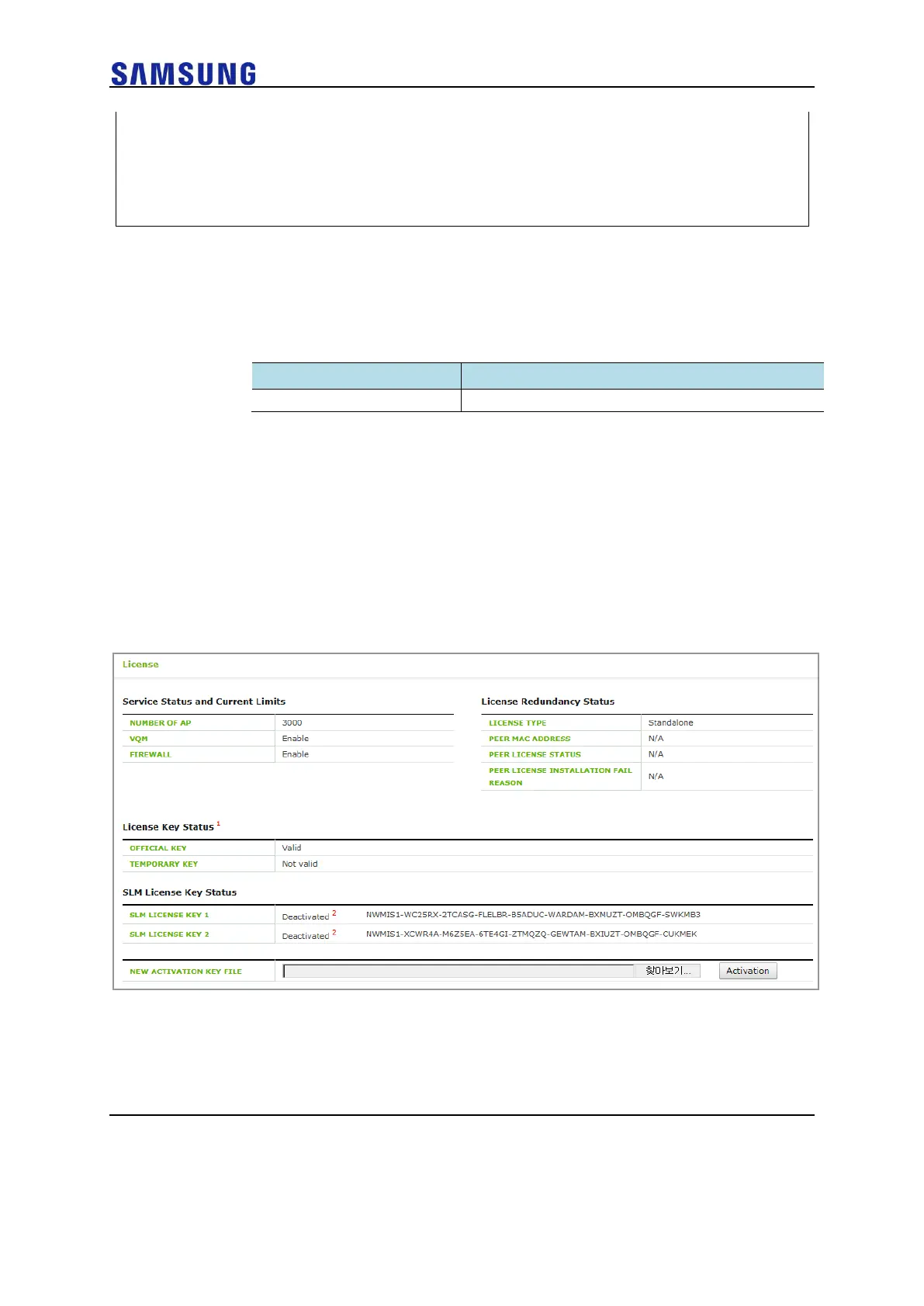
In the figure below, ‘License Key Status’ is the section that shows whether old license
keys are installed properly and ‘Current System Status’ shows license information
currently applied to the system.
Figure 314. Old License Installation Check Window



 To Next Page