WEC8500/WEC8050 (APC) Operation Manual v10.1 465
©Samsung Electronics America
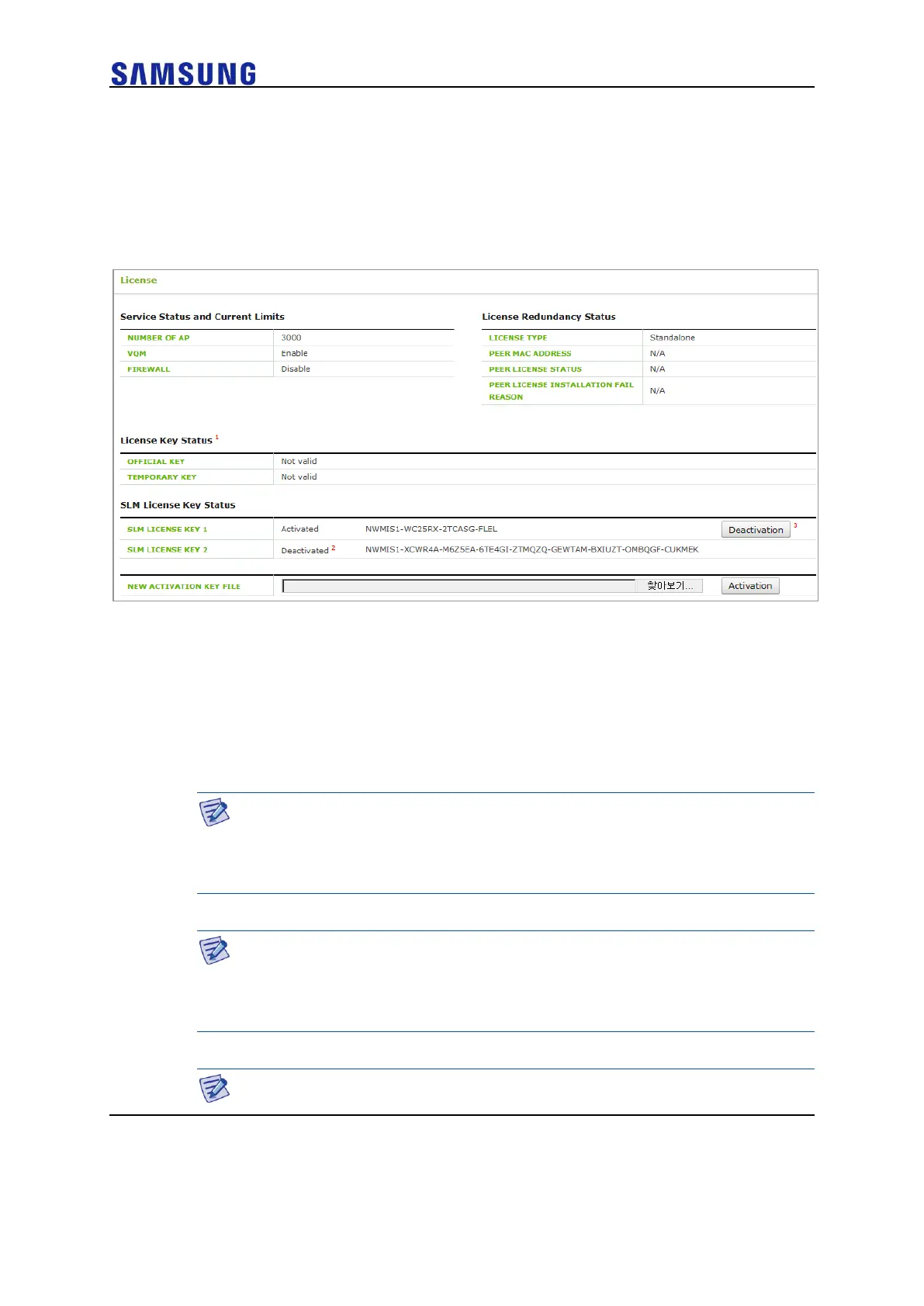
In the ‘License Control’ section, the operator can select an activation key stored in their
PC and install it in the system.
In addition, the operator can also deactivate an installed activation key. The operator can
clear an installed activation key by selecting Deactivation in ‘License Control’ and then
entering the license key shown in ‘SLM License Key Status’.
Figure 313. SLM License Search and Configuration Window
Managing Old License Key
An old license key can differ in regard to the number of manageable APs, whether to
support the VQM function, whether to support the firewall function, and the period of use
of a function.
A license key is unique for each system and it consists of encrypted 53 characters.
A license key is distributed in a file or text format.
Installation
APC system can install/register only one official license key and one
temporary license key. A license key (temporary license Key) with time
duration can be installed only 3 times.
Use period
An official license key has no restriction on use period.
A temporary license key has a restriction on use period and the period can
be 1, 30, or 60-day.
Apply



 To Next Page